Sprint planning meeting template
September 18
TL;DR: Sprint planning fails when the meeting becomes a ticket-shuffling exercise rather than a goal-setting conversation. An effective session defines a clear sprint goal, calculates realistic team capacity, reserves dedicated time for discovery tasks, breaks down user stories, and logs dependencies before the team commits. Using an AI notepad like Granola during the session captures decisions and action items automatically, so the facilitator stays present rather than typing. The ready-to-use template below covers every section, from sprint goal to risk log.
Whoever runs sprint planning often ends up managing the project management tool rather than aligning the team on what matters. The result is a feature factory: tickets get pulled, capacity fills up, and discovery work gets squeezed out. Two weeks later, the team ships something nobody asked for.
A sprint planning meeting should do one thing well: produce a shared, written commitment that the team trusts. This guide gives you a step-by-step agenda, a downloadable template, and practical advice on capturing decisions without losing the thread of the conversation.
What is sprint planning?
Sprint planning is the ceremony that opens each sprint in the Scrum framework. The team reviews the product backlog, selects the work they will complete, defines the sprint goal, and commits to a realistic scope. The team runs it at the start of every sprint to set direction for the work ahead.
The Agile Manifesto established the principle that guides how this ceremony should feel: "Individuals and interactions over processes and tools." That means the meeting should center on conversation and alignment, not on who updates which field in Jira first.
Sprint planning is not a reporting meeting or a status update. It is a structured conversation where the product manager, Scrum Master, and development team make a collective commitment to a sprint goal, grounded in customer evidence and current capacity.
Sprint planning goals
Every sprint planning session has two primary goals. First, the team agrees on the sprint goal: a short statement that explains why the sprint is valuable and what the team is trying to achieve. Second, the team selects the backlog items that will help them reach that goal, with enough confidence that each item is understood, estimated, and achievable within the sprint.
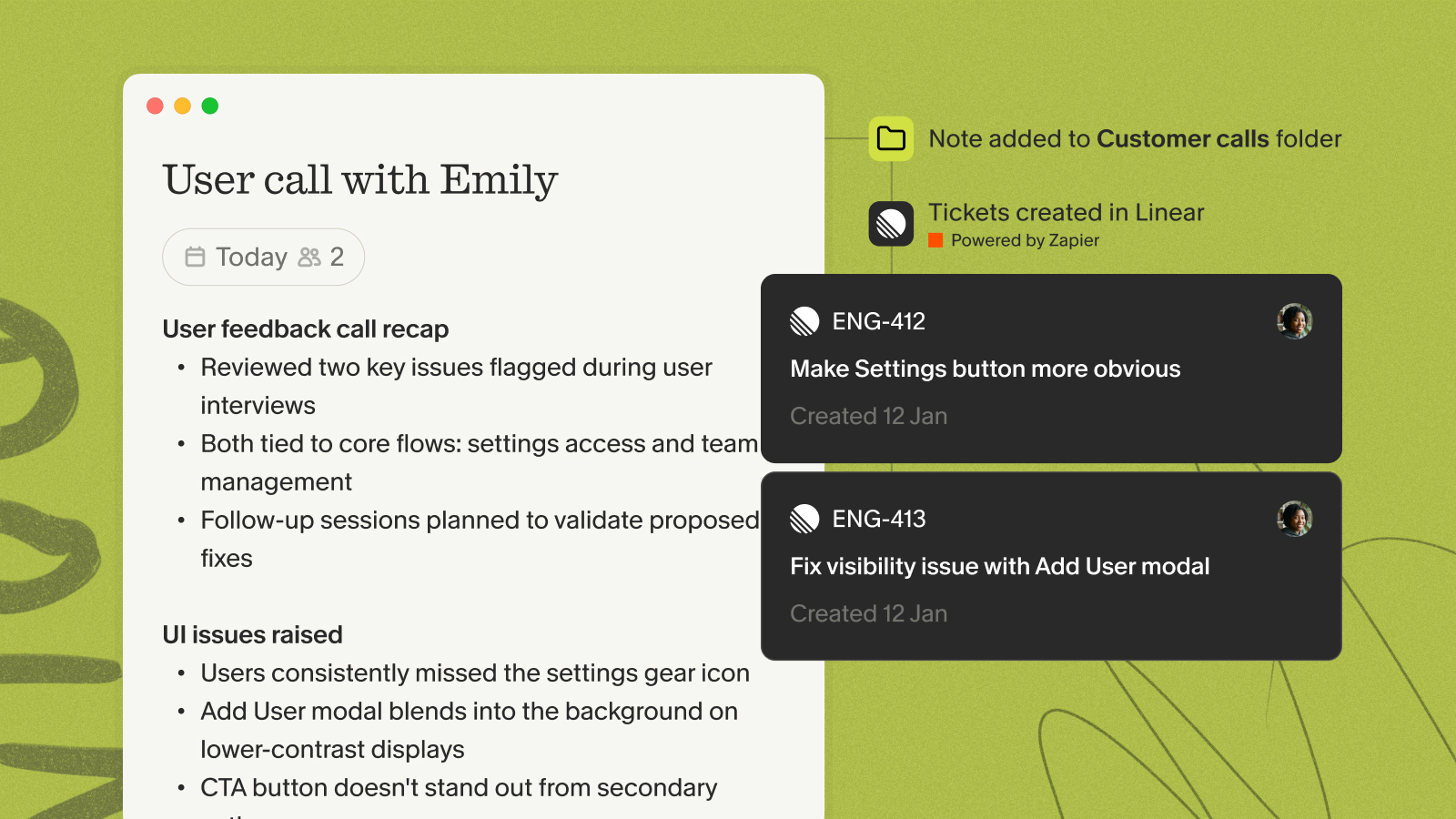
These goals depend on customer insights. When discovery research feeds directly into backlog prioritization, the team builds things customers need. When research stays trapped in synthesis decks nobody reads, the team guesses. Aligning the sprint goal to what real users said in recent interviews is the difference between a productive sprint and one that ships the wrong feature.
Who should attend
Sprint planning works best with a focused group. Expanding the invite list adds noise without improving decisions.
- Product Manager: Owns the backlog, presents the sprint goal, and provides customer context for each item.
- Scrum Master: Facilitates the meeting, tracks time-boxing, and removes process blockers.
- Development team: Estimates effort, flags technical risks, and commits to the sprint scope.
Stakeholders and executives generally do not attend sprint planning. Their input should arrive through backlog refinement beforehand, not during the ceremony itself.
How long it should take
The Scrum Guide sets a maximum time-box of eight hours for sprint planning in a one-month sprint. For the two-week sprints most SaaS teams run, that scales to approximately four hours. For one-week sprints, aim for two hours or less.
In practice, well-prepared teams with a refined backlog complete two-week sprint planning in 60 to 90 minutes. Preparation, not the length of the ceremony itself, determines how long planning takes. When the backlog is clean before the meeting starts, discussion focuses on commitment rather than clarification.
Sprint planning meeting agenda template
The agenda below keeps the team focused and prevents the planning fatigue that comes from open-ended discussions. Each step has a defined owner and a concrete output. Work through them in order.
Table 1: Sprint planning agenda breakdown
| Step | Duration | Owner | Output |
|---|---|---|---|
| 1. Review sprint goals and capacity | ~15 min | Scrum Team | Agreed sprint goal and available hours |
| 2. Prioritize backlog items | ~20 min | Product Manager + Team | Ranked shortlist tied to sprint goal |
| 3. Break down user stories | ~20 min | Development team | Technical tasks per story |
| 4. Estimate effort and assign tasks | ~20 min | Development team | Story points or hours per task |
| 5. Define success criteria | ~10 min | Scrum Team | Definition of Done per item |
| 6. Identify dependencies and risks | ~10 min | Scrum Team | Risk and dependency log |
1. Review sprint goals and capacity
Start by answering the question the Scrum Guide calls most important: why is this sprint valuable? The product manager proposes a sprint goal that connects to the roadmap and to what the team has learned from recent customer conversations. The team refines it together until everyone can repeat it in one sentence.
Once the goal is set, calculate actual capacity. Target 80% utilization, a common approach in agile capacity planning. For a five-person team in a two-week sprint: 5 people x 40 hours x 2 weeks = 400 total hours, minus roughly 50 hours for meetings and admin, leaves 350 productive hours. At 80% utilization, the team commits to approximately 280 hours of development work.
Reserve a portion of that committed capacity for discovery tasks. Teresa Torres' continuous discovery framework makes the case that discovery is a recurring weekly cadence, not an episodic project. A product trio committing a few hours per sprint to customer interviews, prototype validation, or hypothesis testing builds a learning habit that prevents the "build the wrong thing" failure pattern. Protecting that time during sprint planning is the mechanism that makes continuous discovery real rather than aspirational.
2. Prioritize backlog items
With the sprint goal and capacity defined, the product manager walks the team through the top backlog items and explains why each one moves toward the goal. The team asks questions, surfaces concerns, and reaches a shared understanding of each item before it gets selected.
Use the MoSCoW method (Must, Should, Could, Won't) or story point estimates to rank items relative to sprint capacity. Items that do not clearly connect to the sprint goal belong in the next sprint or need more refinement. Selecting work that fits the goal is easier than explaining mid-sprint why the team is working on something unrelated to it.
3. Break down user stories
Each selected user story gets decomposed into technical tasks. This is the development team's work, not the product manager's. Engineers identify what needs building, testing, and deploying before the story counts as complete.
Bill Wake's INVEST criteria offer a useful checklist: each story should be Independent, Negotiable, Valuable, Estimable, Small, and Testable. If a story fails one of those criteria, flag it for refinement rather than forcing it into the sprint.
4. Estimate effort and assign tasks
Story points work well for relative estimation across the team, while hours work well for time-sensitive sprints where external deadlines matter. Pick one and stick with it. The goal is not precision but a shared understanding of relative complexity.
Assign tasks based on skill and availability, not hierarchy. Assigning tasks during planning prevents mid-sprint confusion about ownership. A task without a clear owner is a task that slips.
5. Define success criteria
Every selected story needs a Definition of Done before the sprint starts. The product manager and team agree on the acceptance criteria: what does the story look like when it is finished, from the user's perspective?
Clear acceptance criteria prevent the end-of-sprint debate about whether something is "done enough." They also make it easier to write meeting notes that record commitments accurately.
6. Identify dependencies and risks
Before closing the meeting, the team logs every dependency and technical risk they identified during discussion. External dependencies (waiting on another team, a third-party API, a design asset) stall sprints faster than anything else. Identifying them before the sprint starts gives the Scrum Master time to resolve them in week one.
Scrum.org's refinement guidance recommends building a Definition of Ready that includes identified dependencies as a checklist item. If a story has an unresolved dependency, it is not ready to enter the sprint.
Ready-to-use sprint planning template
The choice of approach shapes every meeting that follows. Tool-centric planning starts in Jira, while conversation-centric planning starts with a goal and a blank page, whether that page lives in a workspace tool or an AI notepad.
Table 2: Choose your approach
| Factor | Tool-centric (Jira/Asana) | Workspace notes (Notion) | AI meeting notepad (Granola) |
|---|---|---|---|
| Starting point | Open the backlog | Write the sprint goal | Write the sprint goal |
| Documentation | Updates happen in the tool | Notes captured manually in real time | Rough notes guide AI, which adds transcript context automatically |
| Discovery tasks | Often crowded out by delivery tickets | Allocated explicitly as a capacity line | Allocated explicitly and queryable across past sprint sessions |
| After the meeting | Updated ticket statuses | Shared summary with decisions and actions | AI-enhanced summary pushed to Slack or Notion automatically |
The template below follows the conversation-centric approach. Copy it into Notion or any Markdown editor. You can configure a sprint planning structure in Granola's customizable note templates so the format is ready before your meeting starts.
# Sprint [number] planning
**Date:** [Date]
**Facilitator:** [Scrum Master name]
**Attendees:** [List]
## Sprint goal
[One sentence: what will we achieve and why does it matter?]
## Team capacity
- Sprint dates: [Start] to [End]
- Available team members: [n]
- Total available hours: [n]
- 80% utilization target: [n hours]
- Discovery task allocation: [n hours]
- Delivery capacity: [n hours]
## Discovery tasks
- [ ] [Customer interview / prototype test / hypothesis validation task]
- [ ] [Research synthesis or stakeholder debrief]
## Selected backlog items
| Story | Points | Owner | Acceptance criteria |
|-------|--------|-------|---------------------|
| [Story 1] | [n] | [Name] | [Criteria] |
| [Story 2] | [n] | [Name] | [Criteria] |
## Risk and dependency log
| Item | Type | Owner | Resolution date |
|------|------|-------|----------------|
| [Dependency or risk] | External/Technical | [Name] | [Date] |
## Decisions made
-
-
## Action items
- [ ] [Action], Owner: [Owner], Due: [Due date]
- [ ] [Action], Owner: [Owner], Due: [Due date]
Template structure
The template below includes six key sections:
- Sprint goal: Articulates value before selecting work.
- Team capacity: Makes the math visible so the team commits to realistic scope.
- Discovery tasks: Protects research time by naming it explicitly in the capacity plan.
- Selected backlog items: Ties each story to an owner and acceptance criteria.
- Risk and dependency log: Surfaces blockers before the sprint starts rather than mid-sprint.
- Decisions and action items: Creates the written record that replaces end-of-meeting confusion.
How to customize it
For larger teams, consider splitting the backlog review into domain groups for parallel conversations, then reconvene to align on the sprint goal. For one-week sprints, reduce the overall planning timebox to approximately two hours while maintaining focus on the sprint goal and team capacity. For early-stage teams without formal story points, use T-shirt sizing (S/M/L/XL) instead.
How to run an effective sprint planning meeting
Prepare the backlog beforehand
Sprint planning fails most often because the backlog is not ready when the meeting starts. Easy Agile's refinement research identifies the pre-planning checklist that makes planning fast:
- Acceptance criteria are written and reviewed by the product manager
- Dependencies between stories are identified and documented
- Subject matter experts are identified for each item
- Highest priority backlog items are estimated and ranked.
- Stories meet the INVEST criteria (Independent, Negotiable, Valuable, Estimable, Small, Testable) Teams that complete refinement before planning consistently finish sprint planning faster, because discussion focuses on commitment rather than clarification.
Set clear objectives
Every team member should be able to answer the same question at the end of sprint planning: what is this sprint for? Opening the meeting with the sprint goal and returning to it when prioritization debates arise keeps discussion productive. When two stories compete for the last available capacity slot, the sprint goal is the tiebreaker.
The product manager's role here is to provide the "why" behind each item by connecting it to customer research. Linking a backlog item to a specific customer quote or validated hypothesis makes it easier for the team to prioritize confidently rather than defaulting to whoever argued most recently.
Keep the team engaged
Remote and hybrid sprint planning loses energy fast when the meeting becomes one person sharing a screen and walking through tickets. Three techniques consistently maintain engagement: cameras on throughout the session, time-boxing each agenda step visibly so the team can see the clock, and collaborative estimation where every engineer votes simultaneously rather than sequentially.
For distributed teams, digital whiteboards (Miro, FigJam) work well for story breakdowns and estimation voting. The goal is parallel participation, not sequential presentation.
Document decisions in real-time
Sprint planning produces decisions that affect the next two weeks of work. Decisions about scope, acceptance criteria, risk ownership, and sprint goals need to be written down during the meeting, not reconstructed afterward from memory.
This is where research being ignored becomes expensive. Product teams capture discovery insights from customer interviews but never connect them to sprint planning decisions, and the result is building features that miss the point. When the facilitator can pull up a searchable repository of past customer interviews and reference specific quotes during backlog prioritization, research shapes delivery instead of sitting in a document nobody reads. Granola's cross-meeting chat lets you query across past meeting notes to surface patterns, which means customer insights from last month's discovery interviews are accessible during this week's sprint planning session.
Using Granola to automate sprint planning notes
The facilitator who is also typing notes is not fully present in the conversation. They miss the moment an engineer hesitates before accepting a task, or when a product manager quietly concedes scope that should have held firm. Granola resolves this tension by letting you jot rough notes while it handles the rest.
See how Granola works as an AI notepad for back-to-back meetings, including ceremonies like sprint planning where documentation matters but presence matters more.
Capture decisions automatically
Granola transcribes device audio in real time and deletes the audio after transcription. When the meeting ends, your rough notes guide the AI enhancement: write "scope risk: the auth story is larger than estimated" and Granola finds related discussion in the transcript and adds context around it.
Your notes stay in black, while AI additions appear in gray. You control what stays and what gets removed. The AI-enhanced notes documentation explains how this human-in-the-loop approach produces structured summaries that reflect what the facilitator found important, not a generic output that requires cleanup.
Granola works through your device's audio rather than joining as a visible participant. Use Granola's transparency features, including the automatic in-chat notification or video watermark, so participants know notes are being captured throughout the session.
The sprint planning template structure described above maps directly to Granola's customizable note templates, so the output lands in the format your team already uses.
Share meeting summaries instantly
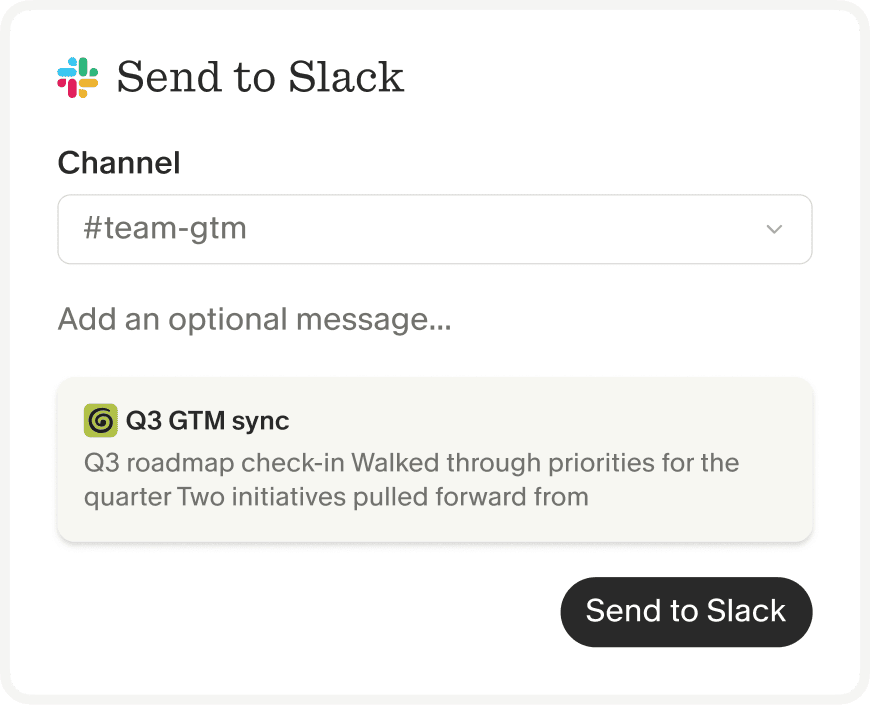
Once Granola generates enhanced notes, you can push them to your team's workspace automatically. The Granola and Zapier integration connects meeting notes to over 8,000 apps, including Slack channels, Notion pages, and project management tools. The Business plan ($14/user/month) includes direct Notion and Slack integrations, so the sprint summary lands in the right channel within seconds of the meeting ending without anyone copy-pasting it manually.
Query past sprint planning sessions
Granola's cross-meeting chat lets you query across your entire archive of sprint planning meetings. Ask "What risks did we identify in Sprint 12 that we never resolved?" and get source-linked citations from the relevant sessions. Ask "Which discovery tasks did we allocate time for but didn't complete?" and surface the pattern across the last quarter of sprints.
This is how sprint planning builds institutional memory instead of just producing another set of notes that nobody reads after the sprint ends. Teams using shared folders in Granola can give every engineer and stakeholder access to the meeting archive, so anyone can query past decisions without asking the product manager to dig through their notes.
For pricing details, the pricing and ROI overview breaks down what each tier includes. The Basic plan is free and includes AI meeting notes and cross-meeting chat. Business runs $14 per user per month and adds unlimited history, advanced integrations, and API access. Enterprise starts at $35 per user per month and includes SSO, admin controls, and org-wide compliance features. Granola achieved SOC 2 Type 2 certification and meets GDPR requirements.
Common sprint planning mistakes to avoid
Even experienced teams repeat the same planning failures. Recognizing them before the meeting starts prevents mid-sprint surprises.
Overcommitting the team
Teams that ignore capacity math pull too much into the sprint and spend the last three days descoping. Calculate capacity using the 80% utilization benchmark from agile capacity planning before selecting any backlog items and treat that number as a hard ceiling, not a guideline.
Skipping estimation
Stories without estimates create unpredictable sprint velocity. When the team cannot measure whether they are on track mid-sprint, the Scrum Master cannot intervene early enough to protect the goal. Establish a baseline velocity over your first three sprints, then use that figure to set realistic expectations for every sprint after.
Ignoring dependencies
An unresolved external dependency is a sprint blocker waiting to happen. Log every dependency in the risk log during sprint planning, assign an owner, and set a resolution date in the first three days of the sprint. If the dependency cannot be resolved, the story should not enter the sprint.
Poor documentation
Alignment that exists only in people's heads dissolves by end of day one. Poor documentation leads to engineers building against the wrong acceptance criteria, product managers surprised by what shipped, and stakeholders asking questions the sprint planning already answered. Structure and send post-meeting notes using the meeting recap template guide to keep the team aligned through the sprint.
Try Granola for free. Download the Mac or Windows app, connect your calendar, and run your next sprint planning session. You'll stay present during the conversation while Granola captures every decision, risk, and commitment your team makes.
FAQs
How long should sprint planning take?
Sprint planning for a two-week sprint should take a maximum of four hours, according to the Scrum Guide. Teams with a well-refined backlog consistently finish in 60 to 90 minutes.
Should stakeholders attend sprint planning?
No. Stakeholder input should come through backlog refinement and product review ceremonies before sprint planning starts. Adding stakeholders to sprint planning slows estimation and shifts the conversation from commitment to negotiation.
How do I handle unclear requirements?
Apply the INVEST criteria and a Definition of Ready checklist: if a story lacks clear acceptance criteria, identified dependencies, and an estimate, it returns to refinement rather than entering the sprint. A story that is unclear during planning will be unclear during development, and that costs more time than one extra refinement session.
Can Granola work in sprint planning without disrupting the team?
Yes. Granola captures device audio directly and works through your device. Use the in-chat notification or video watermark to keep participants informed that notes are being captured.
Glossary
Sprint: A fixed-length period, typically one or two weeks, during which a Scrum team works to complete a defined set of backlog items and deliver a potentially shippable increment.
Story points: A unit of measure used by development teams to express the relative effort and complexity of a backlog item, without tying the estimate directly to hours or days.
Scrum Master: The team member responsible for facilitating Scrum ceremonies, removing process blockers, and ensuring the team follows agreed working practices during the sprint.