





How consultants document client meetings with AI without losing focus
July 10
TL;DR: Client-facing professionals need documentation that keeps them present in the conversation. Granola is an AI notepad that captures device audio and turns your rough bullets into structured pitch notes, discovery syntheses, status reports, candidate assessments, and other documentation. You jot rough notes during the call, Granola enhances them using transcript context, and Granola deletes the audio immediately after transcription. Let clients know you are using Granola to transcribe the call, then give the conversation your full attention.
Consulting calls turn on what you catch in the moment. In a discovery session, the useful detail is often an aside about budget or an unresolved internal dependency. In a board advisory call, it is the reasoning behind a decision, not the decision itself. In a candidate conversation, it is the specific phrasing someone uses about why they are moving. If you spend the call typing, you capture the words and miss the signal.
For consultants running back-to-back client calls, the answer is not to automate more aggressively. It is to let your device's audio handle the transcript, guide the AI with your own judgment, and tell clients up front that you are using Granola to transcribe the call. This guide explains how to do that and why it improves the documentation you end up with.
What client-facing consultants need from meeting documentation
Client-facing work puts different demands on meeting documentation than internal collaboration does. The output has to be structured enough to send to a client, specific enough to quote back, and produced without you spending the call typing.
What clients expect when you document a call
In high-trust consulting relationships, what a client tells you depends on your attention. Strategic concerns, unresolved internal tensions and honest risk assessments surface when you are listening and following up, not when you are typing. Telling a client at the start that you use Granola to transcribe the call sets the expectation clearly, and lets you spend the rest of the conversation focused on what they are actually saying.
The hidden cost of distracted note-taking
The fallback option, manual note-taking, carries its own cost. When you type furiously to capture every detail, you are not reading body language, not following up on an unusual hesitation, and not projecting the engaged attention that makes a client want to keep working with you. The distraction during advisory calls is often the notes themselves, not the absence of them.
Local audio capture for confidential consulting
Granola runs on your laptop or phone and uses your device's audio to generate notes. It transcribes in real time and produces a structured transcript you can work from as soon as the call ends.
How device audio capture works
The architectural difference is straightforward. A conventional AI meeting tool joins the call as a separate participant, requests access to the call's audio stream, and processes the recording on a remote server afterward.
Granola runs on your laptop or phone and uses your device's audio to generate notes, drawing on the same microphone and system audio your headphones use. Let clients know at the start of the call that you are using it to transcribe, and the transcript builds while you concentrate on the conversation.
Maintaining trust during high-stakes client calls
In confidential consulting conversations, the most valuable material comes out when you are able to follow it: the scope-creep concern a client won't put in writing, the strategic pivot a CEO is weighing, the candidate's real reason for leaving. Catching those depends on you listening closely enough to ask the next question.
You stay fully present, read the room, and ask the follow-up questions that produce real signal while the full transcript builds. Over 90% of Daversa Partners employees adopted Granola because it fits the way they run high-stakes client conversations.
Setup takes under 5 minutes
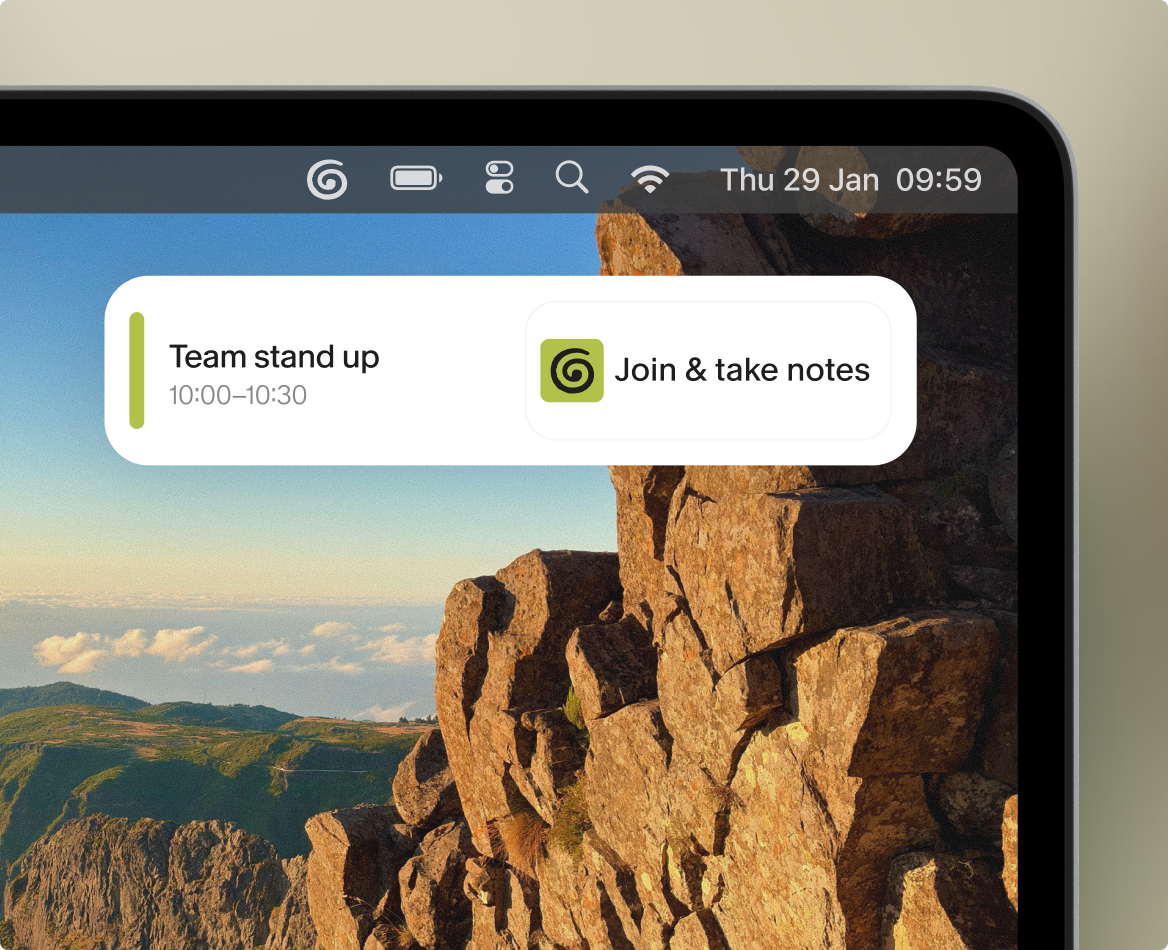
Setup is fast by design. Download the desktop app for Mac or Windows, connect your Google or Microsoft calendar, and Granola automatically syncs your upcoming meetings. One minute before a scheduled client call with two or more attendees, Granola sends a notification. Click it, and both your video call and transcription start simultaneously. No training is required beyond that initial calendar connection.
The human-in-the-loop approach to client notes
The human-in-the-loop approach is what separates useful documentation from generic summaries. You guide the AI with your own judgment, and the final output reflects your priorities rather than an automated average of everything that was said.
Automate consulting notes during calls
During the meeting, you jot what matters. This does not mean capturing everything: It means anchoring the AI to the moments that deserve detail. Write "pricing concerns" and Granola finds every relevant discussion in the transcript and surfaces the exact quotes alongside your note. Write "Q3 runway" and the AI pulls the specific figures the founder mentioned. Your rough bullets act as a filter that directs the AI toward the parts of the conversation that actually matter for the decision you are trying to make.
Enhance notes with transcript context
When the meeting ends, click Enhance notes. Granola's AI takes your rough bullets, pulls supporting detail and exact quotes from the transcript, and fills in the gaps. Your original notes stay in black. AI additions appear in gray. You can edit, delete, or restructure anything before the document becomes your final record. The AI-enhanced notes guide walks through exactly what happens from the moment you open a note to the moment you click Enhance.
Format structured post-meeting documents from raw transcripts
Granola includes templates for different meeting types that structure enhanced notes into the format that matters for each conversation type. A pitch meeting becomes a structured note organized around the signals that matter for investment decisions. A discovery call becomes a synthesis with pain points, stakeholder dynamics, and next steps. A candidate interview becomes an assessment with leadership philosophy and career history organized by section. A strategy session becomes a decision and action-item register.
Recipes take this further. These are saved prompts you run after enhancement to extract specific outputs: Feature request documents from customer calls, follow-up emails with personalized context, and hiring signal summaries from candidate interviews. You can build and share custom Recipes across your team using saved prompts and templates.
Privacy by design: how Granola handles client data
The privacy architecture is not a feature added on top of the product. It is the product. Every decision about how audio is handled was made with confidentiality as the constraint.
SOC 2 Type 2 certification and GDPR compliance
Granola achieved SOC 2 Type 2 certification in July 2025. Granola is also GDPR (General Data Protection Regulation) compliant, which matters for consulting practices with European clients or cross-border data handling requirements.
Strict data removal post transcription
Granola transcribes audio in real time on macOS and Windows. Once transcription completes, Granola deletes the raw audio file immediately. What persists is the transcript text and your enhanced notes, which you control entirely. You can delete specific parts of a transcript while keeping the rest intact, or delete notes entirely at any time. Granola's privacy and compliance documentation confirms that no audio recordings are stored on its servers.
Protecting confidential client information
Granola contractually prohibits third-party AI providers from training models on your meeting data. The confidential information clients share about competitive strategy, M&A plans, candidate searches, restructuring options, or any NDA-covered data stays within your account and is not used to improve any AI system. For consulting practices handling sensitive client information, this contractual prohibition is one layer of the privacy architecture worth understanding before you deploy.
How consultants use Granola across different client-facing roles
Different consulting roles require different documentation workflows. The underlying tool is the same, but how you deploy it varies by the type of conversation you are in.
Documenting pitch meetings and structured post-meeting notes
In pitch-meeting workflows, the cycle runs from rough notes to a structured post-meeting synthesis. During a founder pitch, VC partners type a handful of bullets covering the moments that carry signal: "Enterprise sales motion unclear," "Pricing concern around mid-market," "Previous company context around churn." When the meeting ends, Granola expands each bullet with the exact transcript quotes from that section of the conversation. From that enhanced note, they run a Recipe to build a structured note organized around the signals that matter for investment decisions, populated with specific founder statements and action items. The synthesis that would otherwise require a separate drafting pass is ready before the next meeting.
Documenting strategy and workshop sessions
In multi-hour strategy sessions, the challenge is volume and synthesis speed: The content is dense, the decision structure is complex, and the client expects a synthesis document shortly after. Granola's templates for project kick-offs and pipeline reviews structure the enhanced notes by decision, action item, and open question, so the post-meeting document is organized rather than a raw transcript. You can see how this applies to structured client documentation using the discovery call notes template.
Tracking decisions across ongoing engagements
In weekly client status calls, the priority is continuity across a long engagement: Tracking decisions made three weeks ago, commitments that have not been followed up, and the evolving list of open questions. Granola's People & Companies views organize all notes by client relationship, so when you open a meeting with a client you have spoken with before, you see the full history of previous conversations in context.
Documenting candidate and reference calls
In candidate and reference calls, confidentiality is foundational. Tell the candidate at the outset that you are using Granola to transcribe the conversation, then give them your full attention. Recruiters capture leadership philosophy, career history, and cultural fit signals through rough notes, and the AI fills in the detail from the full transcript afterward.
Querying meeting history across client engagements
The value of a single meeting note is modest. The value of all your client meeting notes organized into a queryable archive is qualitatively different: A VC firm can query patterns across pitches, a management consultancy can track recurring client objections across engagements, an executive search firm can surface candidate themes across searches. Granola's agentic chat handles both quick factual questions and complex analytical queries across all your meetings, folders, and shared team content, with source-linked citations so you can verify every answer directly.
Aggregating meeting data by project
On Business and Enterprise plans, you create shared folders organized by client, project, deal stage, or whatever structure matches your workflow. A VC firm might have folders for SaaS pitches, fintech pitches, and portfolio company check-ins. An executive search firm might organize by search mandate. Everyone with folder access sees all meetings in that collection, and institutional knowledge that used to live in one partner's memory becomes queryable by the whole team.
Native integrations (Business plan and above):
- Affinity: CRM built for relationship-based deal flow
- HubSpot: Auto folder triggering with workspace scoping and enhanced configurability
- Attio: Flexible CRM with deep meeting note sync
- Notion: Export meetings as database rows for knowledge management
- Slack: Auto-post summaries to specific channels
Querying past client meeting transcripts
Granola Chat handles queries across all your meetings with source-linked citations. Ask "What recurring concerns has this client raised about scope this quarter?" and the system searches every relevant conversation, surfaces patterns, and cites the specific meetings where each point was raised. Ask "What did the client say about their internal approval process?" and get the exact quote pulled from the transcript, not a paraphrase. Inline citations mean you can always verify the source directly.
Retaining deal context after staff departures
When an associate leaves a VC firm or a consultant exits an engagement, their institutional knowledge typically leaves with them. The CRM shows deal stages and contact history, but not what the founder said about their Series B thesis eight months ago, or why a deal was passed after the third meeting. Shared folders in Granola persist beyond individual tenure, so anyone with folder access can query the full history of conversations, including the context and reasoning that never made it into the formal CRM record.
Across all of these workflows, the core dynamic is the same: The quality of your documentation depends on how present you are in the conversation. Device audio capture, human-guided enhancement, and a queryable archive of every conversation are what make that possible.
Try Granola for free: Download the Mac, Windows, or iOS app, then connect your calendar and run your next client meeting to see how AI-enhanced notes come out.
FAQ
What happens to my audio data after a meeting ends?
Granola transcribes audio in real time and then deletes the raw audio file immediately. Granola stores no audio recordings on its servers after transcription completes. What persists is the text transcript and your enhanced notes, which you control and can delete at any time, including individual sections if you want to remove specific parts while keeping the rest.
Can I use Granola to build structured post-meeting documents from notes?
Yes. Templates structure enhanced notes by meeting type, and Recipes let you run saved prompts to extract structured post-meeting documents including structured pitch notes, discovery syntheses, candidate assessments, and workshop summaries. See our Recipes guide for how to build and share custom prompts across your team.
How long does it take to set up Granola for the first time?
Setup takes under 5 minutes: Download the desktop app for Mac or Windows, connect your Google or Microsoft account, and Granola syncs your calendar automatically. One minute before a scheduled meeting, Granola sends a notification to open your note and start transcribing with no additional configuration required.
Key terms
Post-meeting synthesis: A structured document produced after a client meeting that captures decisions, action items, open questions, and key quotes in a format matched to the meeting type, including structured pitch notes, discovery syntheses, candidate assessments, and workshop reports.
Bot-free capture: A transcription approach where the AI tool accesses device audio directly rather than joining a video call as a participant.
Local audio capture: The technical process by which Granola accesses your device's microphone and system audio output to transcribe a meeting.
Human-in-the-loop enhancement: A note-taking workflow where the user jots rough notes during a meeting to guide the AI, which then fills in supporting detail and exact quotes from the transcript rather than generating a fully automated summary.
IC memo: An investment committee memo, the structured document VC partners use to summarize a deal opportunity, covering market size, founder assessment, competitive dynamics, and investment thesis before a formal partner vote.
Discovery synthesis: A structured post-meeting document that captures client pain points, stakeholder dynamics, and agreed next steps from an initial discovery or scoping call, used widely in consulting and sales workflows.
SOC 2 Type 2: A security certification that verifies a company's data handling controls have been independently audited over a sustained period, confirming that stated privacy practices match actual operations. Granola achieved this certification in July 2025.
CRM (Customer Relationship Management): A software platform that tracks client relationships, deal stages, and contact history. Native integrations sync Granola meeting notes directly into CRM records.
GDPR (General Data Protection Regulation): European Union regulation governing how companies collect, store, and process personal data, with strict requirements for consent, data deletion, and cross-border transfers.