





How a smart meeting note taker reduces manual effort
July 10
Back-to-back meetings create a compounding documentation problem. The quality of what gets captured from each conversation determines whether critical decisions, commitments, and insights remain actionable or disappear into memory gaps. Writing notes by hand takes attention away from the conversation itself, and the detail that mattered most is often the one you missed while transcribing the previous point. That cost is avoidable.
The high price of fragmented meeting data
Manual note-taking sounds like the safe, private option. However, it more often than not carries hidden costs.
Listening carefully, reading body language, and writing notes simultaneously force you to split your attention. Attention split between listening and writing means doing neither fully: the detail that would have changed the outcome slips past in the moment you're writing the previous one down.
Why manual notes fail when it matters most
High-stakes meetings require specific quotes, precise metrics, and documented commitments. Manual notes captured under cognitive load tend to produce summaries like "discussed pricing concerns," which is accurate but useless when building a customer business case three weeks after the conversation, preparing a hiring debrief, or writing a product requirements document based on user research.
When memory fades, the details that would have supported or challenged the thesis disappear with it. A stakeholder's exact statement about cost concerns, or the offhand comment about a pending decision, exists only in the full transcript, not in any notebook. The AI-enhanced notes workflow addresses this directly by pulling exact quotes from the transcript and embedding them in the notes your bullets guided.
Why inaccurate notes carry real costs
The cost of inaccurate documentation in high-stakes professional conversations is asymmetric. Missing a key objection in a customer call, misremembering a technical requirement from a product review, or losing track of a commitment made during a hiring interview can derail decisions weeks or months later. On the other side, losing confidence in a recommendation because the supporting evidence wasn't documented means passing on the right call because you couldn't defend it.
When the specific quote that validated your recommendation is missing from the notes, your case weakens. When the concern a stakeholder glossed over goes undocumented, it disappears entirely until the problem surfaces later.
Why siloed notes create knowledge gaps
Notes captured in individual text files or physical notebooks create a knowledge gap that compounds with team turnover. When a team member leaves, their accumulated context from months of conversations walks out with them. New hires face a steep ramp to develop similar understanding, and during that period the team operates with incomplete institutional memory.
Building a searchable deal knowledge base requires that meeting documentation be centralized, queryable by anyone on the team, and structured around what the work actually requires, not just the individual who attended the call.
Turning rough meeting notes into structured outputs
We don't believe full automation solves this problem. Generic AI summaries replace manual effort but replicate the quality issue: They capture everything and highlight nothing, producing output that reflects the transcript rather than your judgment about what mattered. We call this approach active note-taking: You type rough bullets during the meeting, and the AI uses those bullets as instructions to pull relevant context from the full transcript. Write "integration requirements" and the AI finds every relevant exchange and adds precise quotes. Your judgment guides the output. This is the core distinction between an AI note-taker and an AI notepad: a note-taker automates the whole process. An AI notepad like Granola keeps you in control of what gets captured and why.
This architectural difference separates an AI notepad from a fully automated transcription service. Professionals who value their own judgment retain control of what gets captured and how it's structured.
Audio capture that works on any call
Granola runs on your laptop or phone and uses your device's audio to generate notes, so it works the same way whether you're on Zoom, Google Meet or a phone call. Let the other people on the call know you're using Granola to transcribe the conversation.
It works with any platform: Zoom, Google Meet, Teams, Slack huddles, FaceTime, or WebEx. Because it operates at the device level rather than the platform level, it also works for calls that don't happen through a formal meeting tool.
Focus on what matters without losing the detail
The human-in-the-loop approach produces focused output rather than generic output. During a meeting, you might type:
- "Customer objection: Pricing vs. competitor X"
- "Open action item: Legal review deadline unclear"
- "Product feedback: Onboarding friction in enterprise tier"
When the meeting ends and you click "Enhance notes," Granola finds every relevant exchange in the transcript, pulls exact quotes tied to each bullet, and builds them into a structured document. Notes you typed remain in black, and AI additions appear in gray. Everything is editable and controllable.
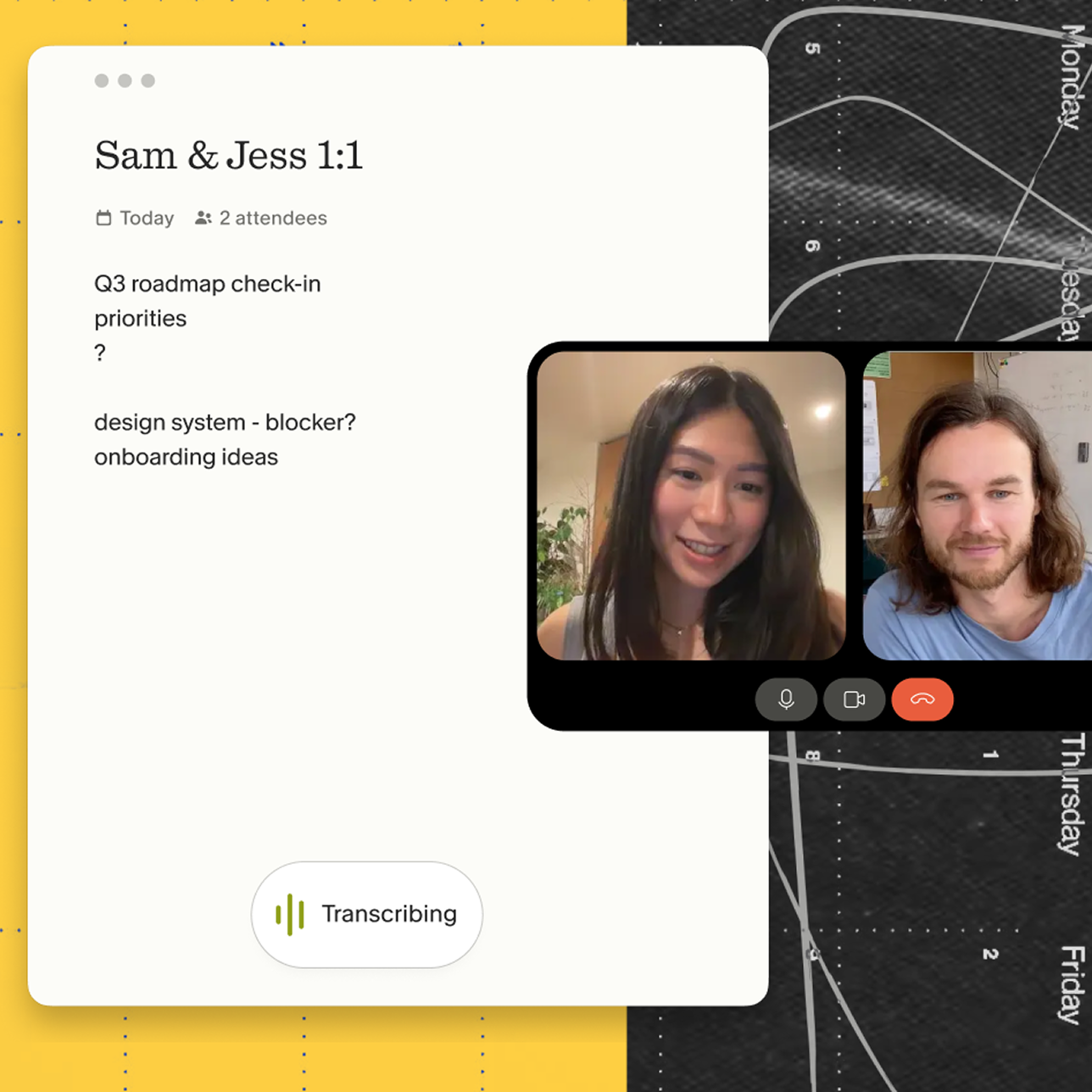
Turn raw meeting audio into actionable data
Granola transcribes device audio in real time, processes the text, and deletes the audio file. No recordings are stored anywhere. What persists is the transcript and the enhanced notes, both of which you control and can delete individually or in full.
Granola's data is encrypted in transit and at rest, and access is controlled by you and your team.
How Granola captures audio on any call
How capture methods compare
| Feature | Bot-based | Granola |
|---|---|---|
| Meeting presence | Visible bot joins the participant list | Runs on your laptop or phone |
| Audio capture | Bot joins as a participant | Captures device audio locally |
| Recording announcement | Plays "This meeting is being recorded" | Uses your device's audio; tell participants you're transcribing |
| Audio storage | Stores full audio recordings | Deletes audio immediately after transcription |
| Note-taking style | Automated summaries of the full transcript | Human-guided rough notes enhanced by AI |
| Platform compatibility | Limited to supported video platforms | Any platform, including FaceTime and phone calls |
Staying present in high-stakes conversations
Sensitive professional conversations move quickly, and the details that matter most — a specific constraint, an exact figure, a commitment with no date attached — are easy to lose while you are writing. Granola captures the transcript so you can stay in the conversation, and the enhanced notes give you the exact quotes afterwards. Tell participants you're using Granola to transcribe the call.
Executive search is one domain where accurate recall matters especially. At Daversa Partners, an executive search firm, 136 of the firm's 150 employees adopted Granola to keep detailed notes across confidential CEO searches.
Granola runs on your laptop or phone and uses your device's audio to generate notes, so it works the same way on any call.
Professionals who are fully present, making eye contact and asking follow-up questions that reference what was said two minutes ago, build different relationships than those managing a recording tool simultaneously.
Granola's pre-meeting briefs also help you arrive with context from previous conversations, which signals genuine engagement with the relationship's history rather than treating every meeting as a first interaction.
Turning meeting notes into actionable outputs
Once the meeting ends, the workflow moves from capture to synthesis. We built 29+ templates for different meeting types, including customer research calls, sales discovery sessions, and 1-on-1s. Each template structures notes differently based on what matters for that session type.
Recipes extend this further: Reusable saved prompts that run across meeting content to extract specific outputs in seconds. Rather than manually re-reading a full transcript to find risk factors or market claims, you run a saved prompt against the full transcript and get structured, cited output.
Eliminating blind spots in important conversations
Complete documentation prevents important documents from being built on memory rather than the actual conversation. Querying your Granola notes before writing a summary, recommendation, or follow-up often surfaces details a quick re-read wouldn't catch: The specific requirement a stakeholder mentioned, the concern that sounded minor in the room but reads differently in the transcript, or the commitment that was framed as complete but left without a timeline.
See the discovery call notes template for a documentation framework that works across multiple meeting types.
Reducing manual effort on follow-up documentation
Granola's Notion and CRM integrations allow you to export structured notes directly into existing systems. The Notion integration on the Business plan creates database rows in your workspace. Native integrations with Affinity and Attio push enhanced notes directly into CRM records, eliminating the manual data entry that typically follows every meeting.
Building a searchable knowledge base across your meetings
On Business plans and above, teams create shared folders for customer feedback sessions, hiring loops, weekly syncs, or recurring planning meetings. Anyone with folder access sees all meetings in that collection and can query across them with natural language questions.
Ask "What feedback have we heard about the new onboarding flow?" across a product team's customer research folder and Granola returns source-linked citations from specific conversations. This is how a team turns individual meeting notes into collective institutional intelligence, building an archive that survives individual departures.
The sales call notes template and meeting recap email framework offer complementary documentation patterns that work alongside Granola's AI enhancement.
How pre-meeting briefs prevent context loss
Granola's pre-meeting briefs pull open threads, relevant context from previous conversations, and agenda points before a meeting starts. Someone who attended a recurring meeting three weeks ago opens the new note and sees a brief with the decisions made last time and the commitments due for follow-up. The brief is typically two to three bullet points and appears automatically when the note opens.
The post-meeting intelligence layer is where Granola's value compounds. Granola Chat handles questions across all meeting notes, transcripts, and shared team folders, distinguishing between quick factual queries and complex analytical ones. Inline citations let you double-click into the source conversation to verify context.
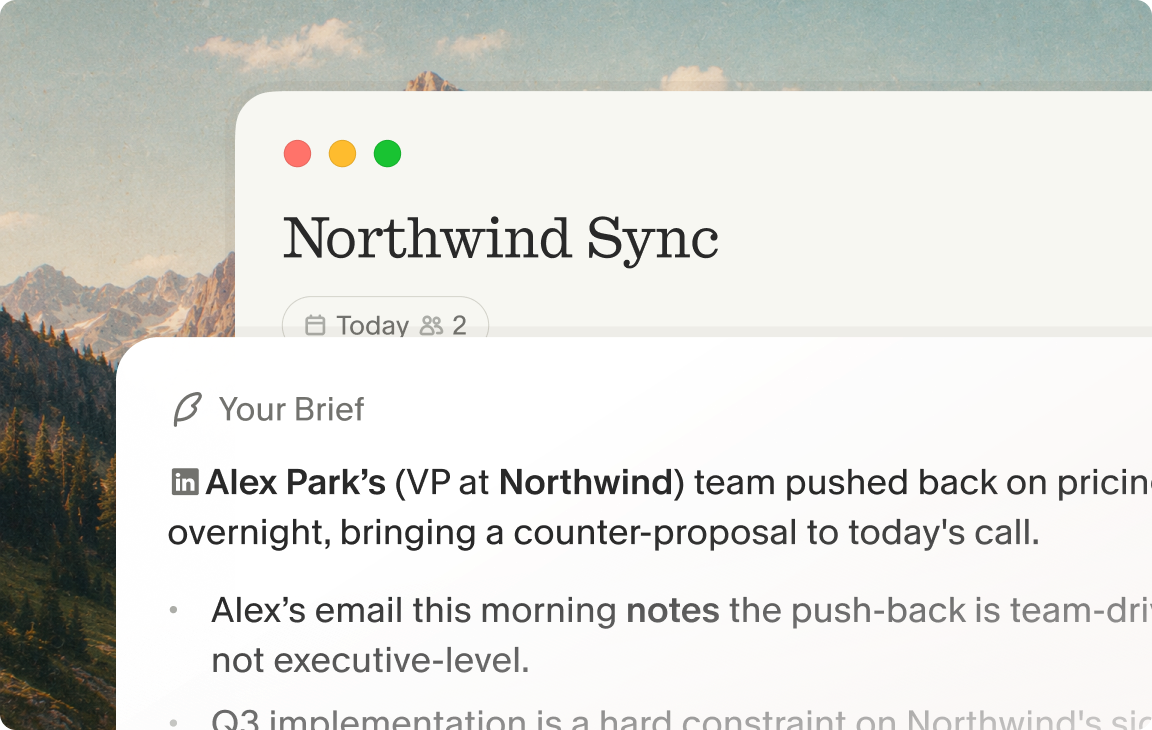
Recalling specific details from past conversations
Ask "What did [customer name] say about their integration requirements?" and get an instant, source-linked answer from the transcript of the original conversation. Three weeks of memory degradation disappears when the answer is a query away rather than a recollection. This capability is particularly useful when a conversation that seemed routine at the time becomes relevant again months later.
Retaining team knowledge when people move on
When a team member leaves, their notes stay in the shared folder. The team's accumulated knowledge from hundreds of conversations, the pattern recognition across different contexts, remains accessible to whoever joins next. New hires query the archive to get up to speed rather than starting from zero.
Clarifying how Granola handles data
Security and compliance questions are common for any team considering a tool that touches meeting content. The answers for Granola are specific.
Practical transparency
Granola's watermark feature lets you show a visible indicator on your video while transcribing, so meeting participants know Granola is active without a bot joining the call.
Security protocols for confidential calls
Granola achieved SOC 2 Type 2 certification in July 2025.
The full security and compliance documentation covers:
- Audio deletion: Audio is transcribed in real time and discarded immediately after processing.
- AI training: Third-party AI providers are contractually prohibited from training on user data.
- GDPR compliance: Fully compliant. You can delete specific parts of a transcript while keeping the rest intact.
Try Granola for free. Download the Mac, Windows or iOS app, connect your calendar, and run your next meeting to see the difference.
FAQs
Is Granola SOC 2 certified?
Yes, Granola achieved SOC 2 Type 2 certification in July 2025 and is fully GDPR compliant.
Does Granola store my audio recordings?
No. Granola transcribes device audio in real time and deletes the audio file immediately after the meeting ends. What persists is the transcript and your enhanced notes, both of which you control and can delete individually or in full.
Key terms glossary
AI note-taker: A tool that joins a meeting as a participant, records the audio, and generates a summary of the full transcript automatically. This is a distinct product category from an AI notepad, where the user's own notes guide the output.
Bot-free capture: A method of transcribing meetings by capturing device audio locally at the operating system level, eliminating the need for a visible bot to join the video call as a participant.
AI notepad: A digital notepad where you write rough bullets during a meeting, which the AI then enhances with precise context and quotes from the full transcript once the meeting ends.
Active note-taking: A human-in-the-loop workflow where the user's typed notes guide the AI, ensuring the final summary reflects human priorities about what mattered in the conversation rather than an automated summary of the full transcript.
Folder-level query: An agentic search feature that allows users to ask natural language questions across an entire shared folder of meeting notes and receive source-linked citations from specific conversations.
Institutional memory: The collective knowledge, decisions, and context retained by an organization across all historical meeting conversations, queryable by anyone with access to the shared archive.