





Draft a PRD or proposal straight from your discovery calls
September 4
TL;DR: Writing a PRD does not require hours of manual transcription and synthesis. Using Granola as your AI notepad, you capture exact customer language during discovery calls without trading your ability to listen and ask good follow-up questions. Granola transcribes your meetings in real time. Through its Model Context Protocol integration, you connect your meeting history directly to compatible AI tools and generate structured, quote-anchored PRD drafts, while your product judgment stays at the center of the workflow. The same folder-and-MCP workflow adapts to sales and business proposals: swap the PRD prompt for a proposal prompt and the output structure changes while the capture and organization steps stay identical.
Back-to-back discovery calls create a documentation gap: you finish an interview, open a blank document, and spend the next hour reviewing recordings, cleaning transcripts, tagging pain points, and debating which complaints represent a pattern. The administrative overhead compounds across every interview in your queue before a single requirement is written.
The better path is human-guided AI documentation. You stay present during the interview, jot the signals that matter most, and let your tools handle the rest. This article walks through the exact workflow: capturing discovery calls in Granola, connecting your notes to Claude or Cursor via the Model Context Protocol (MCP), and generating a structured PRD draft in minutes.
Why raw interview notes resist documentation
Why manual notes impede active listening
The cognitive load of writing while listening forces an impossible choice: when you are capturing verbatim quotes, you stop asking good follow-up questions. The moment you stop listening to document is the moment you stop discovering. The interview becomes a transcript collection exercise instead of a conversation.
Granola resolves this by letting you type short notes during the call. Write "SSO concerns" or "latency" and Granola uses those rough notes as guidance, pulling every relevant moment from the transcript once the call ends and building out each flagged point with exact quotes. Your notes appear in black and the AI additions appear in gray, so you review the output rather than produce it.
Centralizing fragmented interview data
Discovery data scatters fast. One interview lives in a Notion page, another in a Google Doc, three more in Slack threads or a notebook. When a stakeholder asks "what have we learned about onboarding friction?" you spend 45 minutes hunting before you can answer.
The comparison below shows how three common approaches stack up for a product manager running 4-8 discovery calls weekly.
| Approach | How it works |
|---|---|
| Granola + MCP | Jot rough notes during the call, AI enhances after, connect notes to compatible AI tools via MCP for PRD drafting |
| Automated bot synthesis | A bot joins the call, records and transcribes everything, generates a summary |
| Manual entry into Notion or Confluence | Write notes yourself, paste into a template, tag manually |
Granola centralizes everything without forcing you into a new workspace. Every call goes into a searchable repository organized into shared folders by theme, and folder-level queries return source-linked citations from specific calls.
Why manual synthesis slows you down
If you run five interviews a week, you likely spend significant hours processing those calls into usable documentation: reviewing recordings, cleaning transcripts, tagging themes, and pulling quotes. Granola's real-time transcription paired with human-guided AI enhancement replaces the listening-back step with transcript reference and edits the AI-enhanced summary rather than building synthesis from scratch, recovering the largest block of synthesis time. You still review names, numbers, dates, and commitments against the transcript, but you start from enhanced notes that already reflect your priorities because you guided the AI during the call.
How to prepare your discovery call notes in Granola
Capture discovery calls in Granola
Granola captures device audio directly from your system, working with Zoom, Google Meet, Microsoft Teams, Slack huddles, and other platforms without joining as a bot.
When a discovery call starts, open the Granola notepad and type short bullets for moments that matter: "pushes back on price," "mentions Jira specifically," "asks about SSO three times."
Let participants know you are transcribing using Granola's built-in automatic in-chat notification or visible video watermark. The consent guide covers implementation for both options.
Pre-meeting briefs also walk you into each interview prepared with open threads and relevant context.
Structure meeting data for PRDs
Once you have captured several discovery calls, the workflow to move from notes to a PRD draft has four steps.
- Aggregate context: Pull all notes from a related interview set into a shared Granola folder (e.g., "Enterprise Onboarding Discovery, Q3 2026"). Anyone on the team with folder access can read the notes and query across them without asking you to forward anything.
- Draft with AI: Use Granola Chat or the MCP connection to Claude to generate an initial requirements document. Full transcript access via MCP, which powers quote-anchored drafts, is available on Business and Enterprise plans. The Basic plan provides access to the last 30 days of meeting data without transcript-level retrieval. Prompt with a specific instruction: "Draft a PRD problem statement and user stories based on my discovery calls in the Enterprise Onboarding folder, using exact customer quotes as evidence."
- Iterative refinement: Review the draft and inject your product judgment. The AI will not know which edge cases engineering has already ruled out, which platform constraints exist, or which customer segment represents 80% of revenue. You add that layer.
- Log maintenance: As new interviews arrive, update the folder and re-run the draft. The PRD becomes a living document that reflects current customer reality rather than a months-old snapshot.
Surface themes for your PRD draft
Before generating any draft, run folder-level queries to surface patterns across all your interviews:
- "What are the most common complaints about our onboarding flow?"
- "Which user segments mention SSO as a blocker?"
- "Where do enterprise buyers describe abandoning the setup process?"
The output includes source-linked citations from specific conversations. Double-click any finding to verify the exact transcript moment. This mechanism makes AI-generated requirements defensible with engineering: you present a pattern with six citations behind it, not a claim.
Turn discovery calls into a PRD draft
Once you have captured discovery calls in Granola and organized them into folders, the next step is generating a structured PRD draft. This section walks through the components of interview-based PRDs, how to use Granola's Recipes and MCP integrations to automate the first draft, and what the transformation from raw notes to formatted requirements looks like in practice.
Key components for interview-based PRDs
When you build a PRD from discovery calls, you need three things to make it useful to engineering: a grounded problem statement, user stories anchored in real customer language, and success metrics tied to observed behaviors.
The problem statement is where most AI-generated drafts fail first. Generic summaries treat all customer statements as equal, producing something like "users want a better onboarding experience." A useful problem statement names the specific moment where value is lost, with every word traceable to a customer quote: "Enterprise buyers at companies with 200+ seats abandon onboarding setup when they cannot connect their SSO provider within the first session, because IT approvals are required and the current flow provides no guidance for async completion."
Before drafting a full PRD, check that the product opportunity is well-defined. If it is not, write a one-page strategy document first. This prevents generating engineering-ready requirements for a problem leadership has not agreed to solve.
Create AI PRDs from meeting insights
Granola's Recipes library gives you reusable prompt templates that run against your meeting notes with a single click. For product work, you can build recipes for common tasks like extracting feature requests from customer interviews or drafting follow-up communications.
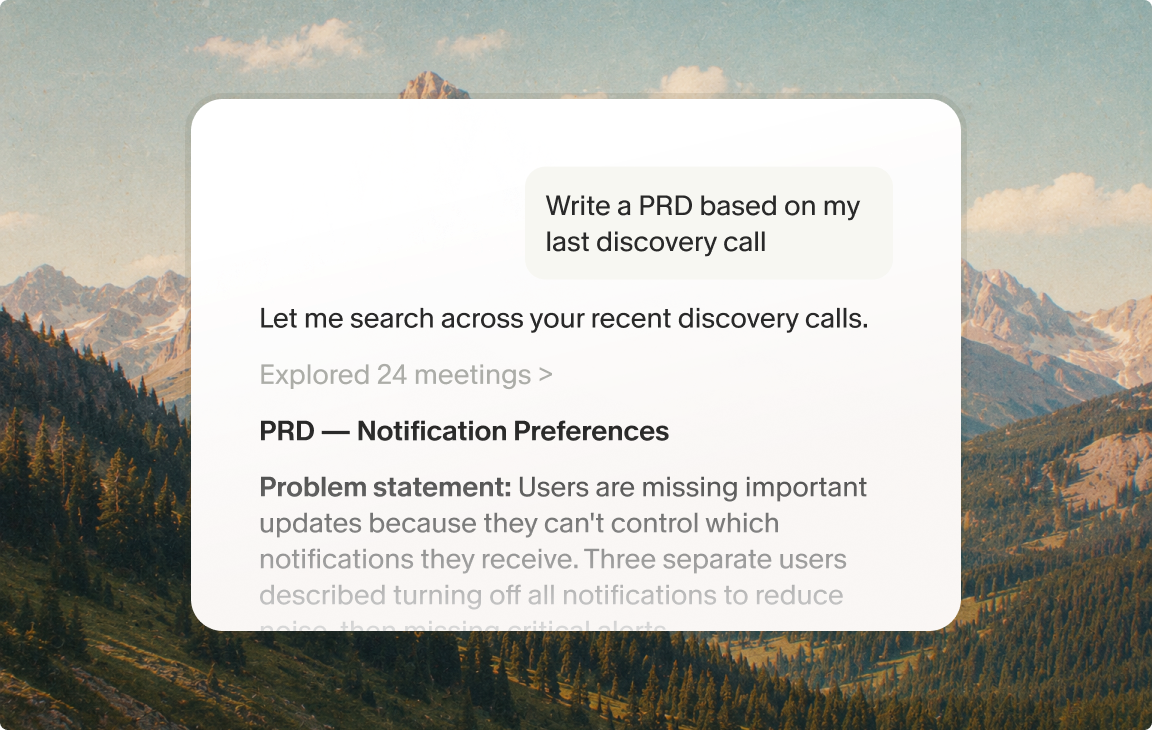
The MCP integration extends this to tools outside Granola. Model Context Protocol is an open standard that creates a direct, authenticated connection between your Granola meeting history and compatible AI tools. Connect Granola to your preferred AI tool at the integration page, authenticate via OAuth, and the tool gains direct access to your meeting history. From there, prompt it: "Using my Granola notes from the Enterprise Onboarding Discovery folder, draft a problem statement and three user stories for the SSO setup flow, using customer quotes as evidence for each story."
Turning interview notes into PRDs
Raw notes from a 45-minute discovery call look like this: "SSO blocker, IT approval required, no async path, 3 mentions, CTO nodded. Pricing pushback, comparing to Okta. Asked about timeline twice." Seven short bullets.
After AI enhancement guided by those notes, you have structured sections with exact customer quotes, surrounding context, and every other moment in the transcript where the same themes appeared. A single MCP prompt then produces a formatted PRD section with problem statement, user story, and acceptance criteria, all anchored in those original quotes.
Adapt the same workflow for a business proposal
Discovery calls before a sales proposal or a business case follow the same capture pattern as product discovery: you are listening for pain, constraints, stakeholders, budget signals, and timelines. The Granola folder structure and MCP connection do not change. Only the prompt and output template do.
What to capture differently in a proposal-focused call
- Budget range or approval process mentioned
- Named decision-makers and their concerns
- Competitive alternatives the prospect mentioned
- Stated timeline or urgency
- Any specific outcomes the prospect tied to success
Drafting the proposal with MCP
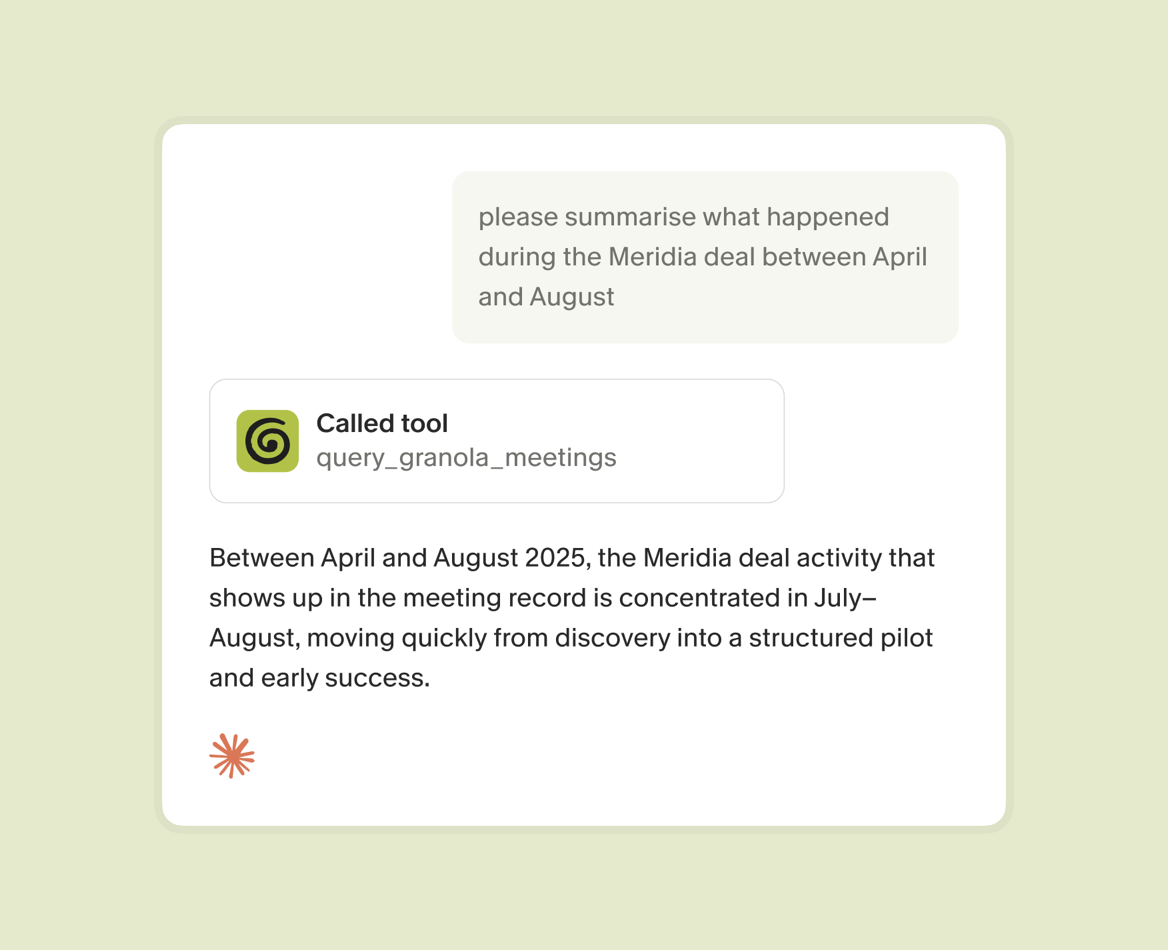
Adapt the MCP prompt to target proposal structure: "Using my Granola notes from the [Company Name] Discovery folder, draft a business proposal with an executive summary, a problem statement in the prospect's own words, a proposed solution section, and a next-steps block. Use exact customer quotes as evidence in the problem statement." The AI produces a first draft anchored in what the prospect actually said. The product judgment equivalent here is your commercial judgment: pricing, scope, and terms that the AI cannot determine.
Folder-level queries work the same way: "Which prospects mentioned implementation timeline as a concern?" returns source-linked citations just as it does for a PRD research folder.
Verify your AI-generated draft PRDs
Anchoring PRDs with customer quotes
Engineering teams push back on requirements that feel like opinions. "Users want faster load times" is an opinion. "Three enterprise customers in Q3 interviews named page load as the reason they abandoned the setup flow, two of whom used the phrase 'it just sat there'" is a finding.
Granola's source-linked citations make findings traceable by default. When AI enhancement pulls a quote from the transcript, it links back to the source moment. When a folder-level query surfaces a pattern across eight interviews, each citation links to the specific call.
Use exact quotes to anchor findings
The rule for quote attribution in PRDs is simple: use job titles and company descriptors, not participant names. "Senior Engineering Manager at a Series B fintech company" preserves credibility while protecting participant identity. Granola captures the exact language. You decide how to attribute it.
Every AI addition is distinct from your original notes through the black-and-gray display. You review an AI-generated quote, click through to the source transcript moment, and verify context before it goes into a PRD.
Define problems from raw call data
Translating raw customer complaints into objective problem definitions requires one discipline: separate the observation from the solution. Customers describe solutions to problems they have already half-diagnosed. "We need an API" signals a broken integration flow, and "we want a dashboard" signals a reporting process that is costing them time.
Use Granola Chat to run a query across your discovery folder: "What are customers describing as solutions? What underlying problems do those solutions suggest?" The AI distinguishes between what customers said they want and what their words reveal about actual friction. That distinction is the core product judgment no tool can apply for you, but the right tool surfaces the raw material fast enough that you have time to apply it well.
Turn raw meeting notes into polished PRDs
Before finalizing any PRD, run through these three checks:
- Ground proposals in usage stats: Pair qualitative discovery quotes with quantitative data from Amplitude or Mixpanel. A customer quote about setup abandonment combined with the actual abandonment rate is harder to deprioritize than either data point alone.
- Verify technical viability early: Share the draft with an engineering lead before wider circulation to catch implementation constraints that customers would not know about.
- Trace every requirement to research: Use Granola's search functionality to verify each proposed feature maps back to a documented customer pain point. If you cannot find the source conversation, either the requirement came from internal intuition or research coverage has a gap.
The Granola + Slack integration lets you post meeting summaries and notes directly to relevant channels, so engineering and design teams see research findings in context rather than receiving a standalone document.
Try Granola for free. Download the Mac or Windows app, connect your calendar, and run your next discovery call to see the workflow in action.
FAQs
How do I handle participant privacy when sharing PRD quotes?
Granola's consent and transparency guide covers the automated in-chat notification and video watermark options for disclosure.
How does MCP connect Granola to Claude or Cursor?
The Model Context Protocol is an open standard that creates a secure, authenticated connection between your Granola meeting history and compatible AI tools. Go to the integration page and complete the OAuth authorization. Enterprise plan users should note that MCP is disabled by default at the workspace level and requires an admin to enable it in Settings before individual users can connect. Transcript-level access via MCP is available on Business and Enterprise plans. Basic plan users can query the last 30 days of meeting data but cannot retrieve full transcripts through MCP.
Key terms
Model Context Protocol (MCP): An open standard that creates authenticated connections between your Granola meeting history and compatible AI tools like Claude, ChatGPT, and Cursor, allowing them to query and analyze your notes directly without copy-pasting.
PRD (Product Requirements Document): A structured document that defines the problem to be solved, user stories, acceptance criteria, and success metrics for a proposed product feature or change.
Discovery research: Exploratory customer interviews conducted to understand problems, pain points, and user needs before defining product solutions.
Synthesis: The process of turning raw interview transcripts and notes into actionable insights, patterns, and structured documentation.
Folder-level query: A search or AI prompt that runs across all meetings within a specific Granola folder, returning patterns and source-linked citations from multiple conversations simultaneously.
Business proposal: A structured document presenting a proposed solution, commercial terms, and next steps to a prospective customer or internal stakeholder, drafted from discovery call notes using the same Granola folder-and-MCP workflow as a PRD but with a prompt targeting executive summary, problem statement, proposed solution, and commercial scope rather than user stories and acceptance criteria.