Business meeting scheduling best practices
September 18
TL;DR: Effective meeting scheduling protects the focus blocks that drive company velocity. The core moves: batch similar meetings, guard deep work with non-negotiable calendar blocks, and use meeting-free days. Poor documentation is the real driver of meeting bloat because teams schedule status updates to recap what should already be written down. Granola is an AI notepad that lets you jot rough notes during any meeting while it transcribes device audio in real time, then enhances your notes so you stay present and leave with a searchable, actionable record. Setup takes under 5 minutes.
Back-to-back meetings create a documentation gap. You're either present in the conversation or capturing it accurately, and most founders end up doing neither well. This guide covers the structural calendar decisions and documentation practices that break that cycle, showing exactly where Granola reduces the administrative overhead that drives meeting bloat.
Why meeting scheduling matters more than you think
Your calendar is a strategic lever, not an administrative chore. The way you structure your week determines how much deep work your company actually produces and how much runway burns on coordination overhead.
One useful approach is to categorize every recurring meeting by its value before asking whether it should exist at all. The table below, the Founder's Calendar Audit, offers a starting framework.
| Meeting type | Suggested value level | Suggested action |
|---|---|---|
| M&A discussions | High | Protect and document thoroughly |
| Customer research, hiring loops, product roadmaps | High | Protect and batch by type |
| Cross-functional status updates | Medium | Consolidate or replace with async |
| General check-ins and recurring team standups | Low | Eliminate or move to Slack |
Running this audit monthly keeps your calendar from filling up with legacy invites that outlive their usefulness.
How bad scheduling kills team productivity
The psychological cost compounds the financial one. When your calendar is fragmented into 30-minute windows between calls, you rarely enter the sustained focus needed for strategic work.
The Microsoft Work Trend Index found that the majority of people report not having enough uninterrupted focus time during the workday. Flow state requires a sustained block of uninterrupted focus to initiate. A single ill-timed calendar invite can destroy it entirely.
How to schedule meetings that respect focus time
The goal is not fewer meetings at all costs. It is meetings concentrated into dedicated windows so that your remaining time is genuinely uninterrupted. The four practices below are structural rather than aspirational.
Protect deep work blocks on your calendar
The most reliable way to protect focus time is to block it before meetings can fill it. A single meeting in the middle of an afternoon fragments two deep work windows at once.
The practical implementation:
- Identify your peak cognitive window. For most people this falls in the late morning, when alertness tends to peak before the post-lunch dip sets in.
- Block it as a recurring "busy" window in Google Calendar or Outlook before the week starts.
- Hold that boundary consistently. Blocks that get regularly overridden lose their effectiveness.
- Schedule maker work explicitly inside those blocks rather than labeling them vaguely as "focus time."
Use meeting-free days strategically
A meeting-free day is a full calendar day with no internal meetings scheduled. External client calls and customer escalations typically remain on the calendar, since internal productivity gains shouldn't come at the cost of external relationships.
A decision matrix for choosing the right day:
- If your team is global across time zones: consider protecting the day with the fewest time-zone overlaps
- If your team is local and co-located: protect the day that follows your highest-meeting day, so the team has recovery time immediately after a heavy coordination period
- If you run many external calls as a solo founder: consider protecting two mornings per week rather than a full day, concentrating external calls on specific days. Protecting those blocks consistently is the mechanism that makes the time savings real.
Batch similar meetings together
Context batching means grouping similar meeting types into the same window rather than spreading them across the week. The cognitive cost of switching between a VC pitch, a customer research call, and an executive recruiting conversation in the same afternoon is far higher than doing three of the same type back-to-back.
One batching structure for a founder running many meetings weekly:
- Monday: Internal alignment (1-on-1s with leadership, team standups)
- Tuesday/Wednesday: External conversations (VC, M&A, partnerships)
- Thursday: Customer-facing (research calls, QBRs, discovery sessions)
- Friday morning: Recruiting loops and hiring decisions
The maker/manager framework supports this through dedicated "office hours": slots where you are available for meetings, with everything else protected as maker time. Granola's calendar sync connects to Google or Microsoft calendars automatically, so your batched structure flows into the tool without manual setup.
Set realistic buffer time between meetings
Back-to-back scheduling is the norm for most founders, and it erodes meeting quality across the day.
A 5 to 10-minute buffer between sessions accomplishes three things:
- Physical transition: time to stand up, move, and reset physiologically
- Note completion: time to finalize action items before context fades
- Mental preparation: time to pull up relevant context for the next call without carrying residue from the last one
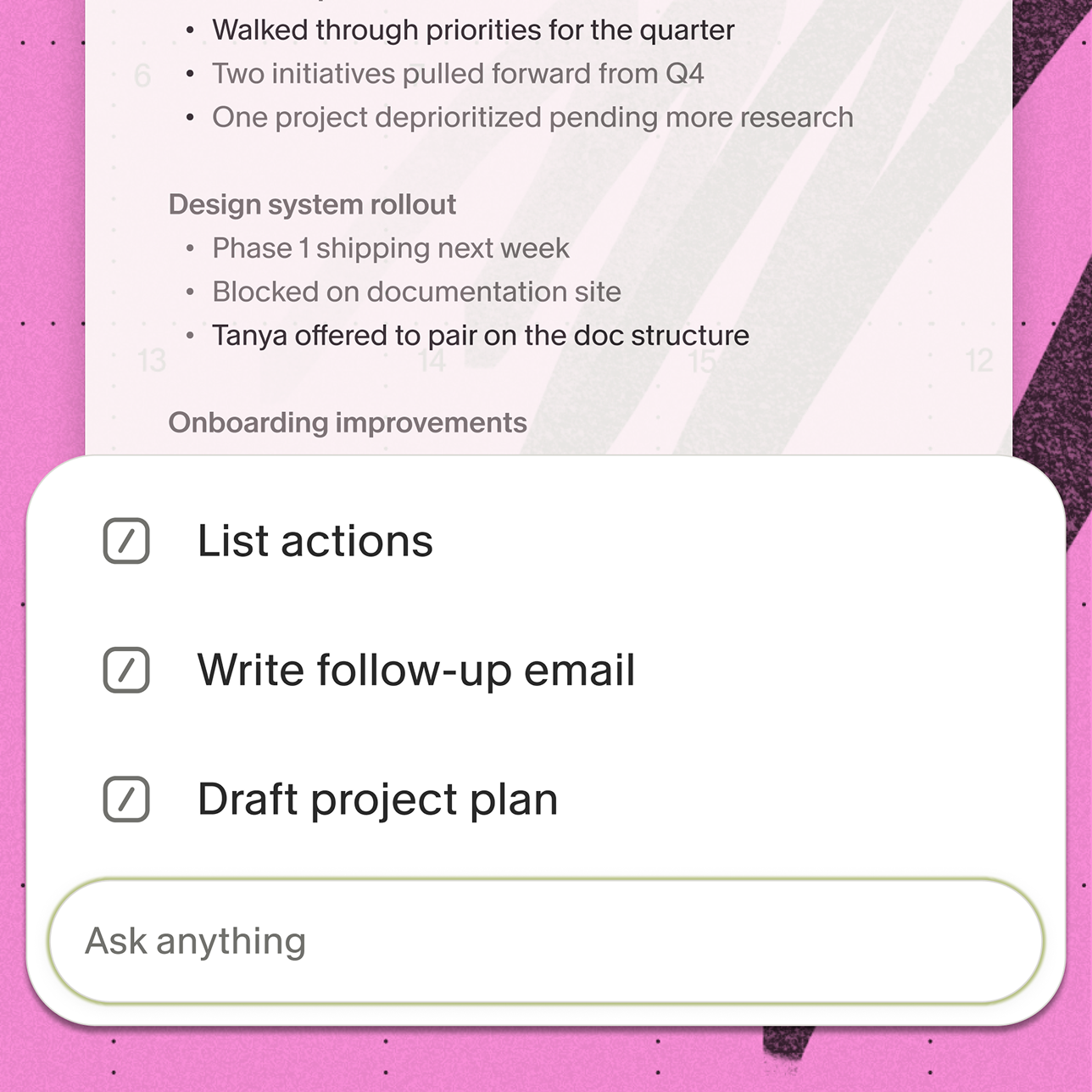
When Granola generates enhanced notes after a meeting ends, a buffer means you can review and act on them before the next call starts. Granola's pre-meeting briefs surface open threads and relevant context automatically before each session, making that buffer time even more useful.
Best practices for meeting prep and structure
Calendar design determines when meetings happen. Prep and structure determine whether they're worth attending.
Write a clear agenda before every meeting
An effective agenda focuses on decisions rather than topics. A topic-based agenda ("discuss Q3 roadmap") can create open-ended conversation. A decision-based agenda ("decide whether to accelerate the enterprise tier or defer to Q4") creates a meeting that ends when the decision is made.
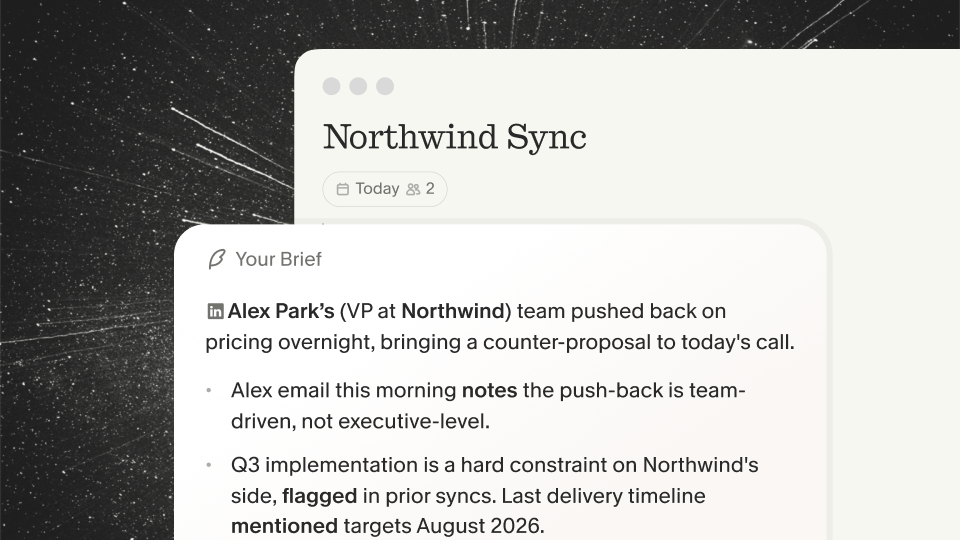
The agenda also signals to attendees what they need to prepare, turning a briefing session into a working session. Granola's pre-meeting briefs use your calendar agenda to surface open threads and past meeting context automatically, so you open the notepad ready to contribute.
For more on structuring what you capture, the meeting minutes vs. meeting notes guide covers when you need a formal record versus working documentation.
Share context and materials in advance
Distributing pre-reading materials before a session moves information transfer out of the live meeting and into async channels. The live meeting then focuses entirely on decisions, debate, and alignment rather than one person briefing the rest.
When attendees arrive prepared, the clarification phase compresses and decisions happen faster. It also reduces the number of attendees who genuinely need to be in the room, which is one of the most reliable ways to shorten meeting duration.
The discovery call notes template and sales call notes template from Granola are practical examples of pre-meeting context documents that structure what participants need to know before the call starts.
Define decision-makers and attendees
Clear ownership matters. When meeting owner and decision-maker roles are unclear, meetings end with "let's circle back" instead of a committed outcome.
Granola's in-meeting notice features make it straightforward to keep participants informed transparently. Granola can post an automated message in the meeting chat when it starts transcribing, and a video watermark can display throughout the call so everyone in the room is aware.
When to schedule a meeting (and when not to)
Not every coordination need requires a live session. The real skill is distinguishing conversations that benefit from real-time exchange from those that would be faster and clearer in writing.
Meetings worth scheduling
Schedule a meeting when the work genuinely requires live, multi-directional exchange:
- Strategic decisions with genuine uncertainty: situations where the right answer depends on debate and competing perspectives that async writing cannot replicate
- Relationship-building sessions: VC pitches, executive recruiting conversations, and customer research calls where reading the room and asking follow-up questions based on live signals produces better outcomes
- Complex problem-solving: cross-functional issues where multiple people's context needs to be in the same room to surface a solution no single person has independently
- Structured feedback loops: performance discussions, board meetings, and investor updates where the conversation needs to be witnessed and documented
What should be async instead
Status updates are the most common meeting that should not be a meeting. When the purpose of a session is for one person to tell others what they already know or could read, the live format adds no value.
Move these to Slack, Notion, or a shared document: progress updates, general announcements, information sharing, and approval requests where the decision-maker has enough context without a call. When meetings are documented thoroughly and those notes are shared asynchronously, fewer people need to attend the live session in the first place.
The Granola meeting recap email templates make this practical: enhanced notes go directly to non-essential attendees so they stay informed without consuming calendar time.
The 'could this be a Slack message' test
Before sending a calendar invite, run through this filter:
Meeting Necessity Filter:
- Does this require live, multi-directional exchange rather than information transfer?
- Will the outcome be worse in writing than verbally?
- Do all invited attendees need to participate rather than just receive the output?
- Is the content time-sensitive enough that async response timelines are too slow?
- Have I already confirmed the async channel failed?
If you check fewer than three of these, consider whether the meeting is necessary. The Slack message might be the better path.
How to capture action items without killing engagement
Strategic calendar design determines meeting frequency. Documentation quality determines whether those meetings have to happen again.
The note-taking vs. presence problem
Taking detailed notes during a high-stakes meeting is cognitively expensive in ways that aren't obvious until you review the notes afterward. When you're typing, you're processing what was just said rather than what's being said now. You miss the follow-up question you should have asked. You lose the non-verbal signal that would have changed your read on a decision.
This is especially acute in customer research calls, executive recruiting conversations, and investor pitches where the conversation's value depends entirely on your ability to listen actively and respond in real time.
Why manual notes create follow-through gaps
Manual notes fail in two distinct ways. First, they're incomplete: the most important part of a conversation is often the unspoken context, the tone shift, the question that revealed the real concern, and none of that appears in bullet points written under pressure.
Second, they fragment institutional memory. When key decisions live in one person's notebook or scattered Slack threads, the organization cannot learn from those conversations at scale. When that person leaves, the context leaves with them. Documentation gaps create the demand for more status meetings.
For context on what good documentation looks like across different meeting types, Granola's meeting minutes vs. notes guide is a useful reference.
How Granola automates meeting documentation
Granola is an AI notepad, not an automated transcription service. The distinction matters practically: you jot rough notes during the meeting, Granola captures device audio and transcribes in real time, and when the meeting ends, your notes guide the AI to find the relevant transcript context and fill in supporting detail. Your notes stay in black, AI additions appear in gray, and you review, edit, or delete before anything is shared.
This human-in-the-loop approach means the summary reflects your priorities rather than a generic output. Write "pricing concerns" in your rough notes and Granola finds every pricing-related exchange in the transcript. Leave the notepad blank and you get a standard summary. The quality of the output scales with the quality of your input.
Granola works with any meeting platform because it captures device audio directly: Zoom, Google Meet, Teams, Slack huddles, and others all work without additional setup. Setup takes under 5 minutes.
Using Granola to reduce status meeting overhead
The documentation problem and the meeting bloat problem are the same problem. When meetings are captured accurately and made searchable, the need for follow-up status calls drops because the information already exists in a queryable form.
Capture decisions without dedicated note-takers
Traditional meeting documentation requires someone to stop participating and start transcribing. That person's contribution to the discussion is effectively forfeited, and in a small team, that trade-off is expensive.
Granola removes the need to assign a dedicated note-taker. Because transcription happens through device audio capture and enhancement happens after the meeting, everyone in the room participates fully. At Business plan pricing of $14/user/month, a founder running 10 meetings a week pays $1.40 per meeting to keep the entire room engaged rather than pulling one person out of the conversation to capture notes.
Search past meetings instead of re-asking
One common driver of unnecessary status meetings is the inability to find what was decided in a previous conversation. When meeting notes live in fragmented notebooks or individual email archives, scheduling another call can feel like the fastest path to the answer.
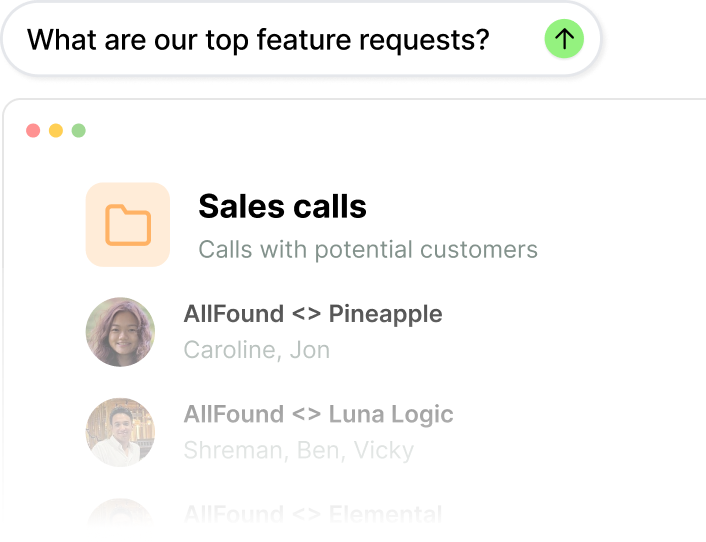
Granola Chat queries across all your meetings and returns source-linked answers rather than generic responses. Ask "What were the main objections across our last five investor calls?" and the answer comes back with citations pointing to the specific sessions where each point was raised. Ask "Why are we losing deals this quarter?" across a shared sales folder and the patterns surface from the transcripts directly.
This eliminates the recap meeting. Instead of scheduling a "quick sync" to re-establish context from three weeks ago, any team member queries the archive asynchronously and gets a sourced answer in seconds.
Preserve context when team members leave
Institutional knowledge loss is one of the more acute risks at the 15-to-30-person stage. When a key account manager, founding PM, or VP of Sales departs, the context they carry about customer conversations and strategic decisions typically leaves with them. The CRM shows pipeline stages but it doesn't capture what a customer said about budget pressure six months ago or why an enterprise deal stalled.
Granola's shared team folders and People & Companies views organize meeting history around the people and accounts that matter most. Every conversation about a customer becomes part of that customer's record. When someone new joins the team, they query months of relevant meetings rather than reconstructing context through one-on-one briefings.
The privacy architecture underpinning this is worth understanding: Granola captures device audio, transcribes in real time, and processes the audio for transcription without storing persistent recordings. Granola holds SOC 2 Type 2 certification as of July 2025.
Try Granola for free. Download the Mac, Windows, iOS, or Android app, connect your calendar, and run your next meeting to see human-in-the-loop note enhancement in action. Granola Business ($14/user/month) adds advanced integrations with Notion, Slack, HubSpot, Affinity, Attio, and Zapier to push meeting context directly into your existing workflows.
FAQ
How many meetings per day is too many?
As a practical rule, more than 3 to 4 meetings per day makes it difficult for founders to protect the contiguous blocks that deep work requires. Flow state needs a sustained run of uninterrupted focus to initiate, so the practical constraint is protecting those blocks rather than hitting a specific count.
How do I reduce unnecessary meetings on my calendar?
Run a monthly calendar audit using the Founder's Calendar Audit table in this guide to eliminate or replace low-value recurring sessions with async Slack or Notion check-ins. Share Granola's enhanced notes with non-essential attendees so they stay informed without attending the live session.
Can AI note-taking work for confidential meetings?
Yes. Granola is SOC 2 Type 2 certified (July 2025) and GDPR compliant, with third-party AI providers contractually prohibited from training on your data. Granola's in-meeting notice features include an automated chat message and a video watermark so participants are clearly informed that transcription is active.
Key terms glossary
Deep work blocks: Contiguous calendar windows of two or more hours protected for focused, uninterrupted strategic work, requiring "busy" status and consistent enforcement to prevent meeting fragmentation.
Context batching: Grouping similar meeting types into the same time window to reduce the cognitive cost of switching between operational modes, for example, all customer research calls on Thursdays.
Meeting-free days: Full calendar days with zero external or internal meetings scheduled, allowing extended focus time for individual contributors and strategic work.
Attention residue: The cognitive cost that occurs when switching tasks mid-stream, where part of your focus remains anchored to the prior task and degrades performance on the new one. First identified by researcher Sophie Leroy in 2009.
Human-in-the-loop documentation: A note-taking approach where you write rough notes to guide AI enhancement, ensuring summaries reflect your priorities rather than generic automated output.