Business meeting agenda template
August 7
TL;DR: A business meeting agenda needs clear objectives, time-blocked topics, and defined roles to drive decisions rather than circular discussion. This guide covers the 5 P's and 40-20-40 frameworks, a copy-paste general agenda template, and ready-to-use templates for team syncs and 1:1s. Without structured documentation, decisions disappear into scattered notes. Granola pairs with your structured agenda: you jot rough notes during the meeting, and Granola enhances them with precise transcript context afterward. Every decision, blocker, and key discussion becomes searchable institutional knowledge. Download Granola for free on macOS, Windows, iOS, or Android and run your next meeting to see it in action.
A great meeting agenda is useless if the actual decisions disappear into scattered notebooks or buried in automated transcripts that nobody reads. Research on Hermann Ebbinghaus's forgetting curve shows that people forget about 50% of new information within one hour, and around 70% within 24 hours without structured review. When you run multiple meetings daily, that knowledge loss becomes a structural problem.
The solution is pairing a disciplined, outcome-first agenda with a human-in-the-loop AI notepad that captures what actually matters, guided by your judgment.
What makes a good business meeting agenda?
An agenda is not a list of topics. It is a roadmap for reaching specific decisions. When it functions as a topic list, meetings drift, time runs over, and participants leave without clear ownership of next steps. When it functions as a decision roadmap, meetings consistently produce better outcomes because everyone arrives knowing what they are there to accomplish.
One effective structure for designing meetings is the 5 P's framework, which covers Purpose, Product, Participants, Process, and Preparation. The 5 P's model defines the Product as the specific output the meeting must produce before the session ends.
Clear objectives and outcomes
Shifting from "discussing the roadmap" to "approving Q3 roadmap priorities" changes the entire dynamic of a meeting. The first framing invites open-ended conversation. The second creates a clear decision point that every agenda item can work toward.
The "Product" in the 5 P's forces the organizer to define what must exist at the end of the meeting that did not exist at the start: a decision, a prioritized list, a signed-off budget, or a clear go or no-go on a feature. When that target is named in the agenda, participants prepare differently and discussions stay focused. The guide on meeting minutes vs. meeting notes draws a useful distinction between formal records and working documentation that helps clarify which format your meetings actually need.
Time allocations for each item
Parkinson's Law holds that work expands to fill the time available. Meeting time follows the same pattern: if you schedule 60 minutes for a single agenda item, it will take 60 minutes regardless of its complexity. Strict time blocks prevent early agenda items from absorbing the entire meeting and ensure every topic gets its fair share of attention.
Leave the final ten minutes of every agenda for action item confirmation and overflow buffer. This is not extra time: it is the accountability mechanism that converts discussion into documented ownership.
Defined roles and responsibilities
Assigning roles before the meeting starts keeps every participant active rather than passive. Three roles matter most:
- Facilitator: Keeps discussion on track and moves the group toward the agenda's stated product.
- Timekeeper: Monitors the clock and signals when a topic is approaching its limit.
- Decision-Maker: Holds authority to approve or defer the meeting's key outputs.
Anyone not assigned one of these three roles attends as a Contributor: present to provide input and context, but not responsible for facilitation, time, or final decisions. When decision-makers are absent, either reschedule or clarify upfront how recommendations will be reviewed and approved afterward. Requiring attendance from people who could have received a summary wastes their time and dilutes discussion quality for everyone who needs to be there. Role clarity solves both ends of that problem.
Business meeting agenda template
Copy and paste the template below directly into your preferred tool, whether that is Google Docs, Notion, or Granola's note editor. Customize the bracketed fields for each meeting.
Meeting header and details
MEETING NAME: [e.g., Q3 Roadmap Review]
DATE: [Date]
TIME: [Start time] - [End time] [Timezone]
LOCATION / LINK: [Video call link or room]
OBJECTIVE: [One sentence describing the decision or output this meeting must produce]
BACKGROUND MATERIALS: [Link to pre-read documents]
Attendees and roles
| Name | Role in meeting | Department |
|---|---|---|
| [Name] | Facilitator | [e.g., Product] |
| [Name] | Decision-Maker | [e.g., Engineering] |
| [Name] | Timekeeper | [e.g., Design] |
| [Name] | Contributor | [e.g., Marketing] |
Agenda items with time blocks
| Time | Duration | Topic | Presenter | Goal |
|---|---|---|---|---|
| [00:00] | 5 min | Welcome and context setting | Facilitator | Align |
| [00:05] | 10 min | [Topic 1] | [Name] | Decide |
| [00:15] | 15 min | [Topic 2] | [Name] | Brainstorm |
| [00:30] | 10 min | [Topic 3] | [Name] | Decide |
| [00:40] | 5 min | Action item confirmation | Facilitator | Align |
| [00:45] | 5 min | Buffer / overflow | All | N/A |
Decision points and action items
DECISIONS MADE:
1. [Decision] - Approved by: [Name]
2. [Decision] - Approved by: [Name]
ACTION ITEMS:
| Action | Owner | Due Date |
|--------|-------|----------|
| [Task] | [Name] | [Date] |
| [Task] | [Name] | [Date] |
Next steps and follow-up
FOLLOW-UP MEETING: [Date / not required]
NOTES DISTRIBUTED TO: [Distribution list]
DEADLINE FOR REVIEW: [Date]
How to prepare and distribute your agenda
Structure alone does not produce good meetings. Preparation and follow-through are what make the structure matter. The 40-20-40 rule of meetings allocates 40% of meeting effort to preparation, 20% to the meeting itself, and 40% to follow-up. Most people invert this ratio: they skip preparation, fill the meeting with status updates, and skip follow-up.
Send the agenda in advance
Pre-meeting preparation checklist:
- Distribute the agenda 24 to 48 hours before the meeting.
- Attach all background documents and pre-reads directly to the calendar invite.
- Confirm that key decision-makers can attend. If they cannot, decide whether to reschedule or restructure the agenda around what can be approved without them.
- Send a brief context note explaining why the meeting is necessary and what participants should review beforehand.
If you're on the Business or Enterprise plan with Google Calendar connected, Granola's pre-meeting briefs feature handles part of this automatically for external meetings: it preps a short brief with open threads, relevant context from past meetings, and agenda points so you walk into the room already oriented.
Gather input from attendees
Allow participants to add items to the agenda before it is finalized. Open a shared draft 48 hours early and invite contributors to propose topics with a one-line description of what they need the group to decide or discuss. This helps the facilitator identify which items are truly decision-ready and which need more async preparation before they belong in a live session.
The guide on writing and sending a recap email covers how to close the loop after the fact, which reinforces this pre-meeting habit.
How Granola captures your business meetings
Running a well-structured agenda and documenting what happened are two different problems. Most people solve the first and neglect the second, which is where institutional memory disappears. Granola is the AI notepad that solves the second problem without creating friction in the first.
Setup takes under five minutes: download the app, connect your Google or Microsoft calendar, and Granola syncs automatically. During your next meeting, you jot rough notes as the conversation happens. When the call ends, Granola enhances your notes using transcript context from the session. See the step-by-step AI notes guide for the complete note-taking workflow.
Automatic meeting notes and summaries
The human-in-the-loop enhancement works like this: your rough notes guide the AI rather than the other way around. Write "pricing concerns" and Granola searches the full transcript for every pricing discussion and adds relevant quotes in gray text. Leave the notepad blank and you get a generic summary. Write focused bullets and you get focused enhancement.
Granola keeps your notes in black and shows AI additions in gray, so you control what stays and what gets deleted.
This matters because the forgetting curve is a documentation problem, not just a memory problem. Without specific documentation, you cannot recover the 70% of context lost within 24 hours. Granola turns your agenda items into a searchable repository so that decisions made in today's meeting are findable next quarter when a stakeholder asks "what did we decide about the pricing model?"
"It's simply the easiest tool I've discovered for capturing notes during meetings... Granola is the one tool I continuously have up during my day whether in a meeting or going back to 'ask questions' about what happened during the meeting." - Andy C. on G2
Granola completed its SOC 2 Type 2 certification in July 2025. Review the full security and privacy FAQ for complete details.
Decision tracking and action items
Once the meeting ends, you can use Granola Chat to query your notes the way you would ask a colleague. "What action items came out of today's session?" returns a clean list. "What did we decide about the rollout timeline last month?" searches across every meeting in your folder and returns the relevant decision with a source citation you can double-click to verify.
Product teams running weekly customer discovery sessions can turn a note archive into a research repository. Querying "Which UX issues came up most often in Q2 interviews?" returns an answer with citations, rather than spending an evening manually reviewing session notes.
Shareable meeting recaps
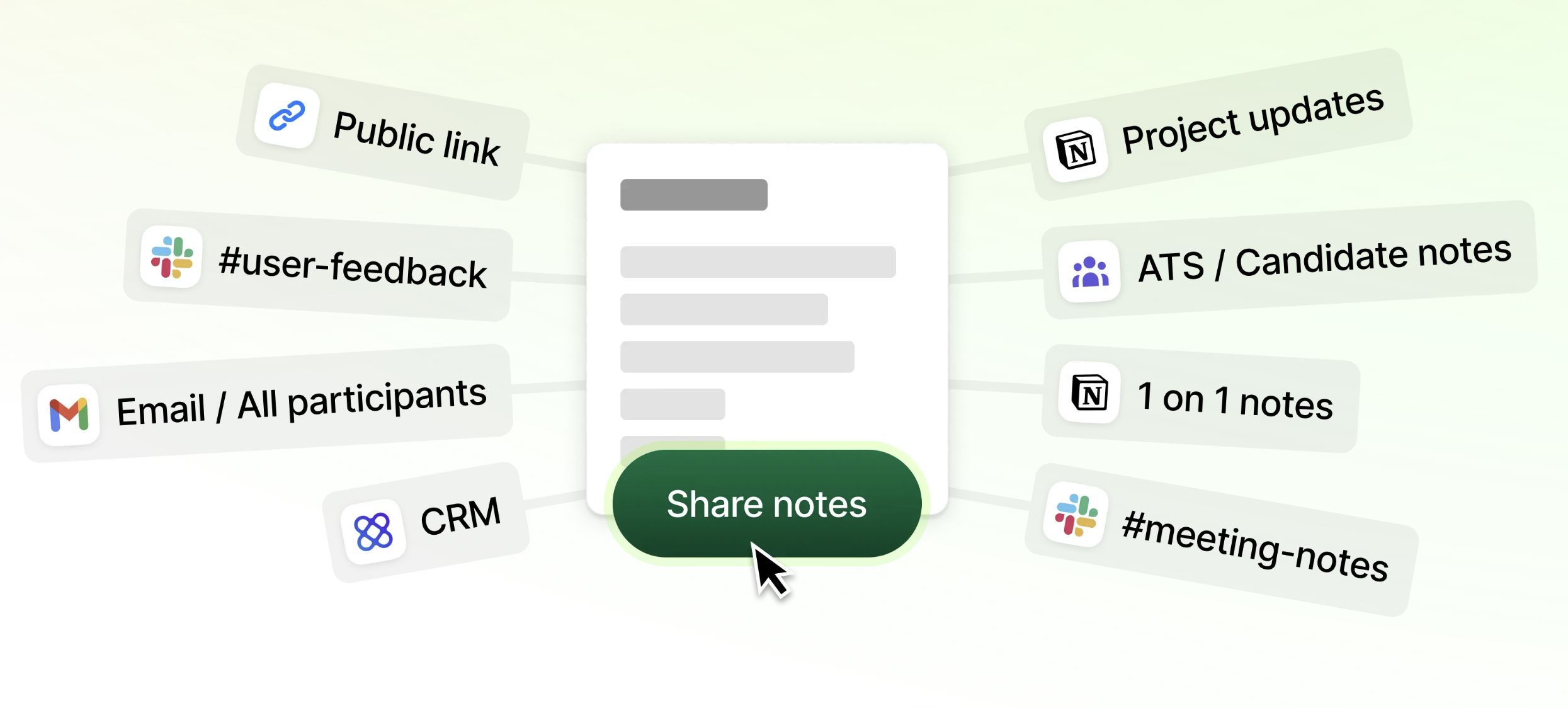
After Granola enhances your notes, you can share a link directly or push content into the tools your team already uses. On the Business plan:
- Notion and Slack: Export meetings as Notion database rows or auto-post summaries to Slack channels so stakeholders stay informed without attending every call.
- HubSpot, Attio, and Affinity: Sync notes directly to CRM records with automatic folder triggering for HubSpot.
- Zapier: Connect to 8,000+ apps including Linear and Asana for creating tasks from action items.
The full integrations list is in our integration documentation.
Granola gives you two built-in ways to let participants know the meeting is being transcribed. The first is an automated chat message posted when transcription starts, and the second is a watermark displayed on your video throughout the call. You can enable either or both, individually or across your entire team. Enterprise admins can enforce notification settings org-wide. Granola captures device audio directly rather than joining calls as a named bot participant.
Other meeting agenda templates
Different meeting types require different structures. Copy and adapt the templates below, then run them through Granola's meeting templates for AI-enhanced documentation.
Team meeting agenda template
Best for: Weekly team syncs, sprint check-ins, and cross-functional updates.
TEAM MEETING: [Team name] Weekly Sync
DATE: [Date] | TIME: [Time] | LINK: [Link]
OBJECTIVE: Surface blockers and align on priorities for the week.
AGENDA:
| Time | Duration | Agenda item | Owner |
| ----------- | -------: | ------------------------------ | ----------- |
| 00:00-00:05 | 5 min | Wins from last week | All |
| 00:05-00:15 | 10 min | Priority updates by workstream | Each lead |
| 00:15-00:25 | 10 min | Blockers and dependencies | All |
| 00:25-00:30 | 5 min | Action items and owners | Facilitator |
| 00:30-00:35 | 5 min | Buffer | |
BLOCKERS LOGGED:
1. [Blocker] - Owner: [Name] - Resolution needed by: [Date]
ACTION ITEMS:
| Task | Owner | Due |
|------|-------|-----|
One-on-one meeting agenda template
Best for: Manager and direct report weekly or biweekly check-ins.
1:1 MEETING: [Manager] / [Direct Report]
DATE: [Date] | TIME: [Time]
OBJECTIVE: Review current projects, address blockers, and discuss professional development.
AGENDA:
| Time | Duration | Topic | Led by |
|--------|----------|-------------------------------|---------------|
| 00:00 | 10 min | Current projects and updates | Direct report |
| 00:10 | 5 min | Blockers the manager can remove| Direct report |
| 00:15 | 5 min | Feedback in both directions | Both |
| 00:20 | 5 min | Career and growth discussion | Both |
| 00:25 | 5 min | Action items and next 1:1 date | Manager |
NOTES:
- Blockers:
- Feedback themes:
- Growth focus this cycle:
Download Granola for free and run your next meeting. The AI notepad for back-to-back meetings is available on macOS, Windows, iOS, and Android.
FAQs
Who should create the meeting agenda?
The meeting facilitator or organizer creates the agenda, then opens a draft to key contributors 48 hours before the call to gather input. This keeps ownership clear while ensuring the agenda reflects the actual priorities of decision-makers in the room.
What if the meeting runs over time?
The facilitator should table any remaining items for a follow-up call or async resolution before the current session closes. Never compress critical decision points into the final minutes of a meeting where attention has already dropped and participants are logging off.
Should I include background materials?
Yes, attach all background documents to the agenda at least 24 hours before the meeting. Participants who arrive having reviewed the materials make decisions faster and with more confidence, which is the core purpose of pre-reading.
What is the 40-20-40 rule for meetings?
The 40-20-40 rule allocates 40% of meeting effort to preparation, 20% to the live session, and 40% to follow-up and action tracking. Most people spend the majority of their energy in the meeting itself and skip the preparation and follow-up that make the 20% count.
How do I capture decisions without missing the discussion?
Jot rough notes during the meeting focused on decisions and key points, then Granola enhances them with full transcript context after the call. Granola keeps your notes in black and shows AI additions in gray so you control what stays. Granola Chat then lets you query action items, decisions, and patterns across all your meetings with source-linked citations.
Glossary
40-20-40 rule: A meeting effort model that allocates 40% of effort to preparation, 20% to the live session, and 40% to follow-up and action tracking.
Forgetting curve: A model developed by Hermann Ebbinghaus showing that people forget a significant portion of new information within hours of receiving it unless it is reinforced through structured review or documentation.
Human-in-the-loop: An approach to AI-assisted note-taking where the user's own rough notes guide the AI enhancement, rather than the AI generating a summary independently. The result reflects the user's judgment about what mattered.
Institutional memory: The accumulated record of decisions, context, and outcomes from past meetings that an organization can reference when making future decisions.