





What is MCP? A plain-English guide for people who go to meetings
September 4
TL;DR: Granola acts as an MCP server, turning your AI-enhanced meeting notes into a live data source that any compatible AI assistant can query on demand. MCP (the Model Context Protocol, an open standard released in November 2024) replaces the copy-paste tax of exporting and pasting transcripts by giving AI tools a single shared language to reach your data directly. No audio is stored, only the text notes remain, and your AI tools finally work from what you actually talked about at work, with no custom engineering required.
Before USB-C, every device needed its own charger. You kept a tangle of cables because your laptop, phone, and headphones all spoke different languages. The Model Context Protocol (MCP) solves the same problem for AI tools. It is a single, open standard that lets your AI assistants connect to your meeting notes, project files, and business tools without custom integrations built from scratch for every pair.
Your AI tools are smart. They just do not know what you talked about in yesterday's meetings. A founder who ran three investor calls, a recruiter who interviewed five candidates, or a VC doing portfolio check-ins all face the same gap: the context from those conversations is trapped in whichever tool they used during the call. MCP fixes that.
Syncing research apps with a common protocol
How MCP solves fragmented workflows
The manual workflow many teams fall into looks roughly like this: export a transcript, clean up speaker labels, paste the cleaned text into an AI tool, write a prompt, get an answer, and repeat the cycle when the next question surfaces. This is not a research process, it is a copy-paste tax you pay every time someone needs information from past conversations.
Granola's integrations guide maps out how this fragmentation compounds over time. Research insights often scatter across tools: insights in Notion, follow-up notes in Slack, patterns that live only in memory. MCP replaces that scattered arrangement with a single protocol that any compatible AI tool can use to reach all of it.
The table below shows how the three common approaches compare across four dimensions that matter for research workflows:
| Approach | Setup time | Maintenance load | Data privacy | Cross-tool access |
|---|---|---|---|---|
| Manual copy-paste | None | High (manual per session) | Depends on implementation | None (one tool at a time) |
| Custom API integration | 4-8 weeks per connection | 1-2 weeks/year per integration | Depends on implementation | Limited to built integrations |
| MCP-enabled (e.g., Granola) | Granola setup under 5 minutes, MCP enabled separately in settings | Minimal (protocol handles it) | Notes-only, audio deleted at source | Any compatible AI client |
How MCP standardizes your meeting data
MCP is an open specification that defines how AI assistants request and receive structured context from external data sources. Instead of your AI tool needing to understand the specific format of Granola notes, Notion pages, and Slack threads separately, it speaks one standardized language and the data sources respond in kind. For anyone whose work depends on what was said in past meetings, this means your notes stop being trapped in the tool you used during the call and become queryable context available to any MCP-compatible client you prefer.
Defining the Model Context Protocol
What MCP is in plain English
MCP was open-sourced in November 2024 as a universal standard for connecting AI systems to data sources. The formal description: an open standard that enables developers to build secure, two-way connections between their data sources and AI-powered tools. Think of it as the API for AI context, a rulebook that both sides (the AI and the data source) agree to follow so they can communicate reliably.
How MCP works for your meetings
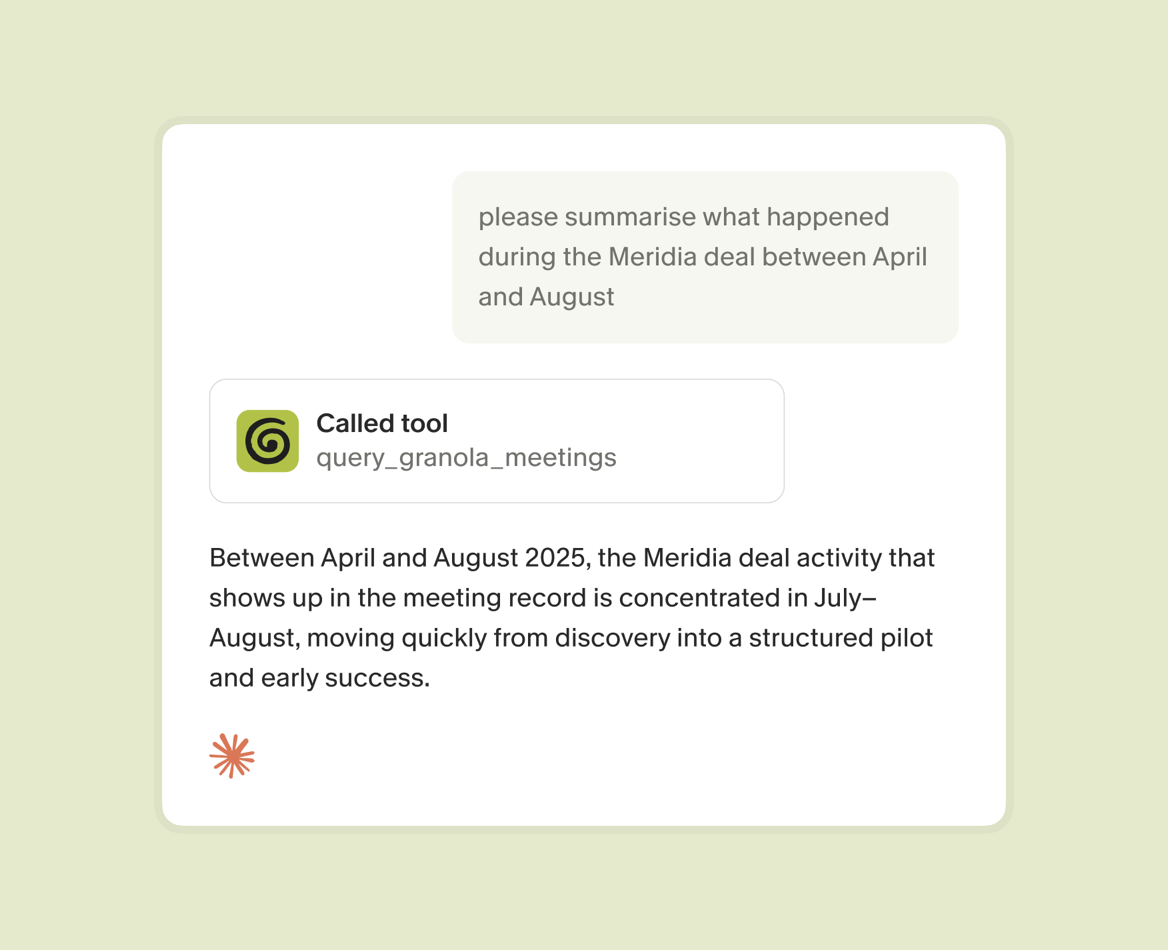
MCP uses a client-server model. The "client" is the AI assistant you chat with (Claude, ChatGPT, Cursor). The "server" is the data source that holds your information (Granola, in this case). When you ask Claude a question about your interviews, it sends a structured request to the Granola MCP server, receives a relevant excerpt from your notes, and uses that context to answer. The communication runs over JSON-RPC 2.0, a technical detail you will never need to interact with directly.
What matters is the sequence:
- Audio is captured on your device.
- Granola transcribes it in real time.
- The audio is deleted immediately.
- Any MCP client that queries your notes reads only the text layer.
The Granola + Claude integration and the Granola + ChatGPT integration both connect through this server, meaning AI clients query structured text notes rather than raw audio or unprocessed transcripts.
Clarifying the limits of the protocol
MCP fits retrieval-heavy work
MCP works well for retrieval, reading, and synthesizing context: a VC asking what a founding team said about their go-to-market six months ago, a recruiter surfacing what a hiring manager specified as must-haves across three briefing calls, a founder identifying which objections kept recurring across their last ten investor pitches, or a PM pulling quotes from past customer interviews. It is not built for high-stakes transactional operations like moving money, deleting production databases, or submitting legal filings.
The MCP architecture establishes a consent model that requires explicit user approval for sensitive operations, which makes it well-suited for knowledge retrieval and poorly suited for irreversible actions. For customer research, this is a feature: you want your AI to surface what participants said about a pricing concern and identify recurring themes, not to autonomously write to your CRM without review.
How it integrates with your process
You do not open a new application or change how you run interviews. You take notes in Granola exactly as you do now, using the AI-enhanced notes workflow where your rough jottings guide AI enhancement of the transcript. Once your notes exist in Granola, any MCP-compatible client you connect gains access to that context. The Granola MCP setup is available on all plans including Basic.
Why you do not need to build MCP yourself
You do not write code, configure servers, or touch protocol specifications. Granola's engineering team built the connection once. You connect the integration in settings, and it works.
5 key advantages of using the Model Context Protocol
1. Retrieve past conversation details
Ask Claude "What did enterprise customers say about our SSO pricing last quarter?" and receive an answer drawn directly from your Granola notes, with citations pointing back to the specific conversations. Without MCP, answering that question means opening four or five separate Notion pages and piecing together a picture manually. With MCP, it takes the same time as asking a colleague. A VC can ask Claude "What concerns did the Acme team raise about their burn runway in Q3?" and get a sourced answer from their Granola notes. A recruiter can ask "What did the hiring manager say were non-negotiable traits for this role?" without reopening five separate briefing call notes.
Within Granola: The Granola Chat feature handles this retrieval across your entire meeting history.
Across your stack: MCP extends that same capability to Claude, ChatGPT, Cursor, and every other compatible client you use.
"I asked Claude to review every meeting I've had about a tool, and it created a project plan for me based on our conversations in just ten minutes." - Lisa K. on G2
2. Share research without forwarding documents
Shared folders in Granola let teams build a collective context base that any MCP-compatible client can query. A new team member joining a sales org can ask Claude to summarize what prospects said about a competitor's pricing over the past quarter. A recruiter who inherits an open role can ask what the client specified about culture fit across previous intake calls. No file forwarding, no version control headaches, no searching Slack for the link someone posted months ago.
3. Answer stakeholder questions with citations
When a stakeholder questions whether a research finding is "just one customer or a pattern," the answer is a query away.
The credibility boost: Granola's source-linked citations mean every AI-generated answer points back to the specific meeting it came from, making qualitative research significantly more defensible in product reviews and roadmap discussions. When a VP asks "how many people raised this concern?", you are not reconstructing from memory, you are sharing a sourced summary. For founders preparing for a board meeting, the same principle applies: when a board member asks what customers have said about a specific risk, the answer is a query rather than a reconstruction from memory.
4. Contextualize decisions for new teammates
When a key person leaves a team, whether a PM, a founding sales rep, or a lead recruiter, years of accumulated context often disappear with them. The core problem is AI models being isolated from data, trapped behind information silos and legacy systems. MCP standardizes access so that institutional memory becomes infrastructure rather than individual knowledge. New teammates can query the history of a product decision and understand not just what was decided but what customers said that informed it.
5. Auto-build a searchable research library
Every interview you run in Granola becomes part of a growing context library. Ten interviews give you a useful starting point, a hundred give you a searchable repository that answers most recurring questions without scheduling another call, and a year of regular meetings gives you institutional memory that survives team turnover. Pre-meeting briefs already surface relevant past context before each new call. MCP extends that same intelligence to every AI tool in your stack.
Can MCP handle sensitive customer interviews?
Managing participant consent with MCP
MCP is a query protocol. It surfaces what already exists in your notes, which means the ethical questions center on how you capture and store information in the first place, not on MCP itself.
Granola provides two transparency features for informed capture: an automated chat message that posts in the meeting chat when transcription starts, and a video watermark that displays a visible indicator on your video throughout the call. You can enable one or both, and the consent guide covers practical steps including how to tell participants before the call begins and how to configure team-wide defaults through in-meeting notices.
Handling sensitive user insights
Granola captures device audio and transcribes it in real time, then deletes the audio immediately after transcription. Only the text notes remain. This architecture matters for sensitive customer feedback because the most sensitive artifact, the audio itself never persists on any server.
How MCP protects sensitive user data
Granola achieved SOC 2 Type 2 certification in July 2025. The SOC 2 and GDPR compliance page provides the documentation most legal teams ask for before approving a tool.
| Control | Granola's posture |
|---|---|
| SOC 2 Type 2 | Certified July 2025 |
| GDPR alignment | Confirmed |
| Audio storage | Deleted immediately after transcription |
| AI model training | Third-party providers contractually prohibited from training on your data |
| AI training opt-out | Individual level on all plans, org-wide policy on Enterprise only |
| Admin controls | Org-wide deletion periods, sharing controls, API access controls on Enterprise |
| MCP access scope | Workspace-level configuration on Enterprise (admins control which scopes are available to members) |
Try Granola for free: download the Mac or Windows app, connect your calendar, and enhance your first set of meeting notes in under five minutes.
FAQs
Will MCP integrate with my existing stack?
Check three things:
- Verify your AI client (Claude, ChatGPT, Cursor) supports MCP by reviewing its integrations page.
- Confirm your meeting notes tool exposes an MCP server (Granola does on all plans).
- Check whether the connection covers the history depth you need (Granola's Basic plan gives MCP access to the last 30 days of notes, while Business and Enterprise cover full history and transcript access).
How do I set permissions for meeting data in Granola?
Notes you take in Granola are private by default and visible only to you until you actively share them or add them to a team folder. The Granola MCP connector uses OAuth, with no client ID or secret required. Notes are private by default. MCP reads your personal notes, plus public workspace notes on Business and Enterprise plans, and Enterprise admins control which of those scopes are available to members.
How does MCP protect private meeting info?
MCP is a query protocol that reads from what already exists in your notes, meaning Granola's privacy protections operate at the capture layer: audio is transcribed and deleted immediately, no audio files are stored, and third-party AI providers are contractually prohibited from training on your data. When an MCP client like Claude queries your Granola notes, it reads from that privacy-protected text layer rather than any audio source.
Key terms glossary
Model Context Protocol (MCP): An open standard that defines how AI assistants request and receive structured context from external data sources. Released in November 2024 as an open-source specification.
Device audio capture: Capturing audio at the system level, what you hear through your speakers or headphones. Granola uses this to transcribe across Zoom, Meet, Teams, Slack, and any other platform.
AI-enhanced notes: Notes generated by combining your rough jottings during a meeting with AI-processed transcript context. Your notes appear in black, AI additions appear in gray, and you control what stays and what gets deleted.
Institutional memory: The accumulated knowledge of decisions, customer feedback, and conversations a team has had over time. Granola's folder-level queries and MCP connectivity make this memory queryable rather than buried in individual documents.