





Stakeholder meetings that matter: Using AI notetakers to track commitments and follow-ups
March 3
TL;DR: Stakeholder meetings fail not because of bad strategy, but because commitments evaporate once the call ends. Granola is an AI notepad where you jot key agenda points during the meeting, then query your notes afterward for specific promises, named owners, and deadlines. The AI fills in context from the transcript so you finish with a searchable record of every verbal commitment spoken in the room. This playbook covers the full workflow: capture, query, share, and track.
Most alignment meetings end the same way: everyone nods, someone types "next steps" into a shared doc. Then a week later, the promised budget approval hasn't moved, the CTO's timeline concern hasn't been addressed, and nobody remembers the actual agreement.
The problem isn't bad faith. Meetings are cognitively expensive environments: you're presenting, reading the room, fielding questions, and trying to log commitments simultaneously. Stakeholder trust depends on follow-through. When commitments slip through the cracks, credibility erodes. AI notetakers change the structure of that problem by turning conversations into a tracked system of record, so verbal commitments become logged items with named owners, not forgotten asides.
Why stakeholder commitments fall through the cracks
When commitments are made verbally in a meeting, capturing them accurately requires more than a rough note. The specific owner, the action, and the timeline all need to land in the record. The challenge is doing that while you're also leading the conversation.
Executive syncs, board updates, investor calls, and cross-functional alignment meetings are where executives make their highest-stakes commitments. They're also the meetings where capturing those commitments manually is hardest, for three reasons.
Cognitive load: You cannot effectively lead a presentation, read the room, and take detailed notes simultaneously. Something always gets dropped, and the documentation gap compounds the accountability risk directly.
The interpretation gap: Manual notes capture gist, not precision. The difference between a vague impression of what someone promised and the exact language they used can change how a commitment gets followed up on entirely. Your notes carry your interpretation of what was promised, not the precise terms spoken.
Conditional commitments: Executives often commit with conditions attached. Those conditions define the actual decision criteria, but bullet-point notes flatten them out. What gets written down often strips the "if" from the commitment, leaving a misleading record of agreement where none was final.
The difference between taking notes and tracking commitments
Standard notes record what happened. Commitment tracking records what is owed: who promised what, to whom, by when. That distinction changes how you structure both the capture and the follow-up.
Standard notes record what happened; commitment tracking records what is owed. Granola transcribes using your device's audio and generates notes from it, so you can stay in the conversation rather than writing it down. We recommend telling the other participants that you're using Granola to transcribe the call, and Granola includes consent messaging options in the app for teams that want to notify participants when transcription is active.
AI extraction catches what manual notes miss
The advantage of AI-enhanced notes over manual documentation isn't speed. It's precision on the soft commitments: the hedged language, conditional agreements, and offhand remarks that turn out to matter two weeks later.
Granola uses AI models from OpenAI and Anthropic to process transcripts contextually. When the meeting ends, it merges your typed notes (displayed in black) with AI-generated context from the transcript (displayed in gray): before citing any gray text as a commitment, verify it against the source transcript.
"I use it for nearly every call to stay focused on the conversation instead of scribbling notes. The follow-up action items are especially useful. Huge time saver." - Verified user on G2
How to build a commitment tracking workflow with Granola
Capture the conversation without distraction
Setup takes under five minutes: download the Mac or Windows app, connect your calendar, and Granola automatically detects upcoming meetings. When a call starts, the app prompts you to begin transcription. It works with Zoom, Google Meet, Teams, or any platform that runs on your computer, with no browser extension or per-platform configuration required.
Granola works as an AI notepad: it runs on your laptop or phone and uses your device's audio to generate notes, so you can keep your attention on the discussion.
During the meeting, you jot agenda points and flag anything worth noting. Granola handles the rest from the transcript. Your notes act as anchors, directing the AI to fill in the surrounding detail from what was actually spoken.
The workflow for a stakeholder sync:
- Before the call: Add the meeting agenda as rough bullets. This primes the AI to structure its output around your actual discussion points.
- During the call: Jot names and phrases when you hear a commitment being made. "CTO: resourcing by 15th" is enough. You don't need the full sentence.
- After the call: Click enhance notes. Granola merges your bullets with transcript context, generating structured output with decisions, action items, and key discussion points.
You can apply a custom template for stakeholder syncs, structuring sections for commitments, owners, deadlines, and open questions so your output lands in the same format every time.
"I can just write down things I really care about and let Granola take care of the rest." - Jess M. on G2
Query your notes to surface specific promises
Once the notes are enhanced, the value shifts from capture to retrieval. Reading back through a full summary after a 60-minute meeting wastes time. Querying it doesn't.
Granola's chat interface lets you search your notes in plain language:
- "What did the VP of Sales commit to, and by when?"
- "What concerns did the CEO raise about the Q3 timeline?"
- "Did anyone mention a specific budget cap or approval threshold?"
- "List all open action items and their owners."
The system returns answers with citations to the transcript segments where those statements appear, so you can verify the exact language before referencing it in follow-up.
Share source-linked clips to drive accountability
Granola's share and export functionality lets you generate a public link for notes or copy specific sections to paste into Slack, email, or a Jira ticket. Verify any note point against the source transcript before sharing, so you're working from confirmed language rather than paraphrase.
The follow-up workflow:
- Query the notes for the specific commitment.
- Verify the source against the transcript.
- Copy the note block with its context.
- Paste into your follow-up message, referencing the meeting date.
Citing the exact language from a meeting transcript gives follow-ups a shared reference point that keeps everyone aligned on what was agreed. A PM who includes the specific wording from a transcript is working from a common record rather than a reconstruction, which builds accountability without requiring anyone to rely on memory alone.
When citing a specific line from the transcript, check the surrounding context. A single sentence can read differently than the full exchange. Granola links each citation to the transcript segment where it appeared, so you can verify the original context before sharing.
After the meeting: review, verify, and share
The gap between a good meeting and an accountable one is usually a 10-minute review window immediately after the call.
Review your enhanced notes while the conversation is still fresh. Run the commitment query to surface action items, then tag each one with an owner and a deadline. If the AI missed a conditional commitment, add it manually. It appears in black text so you can tell it's your own input.
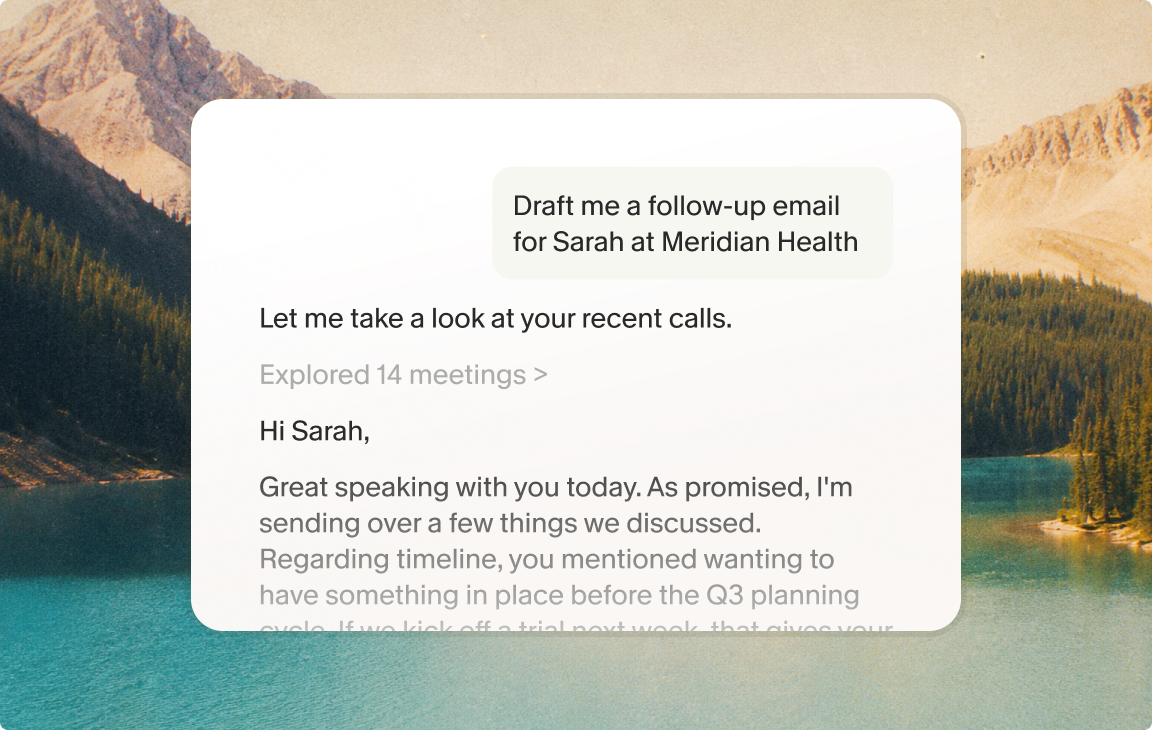
Use Granola's AI chat to generate a follow-up summary. A prompt like "Draft a 'what we agreed' email from today's meeting with action items and owners" produces a structured output you can send within minutes of the call ending.
Centralized folder for executive syncs: Create a dedicated folder in Granola for all stakeholder meetings, whether board updates, investor calls, or cross-functional alignment sessions. Querying across that folder surfaces patterns over time. You can ask "What infrastructure concerns has the CTO flagged across the last quarter?" and get a cited answer from every relevant meeting in the folder.
Ensuring privacy in sensitive stakeholder discussions
Board meetings, investor updates, and cross-functional escalations involve sensitive information, so it's worth knowing how Granola handles the data it holds. Granola's architecture addresses this directly.
The core facts:
- Granola stores no audio or video at any point during a call. There is no audio file to replay or leak.
- All transcript data is encrypted at rest and in transit.
- Granola earned SOC 2 Type 2 certification in July 2025, verified by independent auditors.
- Third-party AI providers (OpenAI, Anthropic) do not use your data for model training. Users can review model training preferences in account settings. Enterprise admins can enforce opt-out organization-wide.
Enterprise plans include SSO, admin controls, and organization-wide training opt-out enforcement. Full details are in Granola's security documentation.
Conclusion
The accountability gap in stakeholder meetings is a capture and retrieval problem, not a willpower problem. Executives make real commitments in the flow of conversation, and those commitments get lost because the person leading the meeting can't simultaneously present, read the room, and document with precision.
Granola changes that structure. You stay present. The transcript handles precision. After the call, you query for specific commitments, verify the language, and share cited follow-ups that are harder to dismiss than a memory-based reminder.
The result isn't better notes. It's a system where vague verbal commitments become tracked obligations with named owners and deadlines, anchored to the exact moment they were spoken.
Download Granola for free, connect your calendar, and try it in your next stakeholder sync. Then create a dedicated folder for your executive meetings to start building a queryable archive of every commitment spoken in those conversations.
Frequently asked questions about AI notetakers for stakeholder meetings
Can I export action items to Jira or Asana?
Granola doesn't have native Jira or Asana integrations, but you can export via Zapier or copy text directly into those tools. Native integrations are available for HubSpot, Slack, Notion, Attio, and Affinity.
Is my meeting data used to train AI models?
Third-party AI providers like OpenAI and Anthropic do not use your data for training. You can update your model training preferences in account settings, and Enterprise admins can enforce this opt-out organization-wide.
Does Granola work with Google Meet, Teams, and Zoom?
Yes. Because Granola captures device audio rather than integrating at the platform level, it works with any meeting software running on your Mac or Windows machine, including Google Meet, Microsoft Teams, and Zoom.
What is the difference between Granola's free and paid plans?
The free plan includes unlimited meetings with limited history retention. Business ($14/user/month) adds unlimited history, integrations (Slack, Notion, CRM, Zapier), and advanced AI models, while Enterprise ($35+/user/month) adds SSO, organization-wide AI training opt-out enforcement, and priority support.
Key terms glossary
Commitment tracking: The process of identifying, recording, and monitoring specific promises and action items made by stakeholders during meetings, each with a named owner, a specific deliverable, and a timeline.
Source-linked citation: A reference within your notes that connects directly to the specific transcript segment where a statement was made, allowing you to verify exact language before sharing it in follow-up communications.
Folder-level query: The ability to ask a natural language question across all meetings in a shared folder, returning cited answers from every relevant transcript rather than requiring manual review of individual notes.
AI-enhanced notes: The hybrid document Granola produces after a meeting, merging your typed notes (shown in black) with AI-generated context from the transcript (shown in gray), so the source of each element is always visible.