One-on-one meeting template for managers: The complete guide
August 7
TL;DR: A 1:1 template is only as good as the system behind it. This guide delivers a complete, copy-pasteable template structured around the CAMPS framework (Certainty, Autonomy, Meaning, Progress, Social inclusion) to balance tactical blockers with career growth. The direct report owns the agenda, and the manager tracks a rolling action list. Tools like Fireflies and Otter offer deep conversation analytics and automated summaries. Granola builds a searchable history of every session while keeping you present during the conversation. Basic plan is free, Business is $14/user/month.
Most managers open a 1:1 with a blank document and a vague "How are things going?" then spend the next thirty minutes typing furiously while their direct report watches the top of their head. The notes get buried and the action items get forgotten. By the following week, the meeting resets to zero.
The problem is not lack of intention. It is that most 1:1 templates treat documentation as a separate task rather than building it into the meeting structure itself. A great template is not a static form to fill out once. It is a living record of decisions, blockers, and career progress that compounds in value every week it is used.
This guide gives you a complete, reusable template for structured, high-impact 1:1s, and shows you how to automate the documentation so you can focus on the person in front of you.
What makes a complete 1:1 template
A 1:1 template needs four distinct components to function as a system rather than a checklist.
Agenda structure
The agenda determines whether the meeting becomes a status update or a growth conversation. A well-structured agenda has two inputs: the direct report contributes the majority of topics at least 24 hours in advance, and the manager adds strategic or feedback items. This split signals that the meeting time belongs to the direct report, which is the foundation for honest, productive conversations.
Running notes section
Scattered notes across Google Docs, Slack threads, and personal notebooks create "1:1 amnesia." Each meeting feels like it starts from scratch because there is no continuous record of what was decided, promised, and changed. A running notes section in a single, chronological document builds institutional memory that survives week-to-week and when either party moves on. Meeting minutes vs meeting notes covers the principles of structured documentation if you want to explore further.
Action item tracking
Verbal agreements made during a 1:1 have a short half-life. Without explicit documentation tying a task to a name and a due date, it is common for both parties to walk out with different understandings of who is doing what. A rolling action list, reviewed at the start of every meeting, closes that gap and creates shared accountability.
The complete 1:1 meeting template
Copy the block below into Notion, Confluence, or any shared document. Paste it fresh at the start of each new session, and keep all sessions in the same document to maintain the running history.
# 1:1 Meeting: [Direct Report Name] + [Manager Name]
**Date:** YYYY-MM-DD | **Duration:** 30–45 min
---
## 🔁 Rolling action items (from last session)
| # | Action item | Owner | Due | Status |
|---|-------------|-------|-----|--------|
| 1 | [Item carried over] | [Name] | [Date] | ⬜ Open / ✅ Done / 🔴 Blocked |
| 2 | | | | |
---
## 📋 Agenda (direct report adds first, 24 hrs in advance)
**Direct report's topics:**
-
-
-
**Manager's topics:**
-
-
---
## 🗒️ Running notes
### Certainty — Expectations and clarity
_What is unclear about priorities, direction, or scope?_
### Autonomy — Agency and ownership
_Where does the direct report want more ownership or input?_
### Meaning — Purpose and impact
_How is their work connecting to something bigger right now?_
### Progress — Growth and wins
_What has moved forward? What are they proud of?_
### Social — Team dynamics and trust
_How are cross-functional relationships? Any friction to address?_
---
## 🎯 New action items (agreed today)
| # | Action item | Owner | Due |
|---|-------------|-------|-----|
| 1 | | | |
| 2 | | | |
---
## 💬 Growth and feedback (every 3–4 sessions)
**Career goal check-in:**
- Long-term goal:
- Progress since last check-in:
- Manager support needed:
**Feedback exchange:**
- Manager → Direct report:
- Direct report → Manager:
---
## 📅 Next session prep
- Confirm date:
- Open threads to carry forward:
Before the meeting: Handing over agenda control
The most important habit shift in running effective 1:1s is making agenda ownership explicit from the very first session.
- Set the expectation: Tell the direct report that the agenda is their document and they should add their most important topics at least 24 hours before each session.
- Review and add: The manager reviews the pre-populated agenda before joining, adds strategic items or feedback in the manager's section, and does not reorganize the direct report's items.
- Start with their topics: Open the meeting by walking through the direct report's agenda items first, every time, without exception.
This process converts the 1:1 from a management check-in into a support structure the direct report actually wants to show up to.
During the meeting: The CAMPS framework
LifeLabs Learning's CAMPS framework structures the conversation around five core psychological needs that drive engagement and reduce the low-level threat states that shut down honest communication. Uncertainty can trigger the same fight-or-flight stress response as a physical threat, which is why vague expectations shut down honest conversation and make it harder for direct reports to engage openly.
Table 1: The CAMPS framework in 1:1s
| CAMPS element | Definition | Sample 1:1 question | Typical benefit |
|---|---|---|---|
| Certainty | Clear goals, roles, and norms | "What feels unclear about priorities this week?" | Sharper focus on what matters |
| Autonomy | Choice, voice, and ownership | "Where do you want more independence on this?" | Greater ownership and motivation |
| Meaning | Personal benefit and broader impact | "How does this project connect to what you care about?" | Stronger sense of purpose |
| Progress | Recognizing growth and achievements | "What has moved forward since we last spoke?" | Visible momentum |
| Social inclusion | Team connection and belonging | "How are your working relationships with the team?" | Improved collaboration |
Persona-specific sub-templates
Table 2: Technical 1:1 vs. onboarding 1:1 priorities
| Focus area | Technical 1:1 | Onboarding 1:1 |
|---|---|---|
| Primary topics | Technical blockers, delivery alignment, team dependencies | Onboarding progress, role clarity, early blockers, cultural integration |
| Cadence | Weekly, 30–45 min | Weekly, 30–45 min (daily check-ins in first two weeks) |
| Common focus areas | Delivery progress, technical challenges, skill development | Expectations alignment, early wins, relationship-building with the team |
| Growth section | Career development, skill-building, project ownership | 30/60/90-day goals, skill gaps, longer-term development path |
| Tone | Collaborative, coaching-oriented | Welcoming, directive, coaching-oriented |
For an ongoing technical 1:1, the most valuable agenda items are the ones that do not fit a status update: technical blockers, disagreements about approach, ambiguity in requirements, and career conversations about what the team member wants to learn next. For an onboarding 1:1, the most valuable agenda items are those that surface unspoken confusion early: unclear expectations, gaps between the role as described and the role as experienced, and early signals of whether the new hire is building the right relationships. Leading with open questions ("What has surprised you most?") surfaces more than a status check.
After the meeting
The post-meeting workflow has three steps, and skipping any one of them erodes the system.
- Document new action items with an owner name and a due date before the call window closes.
- Share the updated notes with the direct report within the hour, so both parties have the same record.
- Set the agenda stub for next week by carrying incomplete items forward and adding a prompt for the direct report to pre-populate their topics.
Writing and sending meeting recap emails covers the post-meeting sharing workflow in detail if you want a repeatable format for that step.
Setting up your recurring 1:1 structure
First meeting setup
Use the first 1:1 to establish the meta-conversation about the meeting itself. Explain the template, walk through the agenda ownership model, and ask the direct report directly: "What would make this meeting genuinely useful for you?" Their answer shapes every session that follows.
Establishing a cadence
Weekly sessions of 30 to 45 minutes work well for most direct report relationships in fast-moving tech teams because they create a consistent rhythm for addressing blockers before they compound. Bi-weekly sessions of 45 to 60 minutes can work for highly senior or autonomous roles where the work rhythm is slower.
Creating shared accountability
The rolling action list in the template is the primary accountability mechanism. Review it together at the start of every meeting, close completed items visibly ("That one is done, good work"), and use items that remain blocked week after week as prompts to explore deeper systemic issues rather than re-setting the same deadline. Centralizing your meeting history in a shared workspace, whether that is Notion, Confluence, or Granola's team folders, keeps the record accessible to both parties and prevents the knowledge from walking out the door when either person changes roles.
Tracking action items across meetings
Rolling action list format
The rolling list works by treating incomplete items as persistent rather than expiring. Each week, open items from the previous session appear at the top of the template with their original owner and due date. Completed items get checked off in place. Blocked items get a status flag and a short note on the obstruction.
Closing completed items
Explicitly closing items at the start of the meeting does two things: it builds a visible sense of progress that sustains motivation, and it creates a searchable audit trail of what was committed to and delivered. That trail becomes genuinely valuable during performance reviews.
Surfacing blocked actions
When the same item carries over repeatedly, treat it as a signal rather than a scheduling problem. The block is usually organizational friction, unclear ownership, or a dependency the direct report cannot resolve alone. Name it directly: "This has been open for a while. What is actually in the way?" That question surfaces the real conversation that should have happened earlier.
Using the template for growth conversations
Career development check-ins
Every third or fourth 1:1, shift the final 10 to 15 minutes explicitly to the growth section of the template. Use specific prompts rather than open-ended questions:
- "What skill do you want to be markedly better at in six months?"
- "Is there a project type you have not had a chance to lead that you want to?"
- "What would need to be true for you to feel ready for the next level?"
Document the answers in the template and revisit them in the following growth check-in to show continuity. This is what separates a manager who says they care about development from one who actually tracks it.
Performance feedback documentation
Real-time feedback captured in the template eliminates the retrospective guesswork of annual reviews. When something goes well, write a one-line note in the feedback section: "Ran the stakeholder presentation without support. Handled the pushback on scope confidently." When something needs to change, document it with the same specificity. Neither party should be surprised when the annual review arrives.
Goal tracking over time
Link the weekly progress notes back to quarterly or annual goals by adding a reference in the template to the relevant OKR or goal label. This turns the archive of 1:1 notes into a navigable record of how performance evolved, which is useful both for the direct report's growth narrative and for the manager's ability to write a specific, credible evaluation.
How Granola makes this template work
The biggest practical failure of structured 1:1 templates is documentation overhead. You open the template, start the meeting, and immediately face a choice: type notes and half-listen, or listen fully and miss the details. That tension is why structured templates often get abandoned after a few weeks.
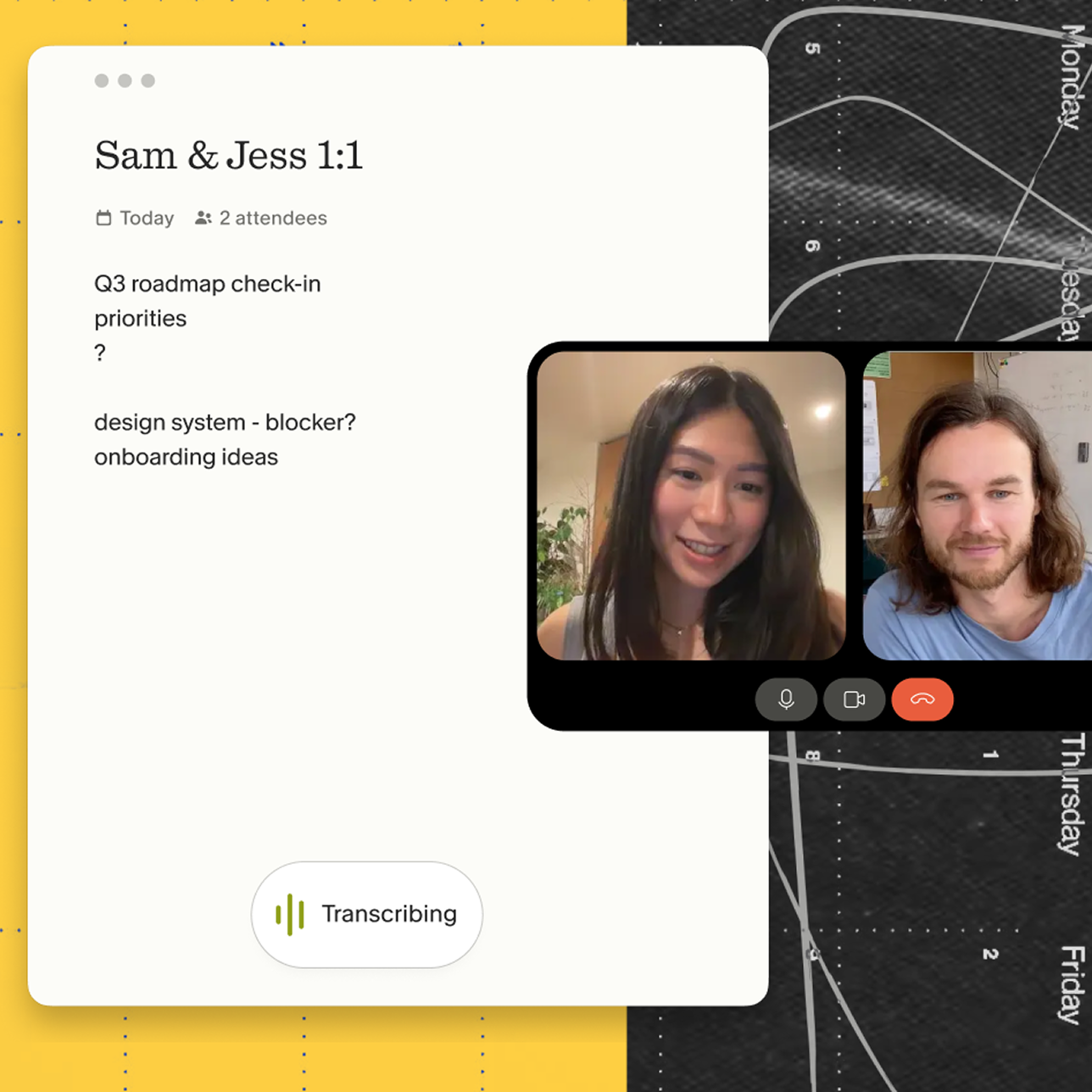
Granola is an AI notepad for people in back-to-back meetings. You jot rough notes during the conversation, and Granola captures device audio, transcribes in real time, and enhances your notes with full transcript context once the meeting ends. Audio is deleted immediately after transcription. Notes and transcripts remain in your workspace, searchable and under your control. You can read about how it works in the Granola 101 guide.
Automatic note capture
The human-in-the-loop approach works like this: during the 1:1, you jot a few words in the Granola notepad ("wants system design ownership," "concerned about Q4 scope"), and Granola uses the transcript context to flesh those fragments into complete, structured notes. Your rough notes stay in black. The AI-enhanced context appears in gray. You stay in control of what is kept and what gets removed.
You can enable Granola's built-in transparency features, including an automatic in-chat notification or a video watermark, to let participants know that notes are being captured throughout the session.
Searchable meeting history
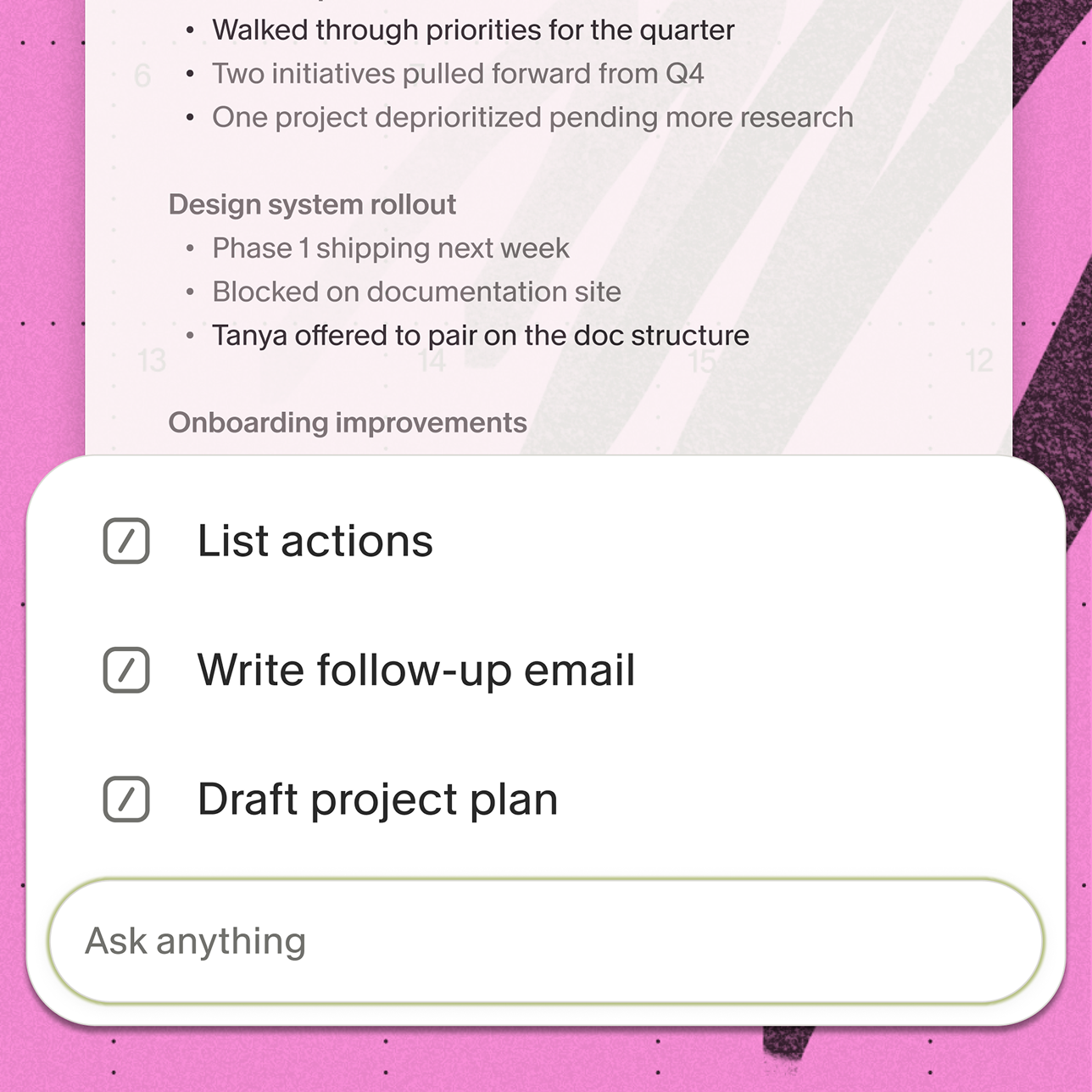
Granola's meeting chat feature lets you query across every 1:1 you have ever run. Before a performance review, you can ask Granola Chat: "What career goals did we discuss in Q3?" and get source-linked citations from the specific sessions where those conversations happened. That replaces the alternative: manually reading through weeks of notes the evening before a calibration meeting.
You can create a shared team folder for 1:1s and query across the entire set. "Which engineers mentioned concerns about scope clarity in the last 60 days?" becomes a five-second query rather than a thirty-minute manual review. This is the kind of post-meeting intelligence that turns a 1:1 archive from a static record into an active management tool.
Reusable template maintenance
Granola's Recipes feature allows you to save your preferred 1:1 format as a reusable prompt. After each meeting, you run the recipe with a single click to produce enhanced notes matching your template structure, without any copy-pasting or reformatting. Customize your note template and reuse it for every 1:1 to keep your notes consistently structured across sessions.
Granola also connects to the tools your team already uses. On Business plans and above, the Zapier integration pushes meeting notes to over 8,000 apps, from Asana to Google Sheets, so 1:1 summaries land in the right place automatically. Granola is free to get started.
Try Granola for free. Download the Mac or Windows app, connect your calendar, and run your next 1:1 to see it in action.
FAQs
How often should I hold 1:1s?
Weekly sessions of 30 to 45 minutes work best for most direct reports in fast-moving tech teams because they create a consistent rhythm for addressing blockers before they compound. Bi-weekly sessions of 45 to 60 minutes can work for highly senior or autonomous roles, but anything less frequent than bi-weekly tends to let issues go unaddressed for too long.
Who should add agenda items?
Both parties contribute, but the direct report should own the majority of topics and add them at least 24 hours in advance. The manager adds strategic context or feedback items after reviewing the direct report's entries.
How long should I keep 1:1 meeting notes?
Keep active running notes long enough to cover a full performance review cycle and give you a complete record of how career goals and commitments evolved over time. A full performance review cycle is the minimum useful window: 12 to 18 months gives you enough history to track how goals and commitments evolved rather than relying on memory.
What if we don't finish the agenda?
Move unfinished items to the top of the following session's rolling action list rather than leaving them in the agenda section. If the same items carry over consistently, treat it as a signal to extend the meeting length or address the underlying priority conflict directly.
How do I handle 1:1s for remote teams?
Use video with active camera presence, share the agenda document asynchronously at least 24 hours before the meeting, and keep all session notes in a shared digital workspace so both parties can reference the same document between meetings. Tools that capture device audio work across any meeting platform without requiring separate integrations, which simplifies the remote 1:1 workflow considerably.
What if my direct report doesn't add agenda items?
Send an async prompt 24 hours before the meeting with a specific question, such as "What is the biggest blocker you faced this week?" If they still do not contribute, use the first five minutes of the meeting to build the agenda together out loud, then gradually hand that ownership back over subsequent sessions.
Does Granola work across all meeting platforms?
Yes. Granola captures device audio directly rather than joining as a meeting participant, so it works with Zoom, Google Meet, Slack huddles, Microsoft Teams, and any other platform you use for 1:1s, without requiring a separate integration for each.
Key terms glossary
CAMPS framework: A psychological model from LifeLabs Learning covering five core needs (Certainty, Autonomy, Meaning, Progress, Social inclusion) that drive engagement and reduce threat states in workplace conversations.
Rolling action list: A persistent task-tracking format where incomplete items automatically carry forward to the next meeting rather than expiring, creating continuity and shared accountability.
Collaborative facilitation: A 1:1 approach where the direct report owns the majority of agenda topics and the manager adds strategic items, signaling that meeting time belongs to the direct report.
Running notes: A continuous, chronological record of 1:1 conversations maintained in a single document rather than scattered across multiple files, building institutional memory over time.
Recipes: Reusable saved prompts in Granola that you run with a single click after a meeting to extract insights, generate follow-up content, or apply a consistent structure to your enhanced notes.