





How to run effective remote meetings
July 24
TL;DR:Running effective remote meetings means shifting from passive observation to active facilitation. Most distributed teams struggle with two gaps: engagement falls because remote calls strip away the ambient signals that keep participants oriented, and documentation suffers because manual note-taking competes directly with the facilitation attention the meeting needs. By adopting outcome-based agendas, clear participation protocols, and a bot-free AI notepad like Granola, you stay fully present in any remote conversation while building a searchable repository of team intelligence. This matters most in high-stakes discussions, but the same structure improves routine sessions too. Fix this with better facilitation and human-guided AI documentation, not generic automation.
Remote meetings fail when they are treated as passive video broadcasts instead of designed experiences. The documentation gap is now a universal organizational tax: Remote and hybrid participants are now the norm in most team meetings, yet many facilitators still run calls as if everyone is in the same room.
You cannot facilitate a productive discussion while typing a transcript of what was just said. The good news is that solving this does not require replacing human presence with full automation. It requires structured facilitation protocols, outcome-based agendas, and documentation tools that let you keep your attention on the conversation. This guide covers each of those in turn.
Essential shifts for remote team alignment
Adapting facilitation for remote teams
In-person meetings carry ambient signals that remote calls strip away entirely. Body language, side conversations, and shared physical context all help participants stay oriented. Remote facilitation has to replace those signals with explicit structure.
The most effective remote facilitators do four things differently from their in-person counterparts. They name the format explicitly, telling participants whether the session is a decision, a discussion, or an update before anyone speaks. They assign a timekeeper so they can focus on conversation depth rather than the clock. They call on people by name to route participation when the conversation stalls. And they close with a verbal summary of decisions to catch misalignment before it leaves the room.
Any facilitator managing a high-stakes session faces the same tension: staying present enough to guide the conversation while also capturing what was said. Those two tasks compete for the same cognitive bandwidth. The documentation section below covers how to resolve that tension.
Use outcome-based agendas to streamline sessions
Keep meetings focused with time boxes
Structure each agenda item with three components: The topic, the intended outcome (decide, discuss, or update), and a time box. A 45-minute product review might look like this:
- Customer feedback synthesis review (10 min): Update: Key themes from last week's interviews
- Feature prioritization vote (20 min): Decide: Rank the top three features for Q3 sprint
- Engineering blocker discussion (15 min): Discuss: Options for resolving the API integration delay
This format sets participant expectations before the call begins. Attendees arrive knowing whether to come prepared to debate or simply to absorb an update, which shortens the time spent orienting at the start of the session.
Send meeting agendas a day early
The 24-hour distribution rule is not arbitrary. Sharing agendas and pre-reads the day before gives participants time to review materials, form opinions, and come prepared to contribute rather than passively react. A useful pre-read for a decision session includes the most relevant context from prior conversations, the open questions those conversations left unresolved, and a single framing question the team needs to answer together. Participants arrive with opinions rather than questions, which cuts session length without losing output quality.
Join the call 5 minutes early to confirm screen sharing, audio quality, and any collaborative documents. Technical issues that surface mid-session kill momentum and erode trust in the facilitator's preparation.
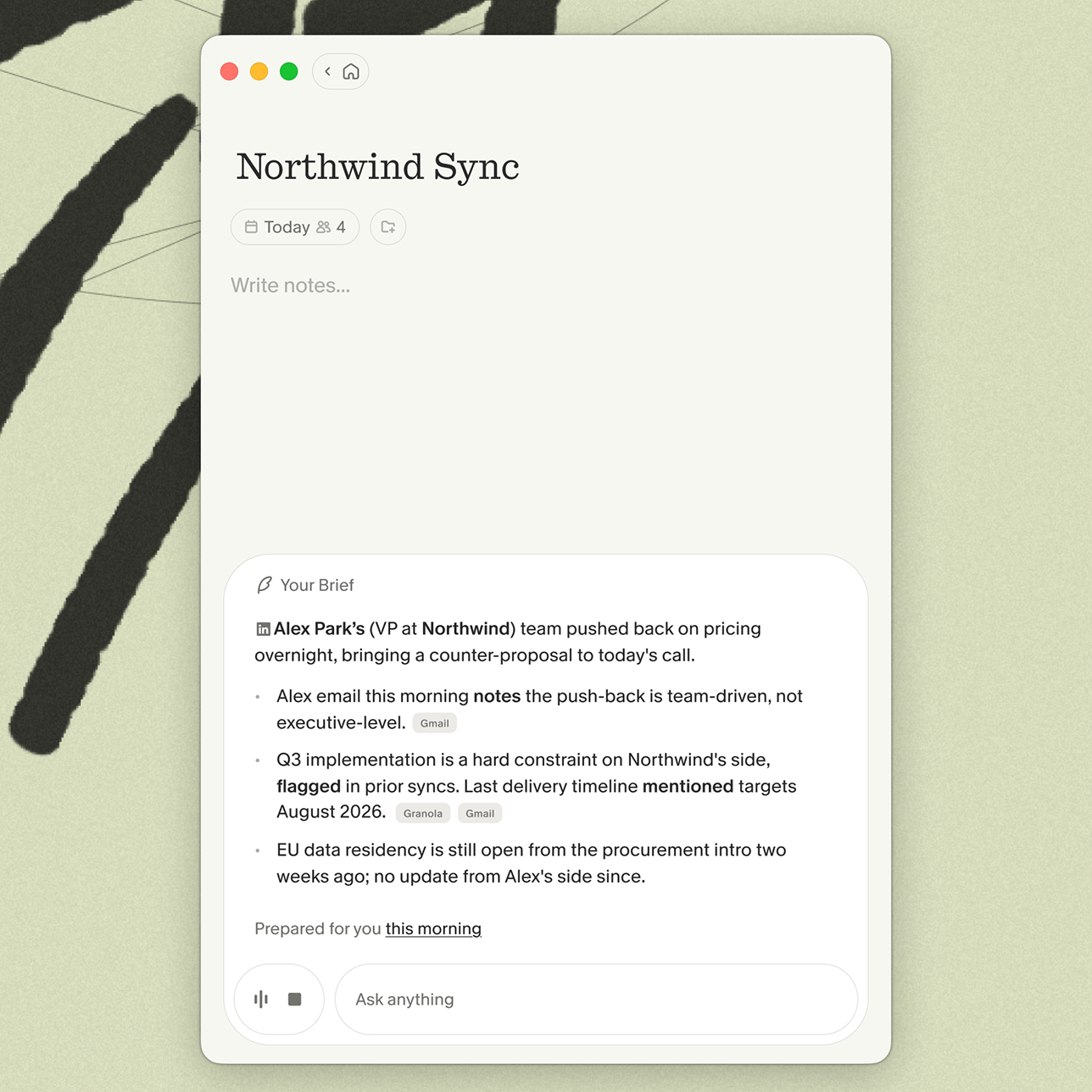
Granola's pre-meeting briefs feature supports this preparation workflow by surfacing open threads and relevant context from previous meetings automatically, so you walk into each session with the prior conversation already in hand.
Clarify meeting goals: Decide vs. discuss
Agenda items labeled "Discuss" and "Decide" look similar from the outside but require completely different participant behavior. Decision sessions need a designated decision-maker and a clear criterion for resolution. Discussion sessions need open-ended questions and enough time for divergent views to surface before any conclusion is drawn.
Mixing the two without labeling them creates the most common remote meeting failure mode: A discussion that runs over time, forcing a rushed decision that nobody feels ownership over. Label each item clearly in the invite and repeat the label verbally when you introduce each agenda item.
Define expectations for camera and participation
When to mandate video for remote calls
Video-on policies create more friction than they resolve when applied uniformly. Mandate video for high-empathy sessions and give participants flexibility on routine status calls.
For high-stakes sessions where non-verbal signals shape the outcome, like alignment discussions, performance conversations, or any meeting where hesitation and enthusiasm carry real information, video matters because you lose the cues that help you interpret what participants mean, not just what they say. Missing those signals in a critical session can send a decision in the wrong direction for months. For a daily standup or a status review where everyone already knows the context, audio-only reduces fatigue without losing meaningful information.
Create space for audio-only participants
When a participant joins without video, they disappear from the social dynamic unless the facilitator actively compensates. Build a habit of calling audio-only participants by name at key transitions: "Before we move to the next item, Alex, what's your read on the timeline risk?" This prevents audio-only participants from defaulting to passive listening when they have relevant context.
The same principle applies to participants dialing in from a different time zone at an unusual hour. Acknowledge the adjustment explicitly and route them into the conversation early, before the call settles into a rhythm that excludes them.
Set clear protocols for interrupting
Overlapping audio is the remote meeting equivalent of talking over someone in a conference room, but it carries additional friction because participants cannot easily self-correct. Establish a simple protocol at the start of any session with more than four participants: Use the platform's raise-hand feature or type a "+" in the chat to signal you want to speak. The facilitator acknowledges the queue and routes the floor accordingly.
For sensitive conversations, like performance reviews or executive alignment sessions where interruption would shut down candid input, agree in advance that the facilitator will hold clarifying questions until the speaker has fully finished, and that no one else will unmute unless directly invited.
Managing awkward pauses and side talk
Use pauses to surface deeper contributions
Silence in a remote meeting triggers the instinct in someone to fill it. In most high-stakes sessions, that instinct works against you. When a participant pauses mid-thought, the most useful contribution often comes in the next few seconds if you wait.
Practice waiting through uncomfortable pauses. A five-second wait feels much longer than it is, and participants will almost always elaborate if you give them the space. This surfaces unguarded, specific thinking that a rushed conversation buries. The facilitator who fills every silence shapes the meeting's output toward their own existing assumptions rather than what the room actually thinks.
Adopt hand signals for smoother turn-taking
Physical hand signals solve the overlap problem without requiring software features. A raised palm means "I want to speak next," while a circular hand motion means "keep going, I agree." A flat hand means "pause, I have a concern." These conventions reduce the need to interrupt verbally and give the facilitator a clear visual signal without waiting for a chat message.
Introduce the signals at the start of a new team's first meeting together. Spend 60 seconds demonstrating them and they carry forward without further instruction.
Resolve audio chaos during calls
When audio degrades mid-session, the fastest fix is a sequential mute-and-test. Ask all participants to mute, identify the source of interference, and re-join if needed. If lag is causing overlapping audio rather than noise, switching to audio-only mode for the affected participant reduces the bandwidth load and can help restore clarity. Keep a backup communication channel open in a separate tab so a quick message to a co-facilitator can resolve technical issues without breaking the flow of the main conversation.
Ensure remote voices are heard equally
Invite reserved voices into the discussion
Reserved participants in remote meetings are not disengaged. They are waiting for an explicit invitation to speak. "I know we haven't heard from Jamie yet on the prioritization question, and I'd value that perspective before we move on" is direct and respectful without putting anyone on the spot.
Build this habit into the agenda structure by assigning specific agenda items to specific participants as discussion leads. When someone has ownership of an item, they arrive prepared to speak rather than waiting to see if their view is welcome.
Use AI to surface participation patterns
Post-meeting analysis of transcripts helps facilitators see participation patterns they miss in the moment. If the same two people dominated every recurring session for an entire quarter, that pattern becomes visible in a searchable archive in a way it never would in a stack of individual documents.
Granola's chat with meetings feature lets you query across all your meeting notes to surface exactly this kind of pattern. Ask "Which team members contributed most in Q2 planning sessions?" and get source-linked citations in response.
Level the playing field for remote attendees
When part of the team joins from an office and part joins remotely, the co-located group has an inherent advantage: Shared physical space creates side conversations, non-verbal agreement, and a social dynamic that remote participants simply cannot access. The most effective norm for hybrid meetings is simple: If one person is remote, everyone joins from their own device. This eliminates the in-room dynamic entirely and puts every participant on equal footing.
Document and distribute meeting outputs
Transform raw notes into organized documentation
Granola captures device audio directly through your microphone and system audio, without joining as a visible participant in your Zoom, Meet, Teams, or Slack call. Transcription happens in real time and audio is deleted immediately, with no recording stored anywhere.
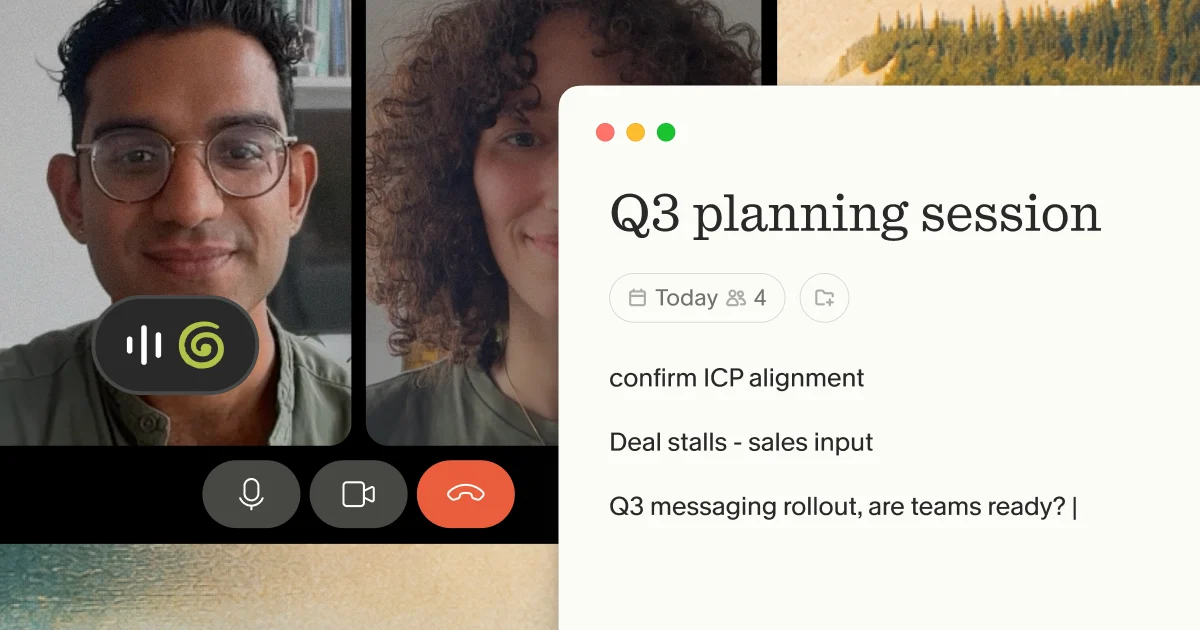
The workflow is straightforward. You jot what matters during the call, and Granola enhances those notes with context from the full transcript after the meeting ends. Your notes stay in black. AI additions appear in gray. You control what stays and what gets removed. This means you can surface the exact wording someone used in a meeting weeks later.
Meeting documentation hygiene for distributed teams
Consistent documentation hygiene prevents meeting outputs from getting lost between sessions.
- As good facilitation practice: Let participants know when transcription is active. Granola can display a watermark on your video so everyone in the session is aware Granola is running.
- Repository integration: Export enhanced notes to Notion or your team's shared workspace so outputs are accessible to collaborators without requiring a separate follow-up presentation.
- Participant privacy: Remove any personally identifiable information from shared notes before pushing them to team folders, particularly for sensitive sessions where participants may have spoken candidly. Understanding the difference between meeting minutes and meeting notes helps teams decide which format serves each meeting type.
Criteria for canceling recurring sessions
Recurring meetings accumulate without anyone actively choosing to keep them. Apply this checklist to each recurring session quarterly.
Remote meeting cancellation checklist:
- The last three occurrences produced a clear decision or output
- Participants arrive prepared rather than catching up during the meeting
- The session cannot be replaced by a shared document or async update
- The meeting time matches its current purpose (not a purpose it had six months ago)
- At least half the participants regularly speak during the session
- The facilitator would notice if the meeting did not happen this week
Try Granola for free by downloading the Mac, Windows, iOS or Android app, connecting your calendar, and running your next meeting to see the note enhancement workflow in action.
FAQs
What is the ideal length for a remote meeting?
It depends on the session type. Decision meetings work best at 30 to 45 minutes: long enough to surface disagreement and reach resolution, short enough to maintain focus. Information-transfer updates rarely need more than 20 minutes. If a session regularly runs over its scheduled time, that is usually a signal the agenda is mixing decision and discussion items without labeling them clearly.
What security features does Granola offer for sensitive sessions?
Granola achieved SOC 2 Type 2 certification.
How do you schedule remote meetings across distributed time zones?
Identify the overlap window between your furthest time zones, protect it for decisions, and rotate the burden of inconvenient times across the team rather than defaulting to headquarters time. Reserve overlap hours for real-time decisions and use async formats for information transfer.
Glossary
Outcome-based agenda: An agenda format that specifies what a meeting must produce rather than just what it will cover. Each item is labeled as a decision, discussion, or update, with a time box assigned to each. This structure sets participant expectations before the call begins and reduces time spent orienting at the start of a session.
AI notepad: A tool where you jot rough notes during a meeting and AI enhances them with context from the full transcript afterward. Unlike fully automated meeting recorders, an AI notepad keeps you in control of what gets captured and what gets removed. Granola is positioned as an AI notepad, not a note taker.
Pre-meeting brief: A summary of open threads and relevant context from previous meetings, surfaced automatically before a session begins. A useful pre-meeting brief includes prior decisions, unresolved action items, and framing questions the team needs to answer together. Granola's pre-meeting briefs feature generates this context automatically from your meeting history.