How to get the best from Granola
August 3
Granola will write good notes if you say nothing at all. It gets much better when you give it a small amount of your judgement.
The trick is not to take more notes. It is to leave small signals about what matters: the decision you care about, the thing you disagree with, the question you want to come back to. Granola does the mechanical work around those signals, so you can pay attention to the person in front of you.
Since I wrote the first version of this guide in 2024, Granola has grown from a very good notepad into something much more useful. It now prepares you for meetings, helps while they are happening, and puts your history of conversations to work afterwards. This is the short version of how to use it well.
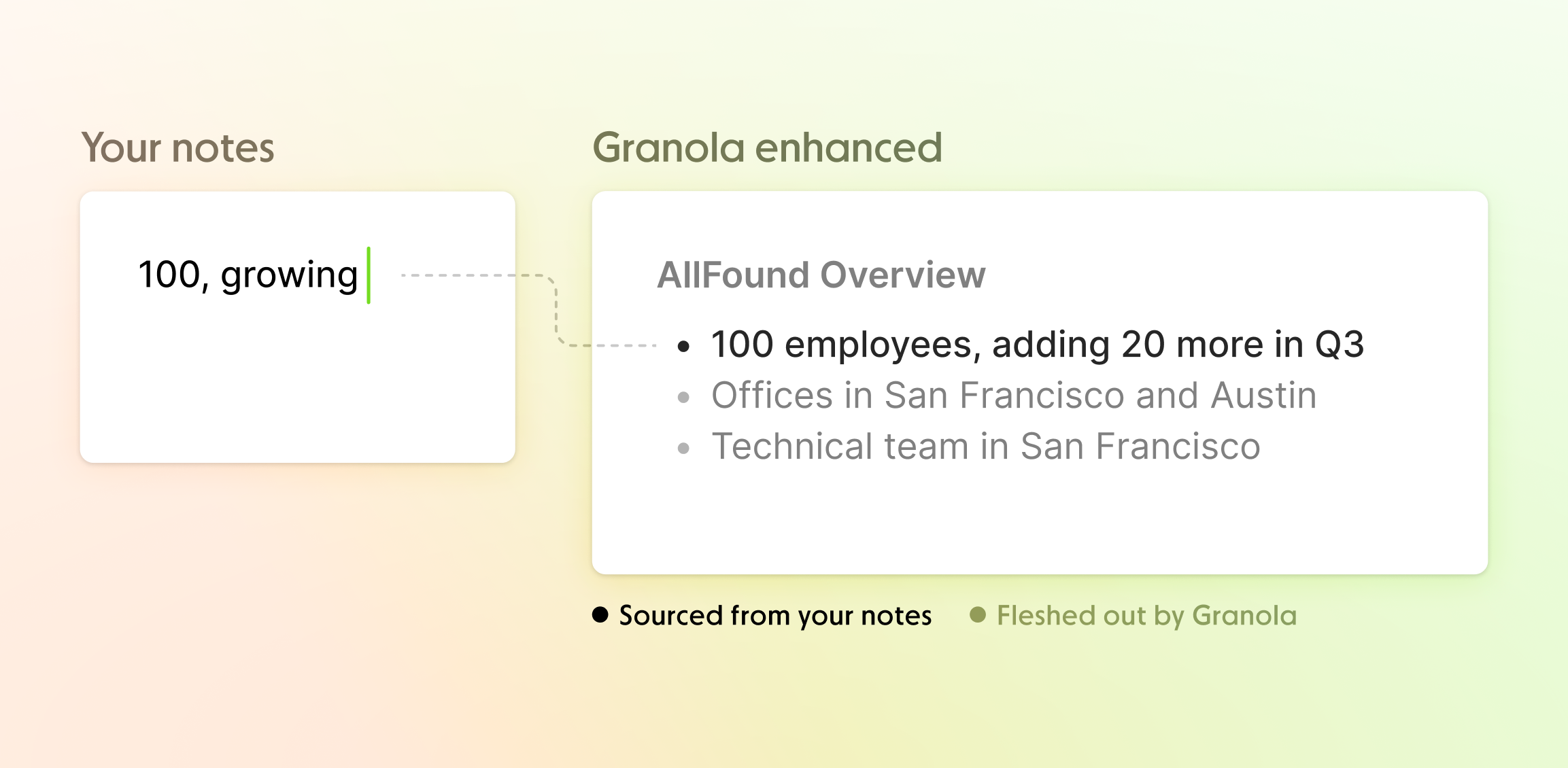
Your notes tell Granola what mattered. Granola fills in the detail.
Set it up once
Start by connecting your calendar and filling in your profile and preferences. Your role, company and areas of focus give Granola useful context for the notes it writes. Set the language you actually use in meetings, too.
Once your calendar is connected, upcoming meetings appear in Granola automatically. Open one to start a note. For a Slack Huddle, an unexpected phone call or anything else that was never dignified with a calendar invite, use New note instead.
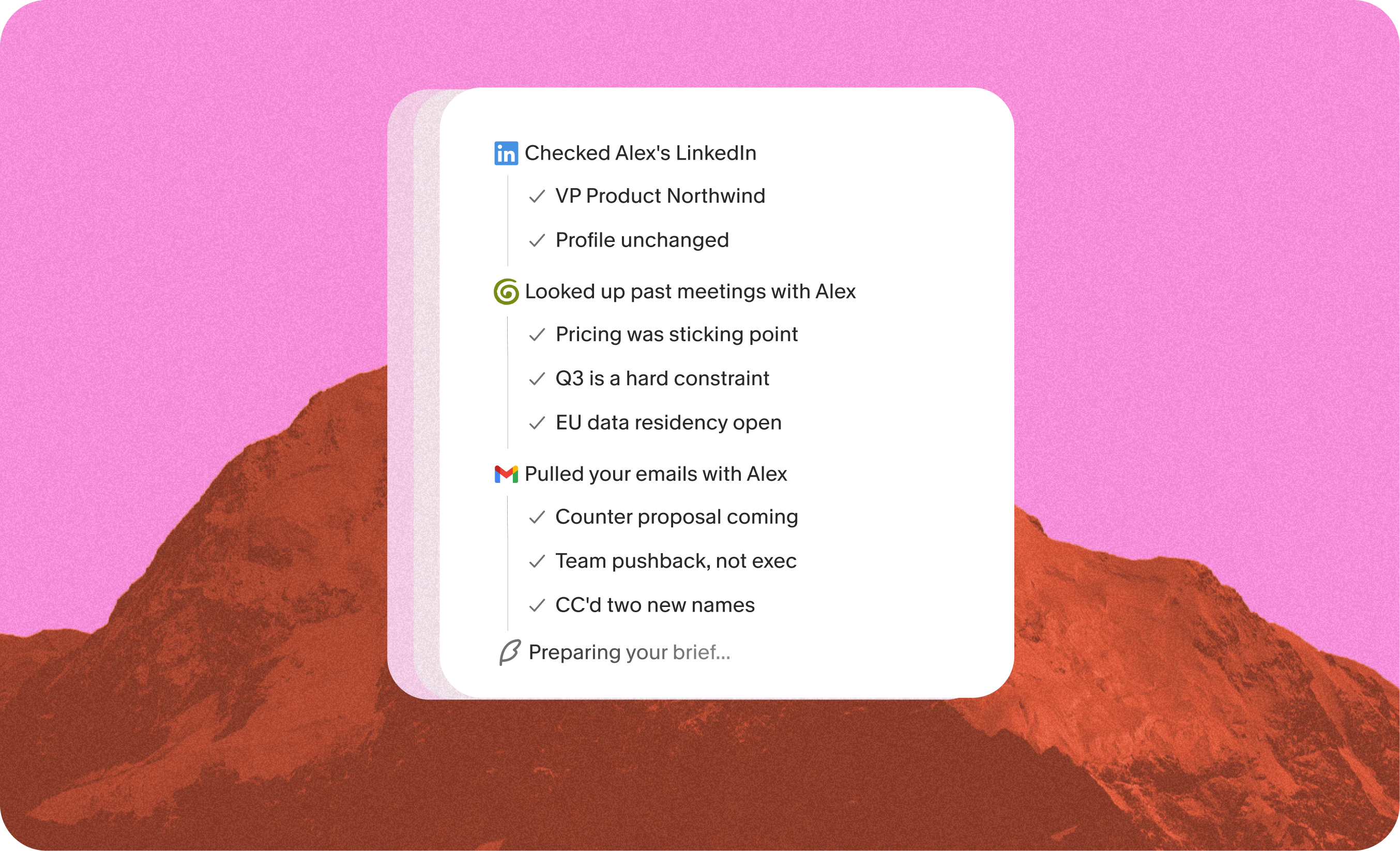
For external meetings, Briefs can do the frantic pre-call research for you. Open the note as you join and you will see a few bullets on who you are meeting, what you discussed last time and what is still open. If you connect Gmail, Briefs can also pick up a recent email that changed the point of the meeting.
Granola uses your computer audio, so it works across Zoom, Meet, Teams, Huddles and in-person conversations without inviting a bot. There is no extra face sitting in the corner of the call. That makes meetings feel more natural, but it also means you should tell people when you are using it.
You can set up an automatic chat message or video watermark, and you should always follow the consent rules where you are.
During the meeting, take the notes only you can take
The transcript already captures what was said. Your notes should capture what you noticed.
Write down the moments you want Granola to weight more heavily:
decision: ship the smaller version on FridayI don't buy the timelineask Priya about churnfollow up with the revised numbers
That is enough. Typos, abbreviations and unfinished bullets are fine. Granola treats your raw notes as a steer, then combines them with the transcript and calendar context when it writes the finished note.
If structure helps you think, add simple headings like # Decisions, # Questions or # Next steps. They will shape the final note. If typing pulls you out of the conversation, leave the page blank. Granola still works.
You can also use Granola Chat during a meeting. A few prompts worth remembering:
- “What did I miss?”
- “What are we still disagreeing about?”
- “What question would help us make this decision?”
This is particularly useful when the conversation is dense, or when your attention has briefly wandered into another tab.
After the meeting, make the note useful
When the meeting ends, Granola turns the transcript and your rough notes into an enhanced note. The points you wrote stay visible in black; the detail Granola adds appears in grey. You can edit everything.
Do not treat the first output as sacred. If it is too long, ask Chat to shorten it. If the next steps are vague, ask for owners and dates. If you run the same kind of meeting repeatedly, use a template so every note comes back in the shape you need. A hiring interview, a customer call and a weekly 1:1 should not all produce the same document.
If something looks surprising, use the magnifying glass beside the point. Granola will show the part of the transcript or raw note that informed it. Chat answers also include citations, so you can check who said what rather than taking a confident sentence on faith.
The useful post-meeting prompts tend to be verbs:
- “Rewrite this as a concise client update.”
- “List every action with an owner.”
- “Draft the follow-up email.”
- “Turn this discussion into a project brief.”
For tasks you repeat, save the prompt as a Recipe. A good Recipe turns the slightly annoying thing you do after every meeting into one command.
Use Chat as your meeting memory
Chat becomes more interesting once you have used Granola for a while. A single note tells you what happened in one conversation. A few hundred notes tell you how a decision changed, which customer problem keeps returning, or what you have promised and quietly forgotten.
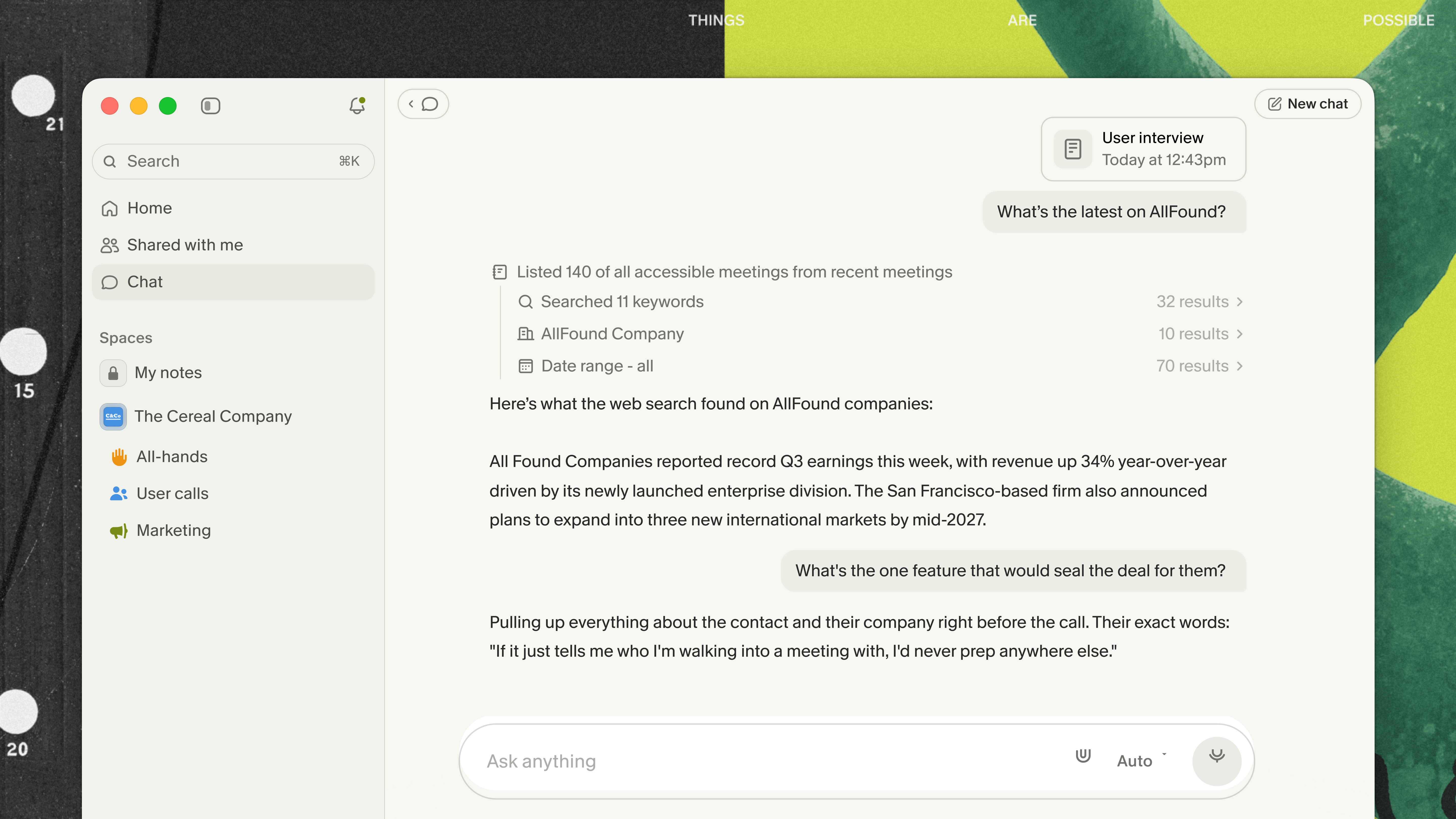
Open Chat from the homepage to search across your meetings. Open it inside one note for a precise question about that conversation. Open it in a folder to analyse a set of customer calls, interviews or project meetings.
Try questions that would otherwise require reopening six documents:
- “What did I promise to do in meetings this week?”
- “Which objections keep coming up in customer calls?”
- “How has our thinking on pricing changed since April?”
- “What have I learned about working with this person?”
This is the difference between storing notes and having a memory you can actually use.
Share the result, not the admin
Your notes are private by default. When a note is useful to somebody else, share it directly, copy the text, send it to Slack or Notion, or sync it to a CRM. Granola's integrations cover tools including Slack, Notion, HubSpot, Attio and Zapier; MCP and the API let you use meeting context in other AI tools and workflows.
For ongoing work, put related notes into a folder. Keep personal notes in My notes, and add the conversations your team should learn from to a Team Space. A well-kept folder of research calls or sales conversations becomes useful twice: people can find the notes, and Chat can reason across the whole set.
Granola also travels. The iPhone and Android apps are useful for coffee meetings, conferences and anything away from your desk. Notes sync with desktop, so an in-person conversation becomes part of the same memory as your calls. On iPhone, Granola can take notes on phone calls too; on Apple Watch, you can start a note from your wrist.
The one-week version
Use Granola for every meeting for one week. Type only the things you care about. At the end of the week, ask Chat one question that would normally send you digging through your calendar.
Granola is at its best when it removes the mechanical work while leaving you in charge of the judgement. It remembers the conversation. You decide what mattered.

Jo Barrow, Chief of Staff & LLM Whisperer