





Find the themes across all your meetings without re-reading them
September 4
TL;DR: Cross-meeting synthesis, not single-meeting summaries, is where real product insight lives. Most product teams lose their qualitative data across Notion pages, Slack threads, and personal notebooks within days of conducting interviews. Our folder-level queries and Granola Chat let you surface patterns across dozens of meetings at once, with source-linked citations your stakeholders can verify. You jot rough notes to guide the AI, Granola fills in the context, and your entire archive becomes a queryable research database. Shared folders and cross-meeting queries are available on all plans, with advanced integrations and AI models available on Business and Enterprise tiers.
Meeting insights have a short half-life. Whether the call was a customer interview, a board update, an investor conversation, or a team retrospective, what gets captured tends to scatter across Notion pages, Slack threads, and personal notebooks within days. When a new decision lands on the table, teams rely on recent memory and anecdote rather than systematic evidence. The conversations happened, and the calls were good. But the patterns stay locked inside notes nobody reads twice.
This is not a discipline problem. It is a tooling problem. When synthesis requires you to manually re-read dozens of transcripts and tag themes by hand, it simply does not happen at the speed work demands. What follows is a practical guide to using an AI notepad to connect the dots across any archive of meetings, without re-reading a single one from scratch. Customer interviews serve as the primary illustration throughout, but the same approach applies to any recurring meeting type you want to mine for patterns.
Overcoming the limitations of manual note analysis
Manual qualitative synthesis fails product teams in two distinct ways. First, it is too slow: re-reading and tagging transcripts from eight interviews can consume an entire day, and that time competes directly with writing specs, attending ceremonies, and prepping stakeholder decks. Second, it produces static documents. A Notion page capturing last quarter's interview themes cannot answer the question you are asking today.
Productivity loss from scattered data
Research debt accumulates fast. Insights fade quickly. Quotes pasted into a Notion doc after a call are hard to relocate weeks later, and new team members have no way to search what was already learned. Your insights scatter across personal notebooks, team Slack channels, and Notion pages that lack a naming convention, living in the heads of whoever ran each call.
That fragmentation means every new research question starts from scratch, even when you already have the answer buried somewhere in your archive. This is research debt: the accumulated cost of insights captured but never made findable, and it compounds every week you run more calls without fixing the underlying system.
The danger of buried customer insights
When you cannot easily retrieve and cite findings, stakeholders treat them as anecdotal. "How many customers said that?" dismisses qualitative research in product reviews. The honest answer, "five in the last quarter, consistently, across different company sizes," requires you to prove it with citations. If you cannot do that in the room, the insight loses. Features get built on assumption instead of evidence, and the discovery work you did never influences the outcome it was supposed to prevent.
Connect meeting notes to identify user needs
Our approach to cross-meeting synthesis starts with how you organize your calls. Shared folders turn individual conversations into a collective intelligence repository that the whole team can query. When you drag a set of interviews into a project folder, every note in that folder becomes part of a searchable dataset. The Granola AI notepad is built around this from the ground up: you jot what matters during the call, Granola enhances your notes with transcript context afterward, and the resulting structured notes feed into folder-level queries that surface patterns across every conversation you have captured.
Query your full meeting history at once
Cross-meeting synthesis is a fundamentally different capability from summarization. A summary looks at one meeting in isolation and condenses what happened. Synthesis queries across a volume of conversations and identifies what keeps coming back. That distinction matters because most product insights are not visible in any single call. They emerge from the pattern: the third customer who describes the same workflow workaround, the sixth who mentions pricing in the same breath as a competitor.
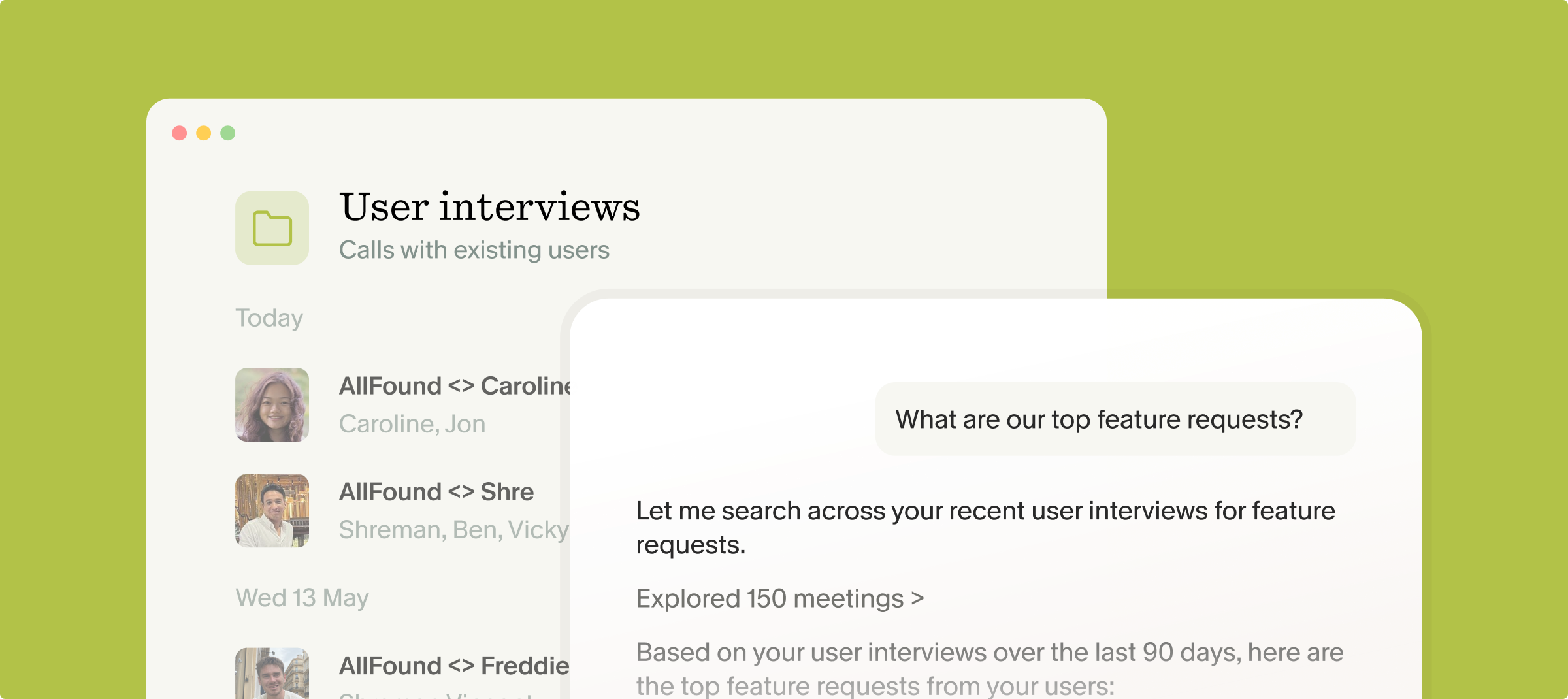
Granola Chat handles both quick factual lookups and complex analytical queries across entire folders. Ask "What are the top three usability friction points mentioned this quarter?" and it searches every enhanced note in the folder, surfaces recurring themes, and cites the specific conversations where each theme appeared.
Build rigor with cited meeting data
AI-generated themes are only as credible as the evidence behind them. This is where our source-linked citations become a research tool rather than just a convenience. When the AI surfaces a pattern, every claim links back to the exact conversation and passage it came from. You can double-click any citation to verify the context before putting it in front of an engineering lead or a VP of Product.
This is what thematic rigor looks like in practice: not AI operating autonomously on your data, but human-in-the-loop validation where your own rough notes guide the AI during the call and you verify its output against cited sources after. Write "SSO concerns" during a discovery call and Granola's AI-enhanced notes pull every relevant moment from the transcript. Leave the notepad blank and you get a generic summary that misses what you actually cared about.
Extract key takeaways from every discovery call
The practical value of cross-meeting synthesis depends on the quality of your prompts. Vague questions produce vague answers. Specific, scoped questions directed at a well-organized folder produce the kind of cited evidence you can walk into a roadmap meeting with. The examples below are copyable starting points you can adapt to your own research context.
"What are customers saying about [feature]?"
This is the most direct query type: pull specific customer language on a specific product area. During each interview, jot the feature name or a short keyword in your rough notes. Granola uses that input to anchor the AI's enhancement, so the resulting notes already contain the relevant quotes tagged to your priority. When you run the cross-folder query, you are not asking the AI to guess what matters. You have already told it.
The query pattern looks like this: "Summarize what customers said about [feature name] across the last 10 interviews in this folder. Include direct quotes with citations to the specific meeting."
"Granola takes a full transcript and analyzes it, making it easy for me to reference at any point in its library... It's such a valuable tool for capturing meeting notes accurately and staying engaged during conversations." - David T. on G2
"Why are enterprise customers hesitant about SSO?"
Sensitive enterprise conversations, the ones where compliance, security, and procurement come up, require a tool you can trust with the underlying data. We achieved SOC 2 Type 2 certification in July 2025, a process that took three months rather than the typical 12 to 18 because our architecture deletes audio immediately after transcription. No audio is stored. There is nothing to audit beyond the text.
Granola provides several features designed for sensitive enterprise conversations:
- SOC 2 Type 2 and GDPR compliance for enterprise security requirements
- No audio stored permanently after transcription
- Transparency features, such as automated chat notification or video watermark
- Third-party AI models are contractually prohibited from training on your meeting data
- Consent guidance available in the help center
"What pain points came up in Q4 interviews?"
Time-bounded synthesis is where research repositories pay off most visibly. Instead of manually reviewing every call from the quarter, run: "Analyze all customer interviews in this folder from Q4. What are the top five pain points mentioned? Who raised each one? Provide direct quotes with citations."
Once the AI returns its analysis, you can export the cited themes into your product management tool or share them directly with engineering and design. The Zapier integration connects Granola to over 8,000 apps if your repository lives outside Notion, keeping research depth intact while automating the distribution step.
Creating a searchable library of user feedback
A searchable research repository does not require a dedicated research platform or months of setup. It requires consistent folder organization and a note-taking tool that produces structured, queryable output.
Sort discovery calls by project topic
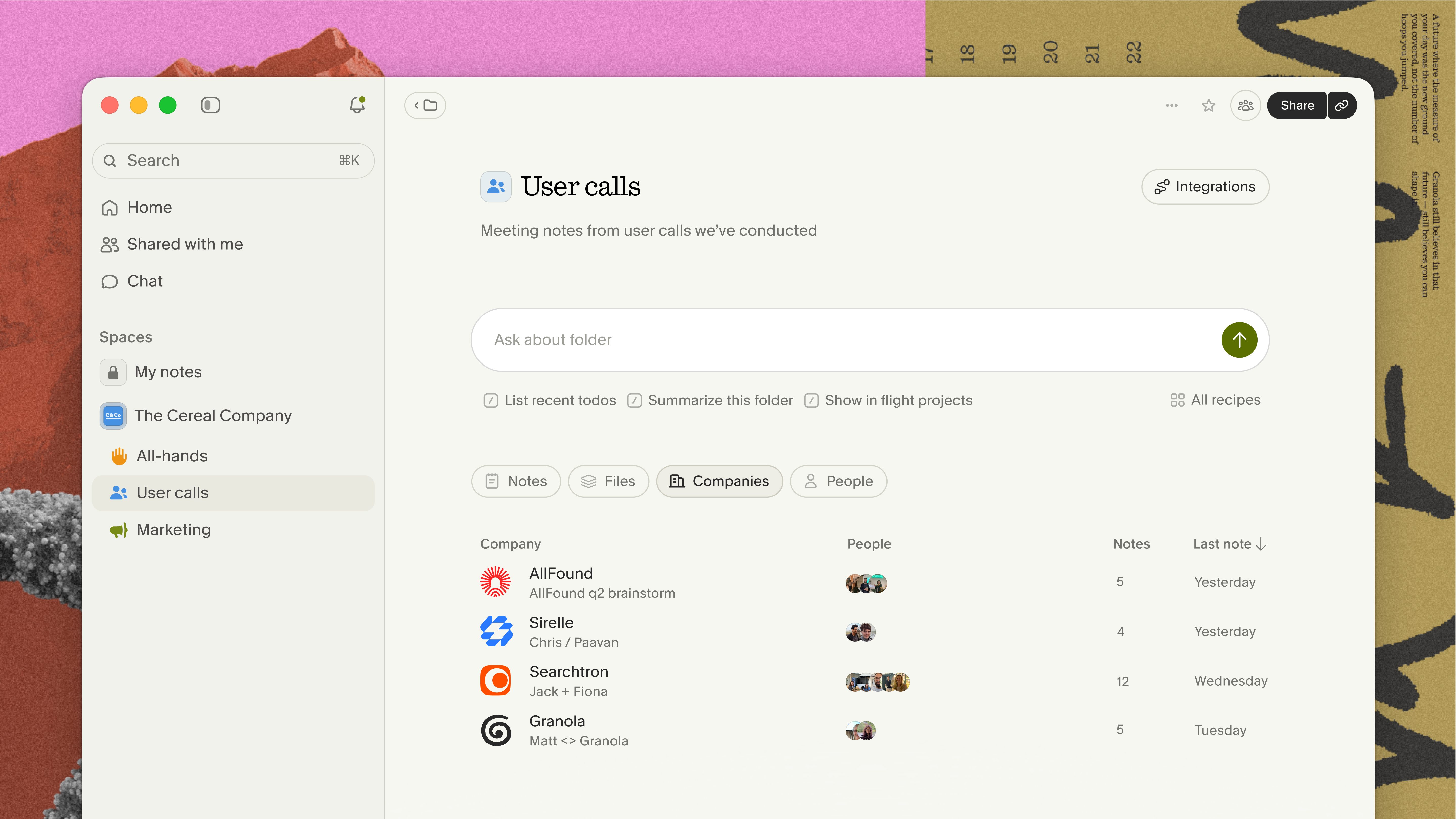
Create folders that map to your current research initiatives: "Enterprise Onboarding Discovery," "Pricing Page Feedback," "Competitor Switch Interviews." Every call you capture goes into the relevant folder. Over time, those folders become the source of truth for each initiative, queryable by any team member who has access, without them needing to track you down for a synthesis summary.
The Notion integration lets you push notes from Granola directly into your Notion workspace as structured database entries. The Slack integration also lets you auto-post summaries to dedicated research channels so findings reach engineers and designers without requiring anyone to open a new tool.
Pinpoint patterns in past interviews
The workflow from raw call to structured insight card has four steps, and none of them require a separate synthesis session after the fact:
- Capture: Jot rough notes in Granola during the call. A few keywords or short phrases are enough. These notes tell the AI what to prioritize when it enhances.
- Enhance: When the call ends, Granola generates structured, AI-enhanced notes based on your transcript. Your notes stay in black. AI additions appear in gray. Edit, remove, or refine anything before sharing.
- Query: Drag the notes into your project folder and run a cross-meeting query for key themes. Ask: "What are the three most common friction points across all calls in this folder? Include direct quotes with citations."
- Synthesize: Export the cited themes into Notion or your product management tool as insight cards, each linked directly to the customer quote that supports it. Stakeholders can verify sources with a single click.
This framework also solves the buffer-time problem. You do not need ten minutes between calls to organize notes. Jot your triggers during the meeting, let Granola enhance in the thirty seconds after it ends, then move to your next call. The archive preserves everything.
Querying past interviews to surface key themes
Your archive does more than store the past. It actively defends your roadmap decisions in real time. When a stakeholder claims "every customer wants this feature," you now have a way to check that claim in under a minute.
Using AI to validate stakeholder claims
Open the folder containing your most recent 20 or 30 interviews and ask: "Did customers raise [feature request] in these interviews? How many mentioned it, and what exactly did they say?" If the claim holds up, you have citations to support it. If it does not, you have evidence to redirect the conversation toward what the data actually shows. Either way, the discussion moves from intuition to sourced evidence.
You can also use compatible AI tool integrations through Granola's MCP (Model Context Protocol) connector to bring your meeting archive into the AI tools you already use for deep analysis work, without re-explaining your context from scratch.
Copyable prompts for finding themes
These three prompts are directly copyable into Granola Chat and work best when directed at a well-populated folder of calls:
- Theme extraction with citations: "Analyze the last 10 customer interviews in this folder. What are the top three usability friction points mentioned, and who raised them? Provide direct quotes with citations."
- Feature-specific aggregation: "Across all calls in this folder, what did customers say about [feature or workflow]? Group responses by company size if possible and include quoted language."
- Time-bounded pattern synthesis: "What pain points or feature requests came up most often in Q4 interviews in this folder? List the top five with the number of times each appeared and direct quotes from at least two interviews per theme."
Find existing answers in your archive
Granola does not offer audio playback. Meeting notes without audio storage is like having detailed written minutes from a board meeting rather than a video recording: you can reference what was said and who committed to what, but you cannot replay tone of voice. This trade-off is intentional. No audio stored means no audio to breach. For researchers who need to verify the emphasis of a response, the transcript and your own rough notes serve as the primary record.
Try Granola for free. Download the Mac or Windows app, connect your calendar, and run your next discovery call to see how human-guided enhancement turns rough notes into a searchable research repository your whole team can use.
FAQs
How is cross-meeting synthesis different from a regular meeting summary?
A summary looks at one meeting and condenses what happened in it. Cross-meeting synthesis queries across a folder of many meetings to identify what keeps coming back across conversations, with cited evidence rather than a shorter version of a single call.
How does Granola protect participant privacy during customer interviews?
Granola captures device audio and transcribes in real time, then immediately deletes the audio, so no audio is ever stored after transcription is finalized. The platform is SOC 2 Type 2 certified and GDPR compliant, and third-party AI providers are contractually prohibited from training on your meeting data.
How do I verify that an AI-generated theme is accurate?
Every theme Granola surfaces through Chat includes source-linked citations pointing to the specific meeting and passage the AI drew from. Double-clicking any citation opens the original transcript so you can verify the exact context before sharing the finding with stakeholders.
How do shared folders work for team research access?
Any team member with folder access can run queries across the collective archive without asking the original interviewer for a summary. Create a folder, add calls as they happen, and anyone on the team can ask "What did enterprise customers say about SSO this quarter?" and get cited answers immediately. Shared folders are available on all plans, with advanced integrations and AI models gated to Business and Enterprise tiers.
Can I export synthesized insights into Notion or other tools?
Yes. The Notion integration (Business plan and above) pushes notes directly into your Notion workspace as structured entries. The HubSpot integration and Zapier connection handle CRM and workflow automation.
Glossary
AI-enhanced notes: The structured notes Granola generates after a meeting ends, built from your rough notes and the meeting transcript. Your original text stays in black. AI additions appear in gray, so you can review, edit, or remove anything before sharing.
Granola Chat: Granola's conversational AI interface for querying your meeting archive. It handles both quick factual lookups and complex cross-meeting analysis, returning answers withsource-linked citations.
MCP (Model Context Protocol): A protocol that lets compatible AI tools access your Granola meeting notes directly, so you can bring your meeting archive into tools like Claude, ChatGPT, or Cursor without re-explaining context.
SOC 2 Type 2: A third-party security certification that verifies an organization's controls for data security, availability, and confidentiality over a sustained audit period. Granola achieved SOC 2 Type 2 certification in July 2025.