Daily standup meeting template
August 7
TL;DR: Daily standups fail when they drift into status reports instead of staying focused on coordination. A structured three-line template (did, doing, blockers) keeps updates under 15 minutes whether you run them live or asynchronously. For distributed teams, async formats cut context-switching costs without sacrificing alignment. Use the templates below to get started immediately, then read on for guidance that helps you capture standup updates in a searchable record where blockers don't disappear after the call ends.
A daily standup is a 15-minute coordination session where teams plan the next 24 hours, inspect sprint progress, and surface blockers. The Scrum Guide defines it as a peer-to-peer planning event, not a manager-facing status update. That distinction matters more than most teams realize: when updates get directed upward instead of across, standups stop generating coordination signals and start generating performance theater.
Core purpose and format
The classic format asks three questions:
- What did I complete yesterday that contributed to the sprint goal?
- What am I working on today that contributes to the sprint goal?
- What is blocking my progress?
The 15-minute maximum from the Agile Alliance is a forcing function that keeps updates brief enough to deliver daily without creating meeting burden, though the Agile Alliance notes this may need adjusting for larger teams. Deep technical problem-solving, design debates, and sprint planning belong in a separate session. When those conversations start during standup, the format has already failed.
Live vs. async standups
Run live standups when:
- Your team shares a timezone with a workable daily overlap window
- Sprint complexity is high and real-time discussion catches blockers faster
- Team rapport benefits from a daily touchpoint
- You have 8 or fewer people and updates move fast
Switch to async when:
- Your team spans more than one timezone
- The standup time slot cuts into the team's most productive hours
- Standup notes are never referenced after the meeting ends
- You're already in back-to-back meetings for most of the day
When you add a mandatory live standup on top of a packed calendar, meeting fatigue compounds. The goal is alignment, and async formats can deliver that without the scheduling overhead.
Daily standup template structure
The templates below are copy-pasteable. Each is built around the three-line core (did, doing, blockers) with optional fields you can add when useful.
Standard standup template for live or async use
**Daily Standup – [Date]**
**Team member:** [Name]
**Yesterday:**
[One to two sentences. Focus on outcomes, not activity.
"Shipped the auth fix to staging" not "worked on auth."]
**Today:**
[One clear task or deliverable tied to the sprint goal.
If splitting time, list the primary priority first.]
**Blockers:**
[Specific description of what is stopping progress.
Include who needs to act. If none, write "none."]
**Confidence (optional):** [1–5, where 5 = on track and 1 = critical blocker]
→ 5: On track, no concerns
→ 4: Minor risk, manageable
→ 3: Moderate concern, needs attention
→ 2: Significant blocker, needs help today
→ 1: Work is blocked, escalate now
**Relevant links (optional):**
[Jira ticket / PR / Figma file / doc]
What I did yesterday
Keep this section focused on outcomes, not activity. "Reviewed three PRs and caught a regression in the payment flow" is useful. "Worked on payments stuff" isn't. The goal is to tell teammates what moved forward so they can spot dependencies and adjust their own plans.
One or two sentences is the target. If it takes more, the update belongs in a written summary, not standup.
What I'm doing today
Name one primary deliverable. If you have multiple tasks, rank them and list the top one explicitly. This lets the team immediately see if two people are unknowingly working on related problems, which is exactly the kind of coordination standups exist to surface.
Blockers or challenges
This is the most important field. A blocker surfaced in standup can be resolved quickly in a follow-up call. A blocker that stays hidden costs days. Be specific: "waiting on design approval for the modal spec from [Name]" is actionable. "Some things are unclear" is not.
Teams that skip this field or write "none" reflexively miss most of standup's coordination value. The Agile Alliance identifies surfacing impediments as one of the primary functions of a daily standup, and it's the one area where the format pays back its time investment most clearly.
Optional: confidence level
Adding a 1-5 confidence score gives the team a fast visual on where risks are building. It's especially useful for scrum masters and product leads who need to spot patterns across a sprint without reading every update in detail. Multiple consecutive low scores from one person can signal a risk worth addressing before it becomes a sprint review surprise.
Optional: relevant links
For engineering teams, linking to a PR or Jira ticket saves two questions from teammates. For product and design, linking to the Figma file or spec doc means reviewers can jump in without hunting through Slack. Keep this to one link maximum.
PM-specific discovery standup template
Product managers running customer research alongside sprint work need a slightly different format. Standard standup fields don't capture what matters in discovery cycles, and they don't account for synthesizing interview insights, managing research debt, or building the evidence to support roadmap decisions.
A PM running six customer interviews alongside feature validation might write: "Yesterday: completed three discovery interviews, key insight is enterprise customers need SSO before they'll pilot. Today: synthesizing remaining interviews, will have roadmap recommendation by EOD. Blockers: need engineering estimate on SSO timeline before I can commit to prospects."
Here's a template built for that cadence:
**Discovery Standup – [Date]**
**PM:** [Name]
**Yesterday:**
[Interview completed / synthesis progress / stakeholder update]
Key insight surfaced (if any): [One sentence]
**Today:**
[Next interview / synthesis task / roadmap update]
**Blockers:**
[Recruitment gap / synthesis backlog / stakeholder alignment needed]
**Research confidence:** [1–5]
→ 5: Findings are clear, roadmap implications are documented
→ 3: Patterns emerging, need 2-3 more interviews to validate
→ 1: Findings are ambiguous, need team input before moving forward
**Relevant links:**
[Interview notes folder / Granola shared folder / research doc]
This format integrates qualitative research progress into the standup rhythm without flattening discovery work into a single activity line. You can adapt it from Granola's customizable note templates to fit your team's research cadence.
How to run an async standup
Async standups eliminate the forced synchrony problem: no one has to interrupt deep work to join a call, and no timezone is permanently disadvantaged. The trade-off is discipline. Async formats only work when the team treats updates as a commitment, not a suggestion.
Setting the cadence
Pick a consistent posting window rather than a specific time. "Post your update between 8:30am and 10:00am in your local timezone" works better for distributed teams than "post by 9am EST," which forces your London team to update before morning coffee. For teams spanning more than two timezones, a rolling 12-hour window keeps all contributors in the same async thread without excluding anyone.
Some teams find reducing frequency (Tuesday, Wednesday, Friday instead of daily) strikes a better balance. The goal is keeping the team aligned, not filling a daily checkbox.
Where to post updates
Three formats work reliably in practice:
- Slack channel (recommended for most teams): Create a dedicated
#standupor#daily-updateschannel. Use the template above as a single formatted message. Thread replies for follow-ups so the main channel stays scannable. - Shared Notion or Google Doc: Works for teams that want a running record by week or sprint. Add a date header each day and have each person paste their update below.
- Spreadsheet: Works for small teams (under six) where the structure stays manageable. For larger teams or projects involving client details and strategic context, spreadsheets can introduce security risks when shared broadly. For standup data that includes project names or client details, a tool with proper access controls is worth the switch.
Response expectations
Set explicit norms for when updates must be posted and when teammates are expected to read them. A common pattern: post by 10am local time, read by noon. Blockers tagged with a name should receive acknowledgment within two hours during business hours.
If updates frequently go unread, the format isn't the problem. The team hasn't bought into why async standups matter, which usually means the live standup is still running in parallel. Pick one.
How to run a live standup
Live standups work best when they're structured tightly enough that nobody drifts into commentary. The format creates the discipline, not the facilitator.
Keep it under 15 minutes
Use a visible timer. The Scrum Guide's 15-minute timebox exists because teams expand to fill available time. At two minutes per person, a team of eight hits 16 minutes before anyone has raised a blocker. Set a timer at the start, keep updates to three lines per person, and enforce the close.
If your standup regularly runs long, one of three things is happening: updates are too detailed, blockers are being solved during the meeting instead of flagged for follow-up, or the team is too large. Teams above 10 people usually benefit from splitting into two groups.
Capture updates for reference
Most live standups leave no written record, and that's the fastest way for blockers to disappear between sessions. Assigning one person to take notes creates a new bottleneck. The better pattern: use an AI notepad like Granola that captures device audio and transcribes in real time, so the facilitator stays present and engaged while updates are captured automatically.
When using Granola for team meetings, you can enable in-meeting transparency features so participants know their updates are being captured. Granola can post an automated message in your meeting chat at the start, or display a watermark on your video feed throughout the call.
Handle blockers separately
The standup surfaces blockers. It doesn't solve them. When a blocker is named, the scrum master or lead should note it and schedule a follow-up with the relevant people after the standup ends. "Let's talk right after this" is an acceptable response. "OK so here's how we'd approach that dependency..." is how 15 minutes becomes 45.
Keeping blocker resolution separate also gives team members who aren't involved in that dependency the option to leave. Respecting people's time is part of what makes standups worth attending.
Using Granola to capture standup updates
Automatic note capture
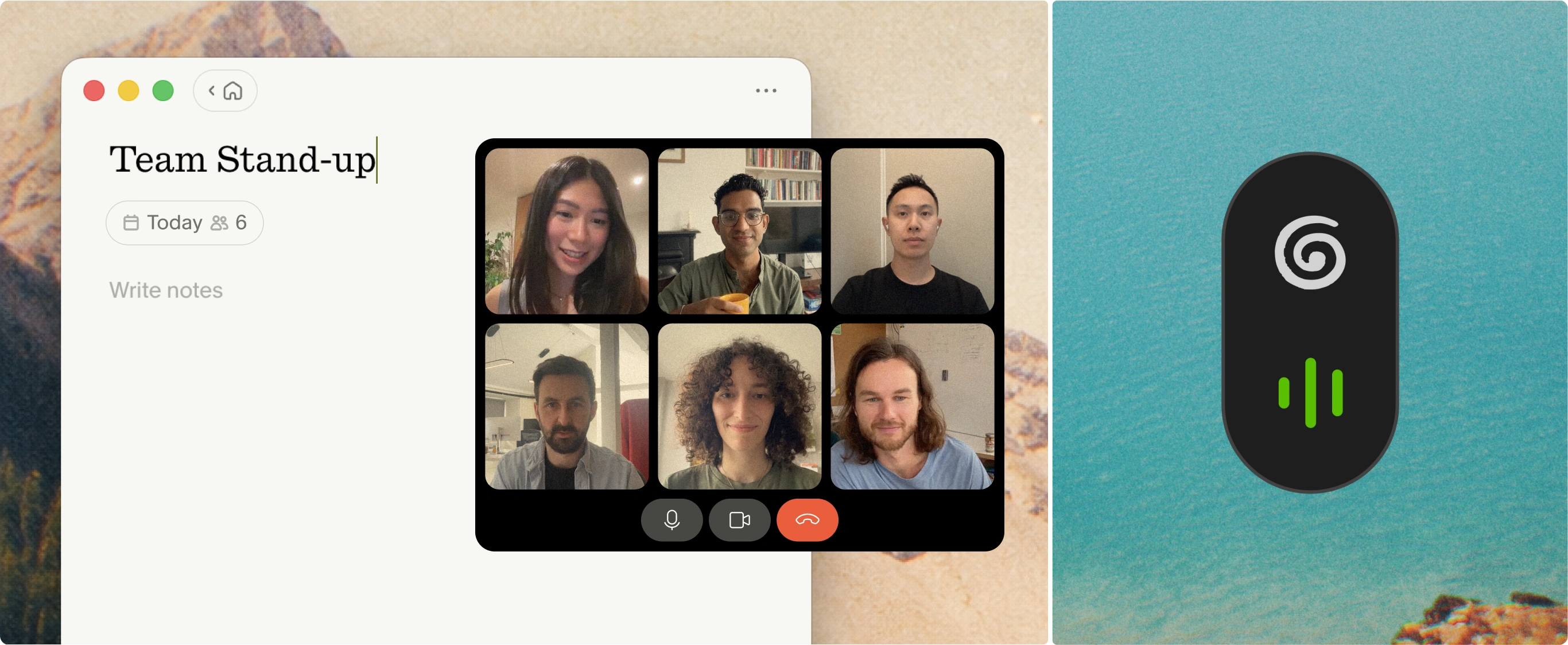
Granola captures device audio and transcribes in real time. During a live standup, you jot a line or two as each person speaks. When the meeting ends, Granola enhances your rough notes with the transcript context, producing structured documentation without anyone being assigned note-taking duty.
Your notes stay in black. AI additions appear in gray. You control what stays and can delete specific parts of a transcript while keeping the rest, which matters for standups where sensitive context shouldn't be stored wholesale. You can read more about how Granola's chat and query features work across your meeting history.
Searchable standup history
The real value compounds over time. Once you've captured three or four weeks of standups, query across them with Granola Chat. Ask "What blockers did we repeat in the last two sprints?" and get source-linked citations from specific meetings. Ask "When did the API dependency first come up?" and get a date and context, not a manual search through Slack archives.
For product leads synthesizing standup data for sprint reviews or investor reporting, this replaces manually re-reading old standup threads before each review.
Shared team access
Granola's shared folders let the team access standup notes without anyone forwarding documents or re-pasting updates into Notion. Create a "Standup Notes" folder, add it to your team space, and teammates can read past updates or query across them without involving you.
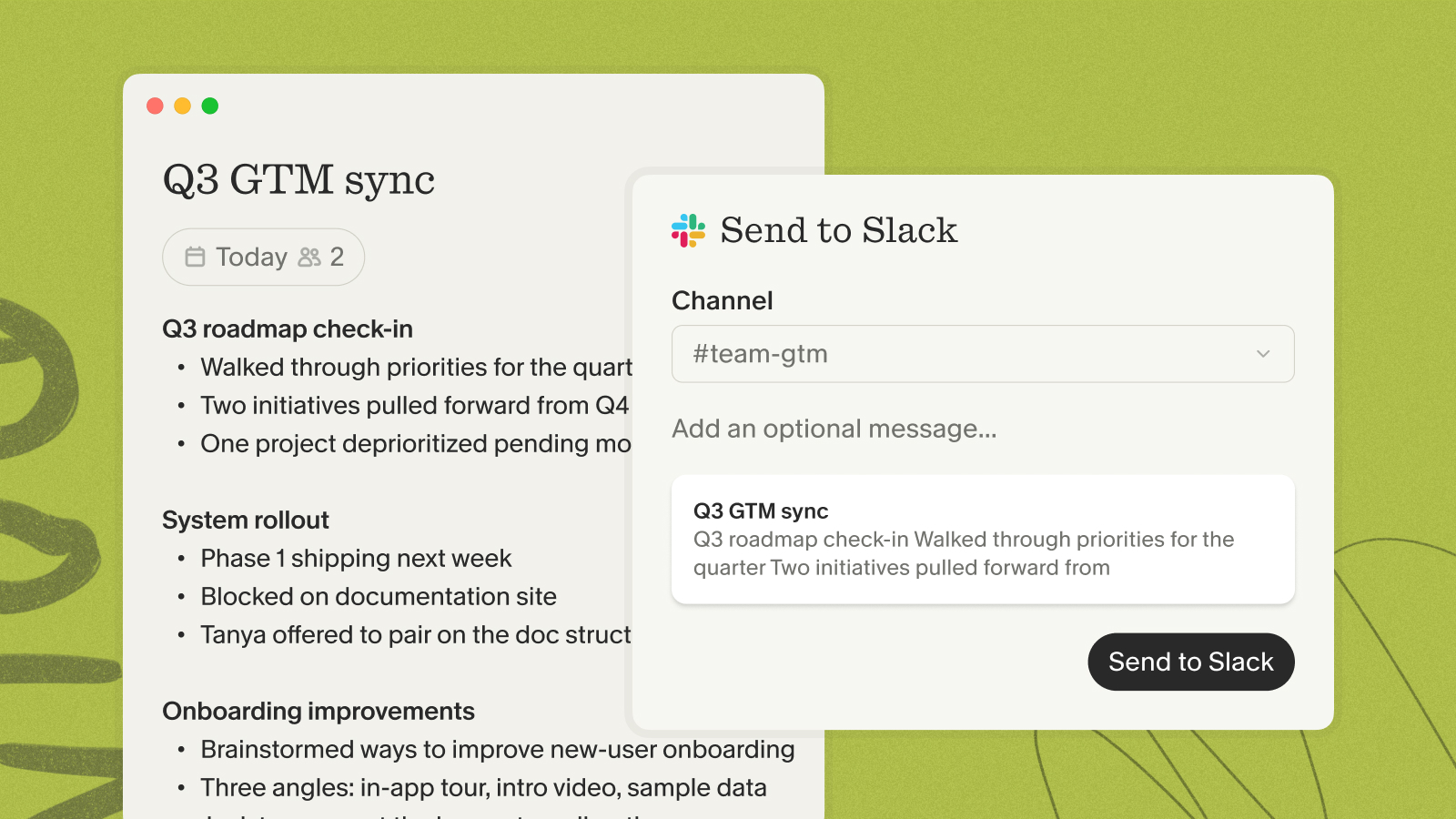
For async standups, Granola's native Slack integration auto-posts summaries directly to your channels. The Granola + Zapier integration extends that further to 8,000+ other apps, connecting note capture directly to your async communication tool. Granola integrates with HubSpot, Notion, Slack, and Zapier on the Business plan ($14/user/month).
Common standup mistakes to avoid
Turning updates into status reports
When updates are directed at the manager or product lead rather than at teammates, standup becomes performance theater. Engineers pad updates to look productive. Blockers get softened to avoid scrutiny. The format stops generating useful coordination signals.
Fix: redirect updates explicitly. Ask team members to address each other, not you. "Who needs to know what you just shared?" reframes the dynamic immediately.
Skipping the blockers discussion
Some teams treat blockers as optional or embarrassing to disclose. The culture that creates this is expensive. A blocker hidden on Monday is often a missed sprint goal by Friday.
Normalize disclosing blockers by celebrating when they surface early. The scrum master's job is to unblock, not judge. If that's not how your team experiences it, the problem is cultural, not structural.
Losing updates after the meeting
Standups create value twice: once during the session (coordination) and once afterward (reference). Most teams only capture the first. Updates shared verbally and never written down are gone by the next day. Blockers discussed but not documented reappear at retrospectives as surprises.
The meeting minutes vs. meeting notes distinction is useful here: standups don't need formal minutes, but they do need a lightweight record of what was said and what blockers were named. That record turns a daily ritual into organizational memory. For teams that follow up standups with written action threads, the meeting recap email guide covers how to turn standup notes into follow-up items that actually get resolved.
Try Granola for free. Download the Mac or Windows app, connect your calendar, and open it before your next standup to see how your updates look when captured automatically.
FAQs
How long should a daily standup take?
15 minutes maximum, per the Scrum Guide's timebox, regardless of team size. If it regularly runs longer, the team is solving problems during standup instead of flagging them for a separate follow-up call.
What if someone has nothing to report?
"Continuing yesterday's work, no blockers" is a complete and valid update. The goal is honest coordination, not performing progress for management.
Should we do live or async standups?
Use live standups if your team shares a timezone and benefits from real-time coordination. Switch to async if you have distributed team members across multiple timezones or if meeting fatigue is measurably affecting how much focused work your team gets done each day.
How do I keep standup notes organized?
Capture them in a shared, searchable format from day one: either a dedicated Notion page with a date-indexed structure, or Granola's shared team folders that let you query across past meetings without manual searching.
What is the difference between a standup and a status report?
A standup is a peer-to-peer coordination session where team members align on dependencies, share blockers, and plan the next 24 hours together. A status report is a manager-facing document about task completion. When standup formats collapse into status reporting, the peer coordination that creates value disappears, and that's the most common reason teams find standups feel like a waste of time.
How do I handle teammates in different time zones?
Async standup formats work best for multi-timezone teams: set a posting window (within the first two hours of each person's workday) rather than a fixed clock time. If you want one live touchpoint per week alongside daily async updates, rotate the live standup time so the inconvenient slot rotates fairly across the team.
Key terms
Async standup: A standup format where team members post written updates within a set time window instead of joining a live call, designed to eliminate timezone and scheduling constraints.
Timebox: A fixed maximum duration for an event, after which it ends regardless of completion. The Scrum Guide specifies 15 minutes for the daily standup.
Blocker: Any impediment that prevents a team member from making progress on their current task. Surfacing blockers is the primary coordination function of a standup.
Sprint goal: The objective the development team commits to achieving within a sprint. Standup updates should always connect back to whether work is on track toward the sprint goal.
Meeting fatigue: The cumulative cognitive and emotional exhaustion from back-to-back video calls. Teams in high-meeting environments often describe reduced focus, lower output, and higher burnout as the meeting load increases.
Scrum master: The team member responsible for ensuring the scrum framework is followed, removing impediments, and facilitating standup meetings.