





What are connectors in Claude and ChatGPT, and how to add one
September 4
TL;DR: AI connectors eliminate the friction of manual copy-pasting by linking your business tools directly to Claude and ChatGPT. Claude uses the Model Context Protocol (MCP) to query local and remote data sources securely. Both Claude and ChatGPT connect through MCP. ChatGPT's official app catalog wraps MCP connectors with OAuth sign-in for authentication; custom MCP servers can be added separately in developer mode with workspace-admin control. To add one, open Settings and search for Granola on either platform, then authenticate with your account in under five minutes. Connecting your meeting notes gives your AI tools instant access to real conversations, complete with source-linked citations. The Basic plan is free and includes MCP access to your last 30 days of meeting data.
Most professionals use Claude and ChatGPT like calculators that reset every time they open a new tab. Repeating context, re-typing prior feedback, and re-explaining project goals turn what should be a five-minute synthesis task into a thirty-minute setup ritual. Across back-to-back meetings and constant context-switching, that friction consumes hours that should go toward actual analysis and decision-making.
AI connectors solve this by replacing manual copy-pasting with secure, real-time data pipelines that feed your LLMs with the ground-truth context of your actual work. For any meeting-heavy role, that means querying weeks of real conversations instantly and returning exact quotes with citations. This guide explains what connectors are, how they differ between Claude and ChatGPT, and how to configure them step by step.
Integrating external data via AI connectors
How AI connectors bridge data sources
An AI connector is a secure data pipeline that links an external application directly to an LLM, eliminating manual copy-pasting and preserving the metadata that gives the AI meaningful context. The Model Context Protocol works like a USB-C port for AI applications: just as USB-C standardizes how devices connect to power and peripherals, MCP standardizes how AI applications connect to external data sources. MCP is an open standard introduced in late 2024 and has seen wide adoption across AI tools and developer ecosystems since.
ChatGPT takes a complementary approach. In addition to supporting MCP servers, ChatGPT uses an OAuth-based authorization flow for Connected Apps, where the third-party service acts as the OAuth provider and ChatGPT requests access on the user's behalf. This gives teams flexibility: use MCP for local or custom-hosted data sources, and Connected Apps for cloud-based integrations available in ChatGPT's official app catalog.
Manual data transfer vs. AI syncing
The old workflow: copy a transcript, paste it into Claude, trim it to fit the context window, re-explain who the participants were, ask your question, then repeat for every meeting you want to analyze. Connectors eliminate this workflow entirely. They handle what data engineers call ETL (Extract, Transform, Load): pulling raw data from its source, formatting it for LLM consumption, and loading it into the model's working context automatically. You query, the connector retrieves, the AI answers.
| Dimension | Manual copy-paste | AI connector syncing |
|---|---|---|
| Speed | Minutes per session | Instant on query |
| Metadata preserved | Rarely (dates, participants lost) | Yes (author, date, source preserved) |
| Context window | Manual trimming required | Connector manages retrieval |
| Cross-document analysis | Not practical | Query across months of meetings |
| Error risk | Formatting breaks, truncation | Clean structured data fed directly |
Why AI connectors outperform manual copy-pasting
Syncing data preserves what copy-paste destroys
When you paste raw text into an LLM, you lose the relational structure around it. The AI cannot tell whether a quote came from a discovery call six months ago or a customer complaint last week. It cannot link two interviews from the same company or recognize that a recurring phrase across ten different calls signals a pattern rather than a one-off comment.
When you sync data through a connector, that metadata travels with the content. The AI understands dates, participants, and source documents, which is why Granola Chat can return inline citations linking directly back to the original note rather than generating a summary you have to verify manually. Beyond citation quality, connectors also eliminate the formatting problems that come with pasted transcripts: broken speaker labels, merged paragraphs, and encoding artifacts that degrade model output. Clean structured data in, clean structured analysis out.
Streamline post-meeting analysis
Professionals in meeting-heavy roles face a consistent synthesis bottleneck. Reading each transcript, tagging themes, cross-referencing prior sessions, and drafting structured summaries for stakeholders often consumes more time than the meetings themselves.
With a connector in place, you can query across all your meetings from a specific timeframe and receive a structured answer with citations pointing to specific conversations. For example, a product manager can ask Claude to "summarize what blockers came up across onboarding calls in the last 30 days and group them by theme" and get back cited quotes organized by theme. The AI-enhanced notes that Granola generates from each session become the raw material your AI searches, not a pile of unstructured transcripts. That shift, from storage problem to analytical asset, is what makes connectors useful rather than just convenient.
Setting up Claude connectors
Claude uses MCP to connect to both local data sources and remote hosted servers. Granola provides an official MCP server, which uses OAuth authentication and works on Claude.ai web, desktop, and mobile without any local file editing required.
- In Claude, open Customize → Connectors. (Team or Enterprise accounts: an org owner must first add the connector via Organization settings → Connectors before individual users can connect.)
- Search for Granola and select it.
- Authenticate with your Granola account in the browser.
- Toggle Granola on while chatting, then ask away.
Each person connects their own account with a secure OAuth sign-in.
Setting up ChatGPT connectors
ChatGPT supports MCP and its own Connected Apps framework. The Granola and ChatGPT integration can be established through either path, depending on your team's setup.
- In ChatGPT, open Settings and search for Granola.
- Connect and authenticate with your Granola account.
- Mention @Granola or reference your meetings naturally.
Integrating AI tools into your research cycle
Synthesizing meetings into actionable documents
The most time-consuming part of a meeting-driven workflow is not attending the conversations but turning raw discussions into something stakeholders will act on. With Claude connected to your Granola notes, you can draft structured documents based on everything said about a specific topic across recent meetings.
Instead of reading each session manually, send a single query. For example, a founder might ask: "What concerns came up across investor meetings in Q3? Draft a briefing organized by theme with direct quotes." Claude searches your Granola archive, identifies relevant sessions, and returns a structured document with citations you can forward directly to your co-founder or board. The AI-enhanced notes from each session already structure what matters, so the model works from high-signal input rather than raw transcript noise.
Searching past meeting transcripts
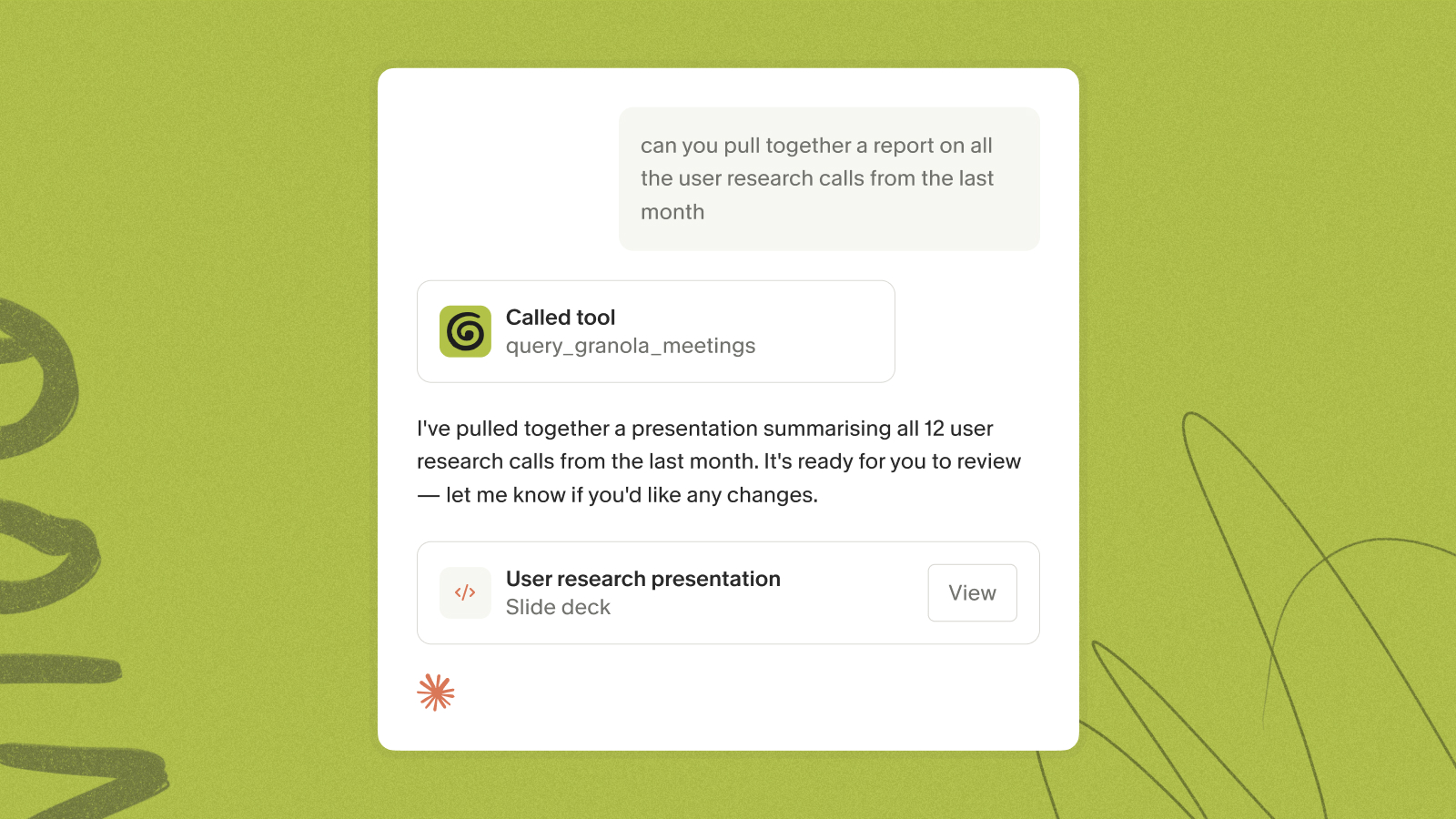
The Granola connector lets you query your entire meeting archive with natural language and receive cited results tied to specific sessions. For example, a recruiter might ask a direct query in Claude Desktop using the Granola connector:
"What concerns did candidates raise about the role across interviews last month? Return exact quotes and cite the source meeting for each."
Claude queries your Granola notes via MCP, finds sessions from the specified timeframe, identifies relevant mentions, and returns quotes with inline citations linking directly back to each Granola note. You can double-click any citation to open the original meeting and verify context. When a hiring manager asks whether hesitation about scope is a pattern or a one-off, you have source-linked citations ready in seconds rather than spending twenty minutes digging through folders.
Setting up your first AI integration
How Claude and ChatGPT handle your data
Modern AI connectors use OAuth for permission management, ensuring data access is scoped, auditable, and revocable. Granola achieved SOC 2 Type 2 certification in July 2025. Granola captures device audio, transcribes in real time, and deletes the audio immediately. Less sensitive data to protect means fewer controls to audit, and it means you're not sitting on a library of sensitive audio files waiting to create a compliance problem.
Granola is also GDPR compliant. Third-party AI providers are contractually prohibited from training on your data. The consent and security guide covers participant notification requirements for two-party consent states.
How to delete an AI connector
- Granola connector (Claude): To revoke Granola's access in Claude, open Customize → Connectors, find Granola, and disconnect it. This removes the OAuth authorization and stops Claude from querying your meeting notes.
- Custom or locally-hosted MCP servers (Claude Desktop): If you added a custom or local MCP server manually, open Claude Desktop Settings, navigate to Developer, and remove the relevant entry from the MCP servers list in your config file.
- ChatGPT Connected Apps: In ChatGPT, go to Settings, select Connected Apps, find the integration, and click Disconnect.
For Enterprise accounts, MCP is off by default and must be enabled by a workspace admin before individual users can connect.
Resolving connector sync issues
Work through these checks in order:
- Re-authenticate: Disconnect and reconnect the connector in Claude or ChatGPT settings if your session has expired or returned authorization errors.
- Check admin permissions: Enterprise accounts may need an admin to re-authorize after a settings change.
- Verify plan access: Basic plan users can only query the last 30 days. Querying older sessions requires Business or Enterprise.
- Rate limits: The Granola MCP connector operates with rate limits that currently average around 100 requests per minute across all tools, varying by subscription plan and MCP tool. Rate limits are subject to change. Wait a minute and retry.
Download Granola free on Mac or Windows, connect your calendar, and link it to Claude or ChatGPT via the MCP connector to query your meetings instantly. Setup takes under five minutes, and the Basic plan costs nothing to start.
FAQs
What is the difference between Claude connectors and ChatGPT connectors?
Claude uses the Model Context Protocol (MCP), an open standard that connects AI tools to local and remote data sources through a standardized query interface. ChatGPT also connects through MCP. Official catalog connectors wrap MCP with OAuth sign-in for authentication; custom MCP servers can be added separately in developer mode, subject to workspace-admin control.
Is my data secure when using AI connectors?
Modern AI connectors use OAuth protocols to manage permissions, ensuring data access is scoped, auditable, and revocable. Granola is SOC 2 Type 2 certified and GDPR compliant, and third-party providers are contractually prohibited from training on your meeting transcripts.
Can Enterprise teams control which users get MCP access?
Yes. On the Enterprise plan, MCP is disabled by default and must be enabled by a workspace admin in Granola's settings, giving IT teams full control before any connections are established.
Key terms glossary
Model Context Protocol (MCP): An open standard introduced in late 2024 (modelcontextprotocol.io) that allows LLMs to securely read and write data from local and remote applications through a standardized interface.
AI connector: A secure data pipeline that links an external software application directly to an LLM, eliminating manual copy-pasting and preserving metadata across the connection.
ETL (Extract, Transform, Load): The automated process of pulling raw data from a source system, formatting it for analysis, and loading it into a target system like an LLM. AI connectors handle all three stages automatically.
OAuth: An industry-standard protocol for secure authorization that allows applications to share data without exposing user passwords. ChatGPT Connected Apps and Granola's hosted MCP server both use OAuth for permission management.
Connected Apps (ChatGPT): The section of ChatGPT's help center and settings where MCP-based connectors are surfaced. Official catalog connectors run on MCP with OAuth handling sign-in; custom MCP servers can be added separately in developer mode with workspace-admin control. Connected Apps is a surface name, not a separate integration protocol.