Async communication: When to skip the meeting
September 18
TL;DR: If your calendar is fragmented by back-to-back meetings, the fix isn't cutting meetings blindly. It's choosing the right format for each conversation. Live meetings belong in high-stakes, bidirectional discussions like sensitive negotiations or complex debates. Handle status updates and information sharing asynchronously through structured documentation. Granola captures live meeting context and turns it into searchable records your team can query with Granola Chat, so people stay informed without sitting in every meeting. Folder-level queries let anyone ask "What did we decide on pricing in Q1?" and get source-linked answers from the exact conversations that matter.
Research by the American Psychological Association shows that task switching costs up to 40% of productive time, and every unnecessary meeting triggers that cost repeatedly across your team. Meanwhile, a Harvard Business Review survey of 182 senior managers found that 71% called meetings unproductive and inefficient.
The cost of defaulting to sync isn't only wasted time. Every unnecessary meeting fragments focus and buries critical decisions inside a room where only attendees can access them. This playbook gives you a concrete framework for deciding when to skip a meeting, how to decline politely, and how to turn the meetings you do attend into searchable institutional memory.
When async communication beats a live meeting
Most meetings are called out of habit, not necessity. Before accepting a calendar invite, run it through a simple decision matrix: does the goal require real-time, bidirectional input from multiple people? If not, consider whether async handles it better.
We built Granola's AI notepad precisely for professionals caught in this trap: you're either present in conversations or capturing them accurately, but rarely both. The four sections below outline the situations where async wins every time.
Information sharing without discussion
A company-wide announcement, a policy update, or a product decision that's already been made needs a well-written document, not a meeting. When one person broadcasts information to a room of passive listeners, you've replaced reading with narrating, and narrating takes longer.
GitLab's handbook-first approach formalizes this principle. Their communication guide emphasizes making information self-serve by default, so the organization retrieves knowledge without scheduling a call to share it. Write the update, post it to your shared workspace, and let people consume it on their own schedule.
Updates that don't require immediate feedback
Weekly status updates and standups are the biggest offenders in most calendars. When one person speaks and seven others listen passively, you've converted a five-minute read into a 30-minute meeting.
Doist runs 95% of team communication asynchronously, treating synchronous calls as the exception. Allan Christensen, COO of Todoist, has stated: "everyone at Todoist knows that asynchronous communication is the default, and no one should expect an immediate response from their teammates." For routine status updates, a structured written post in Slack or Notion delivers the same information in a fraction of the time, with a searchable record attached.
Decisions with clear context already documented
When the relevant background is already written down, a sign-off doesn't require a meeting. It requires a clear ask and a deadline.
If a product decision comes with a Notion document laying out the tradeoffs, options, and recommendation, request written approval or a thumbs-up comment rather than scheduling a 45-minute discussion.
Cross-timezone team coordination
Forcing a distributed team to share a 30-minute window often means someone joins at 7am or 10pm for what amounts to a status check. This erodes morale without adding value.
Async coordination across time zones produces better outcomes: people respond thoughtfully, written records are created automatically, and nobody sacrifices sleep to listen to a status update they could have read in three minutes.
When you actually need the meeting
Async has real limits. Some conversations require the speed, nuance, and shared emotional context that only real-time interaction provides. Defaulting to async for these situations creates misunderstanding and erodes trust. Real-time crises like server outages or critical customer escalations also require live coordination where async latency is unacceptable.
Complex decisions requiring debate
When a decision involves high ambiguity, competing priorities, and strong opinions from multiple stakeholders, writing alone can't resolve it. The back-and-forth of live debate surfaces assumptions, stress-tests logic, and builds alignment faster than a comment thread.
Product roadmap pivots, hiring decisions for senior roles, and pricing strategy discussions all fit here. The signal is friction: when an async thread cycles back and forth three or more times without resolution, switching to a synchronous call often resolves it quickly.
Granola captures device audio and transcribes in real time, then deletes the audio after transcription. Third-party AI providers are contractually prohibited from training on your data. Granola holds SOC 2 Type 2 certification as of July 2025 and is GDPR compliant. Enterprise plans let admins opt out of model training for their entire team. For founders in confidential conversations, this architecture protects the discussion while creating a searchable record of what was decided.
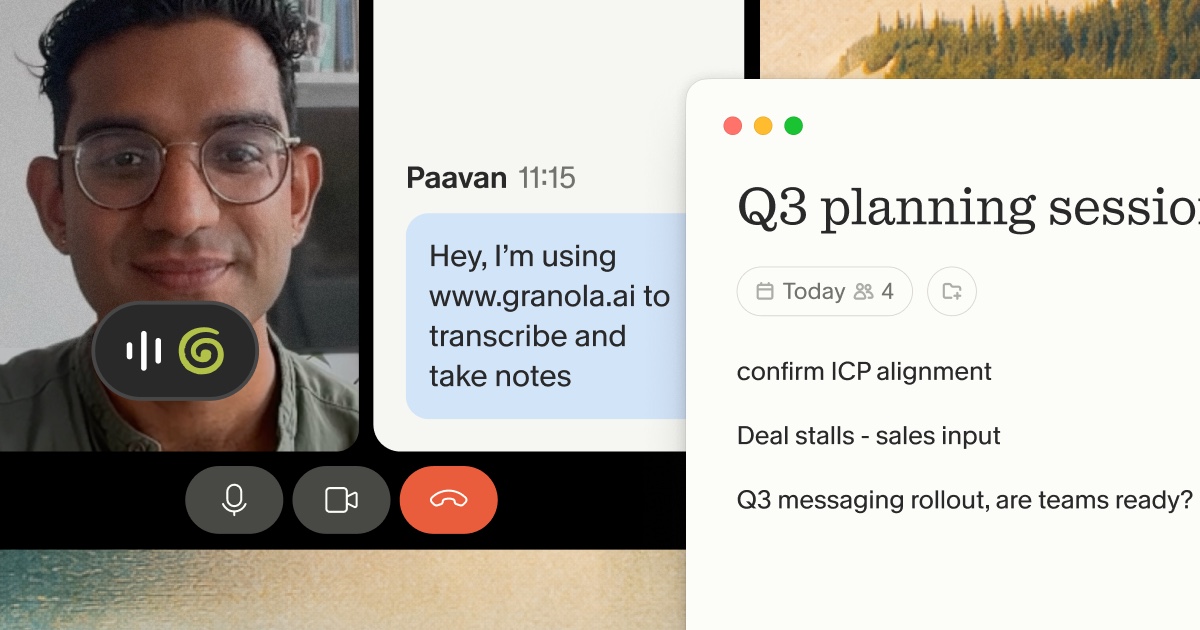
Granola also gives you built-in transparency features: an automatic in-chat notification tells participants Granola is transcribing, and a video watermark stays visible throughout the call so everyone, including late joiners, knows notes are being captured.
How to politely decline a meeting request
Knowing when to skip a meeting is only useful if you can decline without damaging relationships or losing the context. The goal isn't rejection. It's redirection toward a format that serves both parties better.
Suggest an async alternative first
Instead of declining outright, offer a concrete alternative. If someone books a 30-minute meeting to share an update, respond with a request for a written summary in Slack. If a stakeholder wants to "sync quickly," ask them to send their questions in a Notion doc so you can respond thoughtfully. This protects your focus while signaling that their input matters.
For writing cleaner async updates yourself, the Granola blog on meeting recap emails covers how to structure follow-ups that eliminate the need for a follow-up meeting. The meeting minutes vs. notes guide also clarifies what level of documentation different meeting types actually need.
Templates for common scenarios
Copy and paste these directly into Slack or email. Each redirects the conversation without burning bridges and trains your contacts to communicate more precisely over time.
Declining a routine status update:
Hi [Name], I want to stay informed on [topic] without pulling everyone into a live call. Could you share a quick written update in [Slack channel / Notion doc] instead? I'll review it the same day and flag any questions. Happy to jump on a call if something needs real-time input.
Requesting an agenda before committing to attend:
Hi [Name], before I confirm for [meeting title], could you share the agenda and the specific decision or outcome you need from me? I want to make sure I'm the right person in the room and can come prepared. If it's primarily informational, I'm happy to review the notes afterward.
When to push back vs. when to attend
The heuristic is straightforward:
- Attend when: Your input is required to make a decision or move something forward, or your absence would stall the decision or damage the relationship.
- Decline when: Your presence is passive and you can consume the meeting as notes afterward without losing anything actionable.
For recurring internal meetings, audit them quarterly. Drop any meeting where the last three agendas were covered fully by the notes alone.
Async communication best practices
Skipping meetings only works if your async communication is clear enough to stand on its own. Vague Slack messages create more back-and-forth than the meeting they replaced.
Write for clarity and completeness
Aim for "one-and-done" communication: your message anticipates the reader's questions and answers them upfront, so they don't need to reply just to clarify what you're asking. State the context, the ask, and the deadline in the first three sentences.
Structure updates for easy scanning
Use bold labels, bullet points, and TL;DR blocks in every async update. People read Slack on mobile between meetings. If your update is a wall of prose, it won't get read, and you'll end up scheduling a meeting to explain what you already wrote.
A useful structure for async updates:
- TL;DR: One sentence covering the key point and any action required.
- Context: Two to three sentences of background for people who need it.
- Decision or ask: What you need, from whom, and by when.
- Supporting detail: Linked documents, data, or notes for anyone who wants to go deeper.
Converting sync meetings into async documentation
Even after cutting unnecessary meetings, some conversations have to happen live. The mistake is letting those conversations end without a searchable record. When a necessary meeting ends with no documentation, every attendee becomes a single point of failure for the context it produced.
Granola connects necessary sync meetings to async team members by turning live notes into structured documentation that anyone can query. Watch how Granola works to see this in action.
Capture decisions and context automatically
Granola's human-in-the-loop approach works like this: you jot rough notes during the meeting to flag what matters, and Granola enhances them with transcript context afterward. Write "pricing concerns" in the notepad and Granola surfaces every pricing discussion from the transcript with relevant quotes. Leave the notepad blank and you get a generic summary. Your notes stay in black and AI additions appear in gray, so you control what stays.
Share meeting insights without requiring attendance
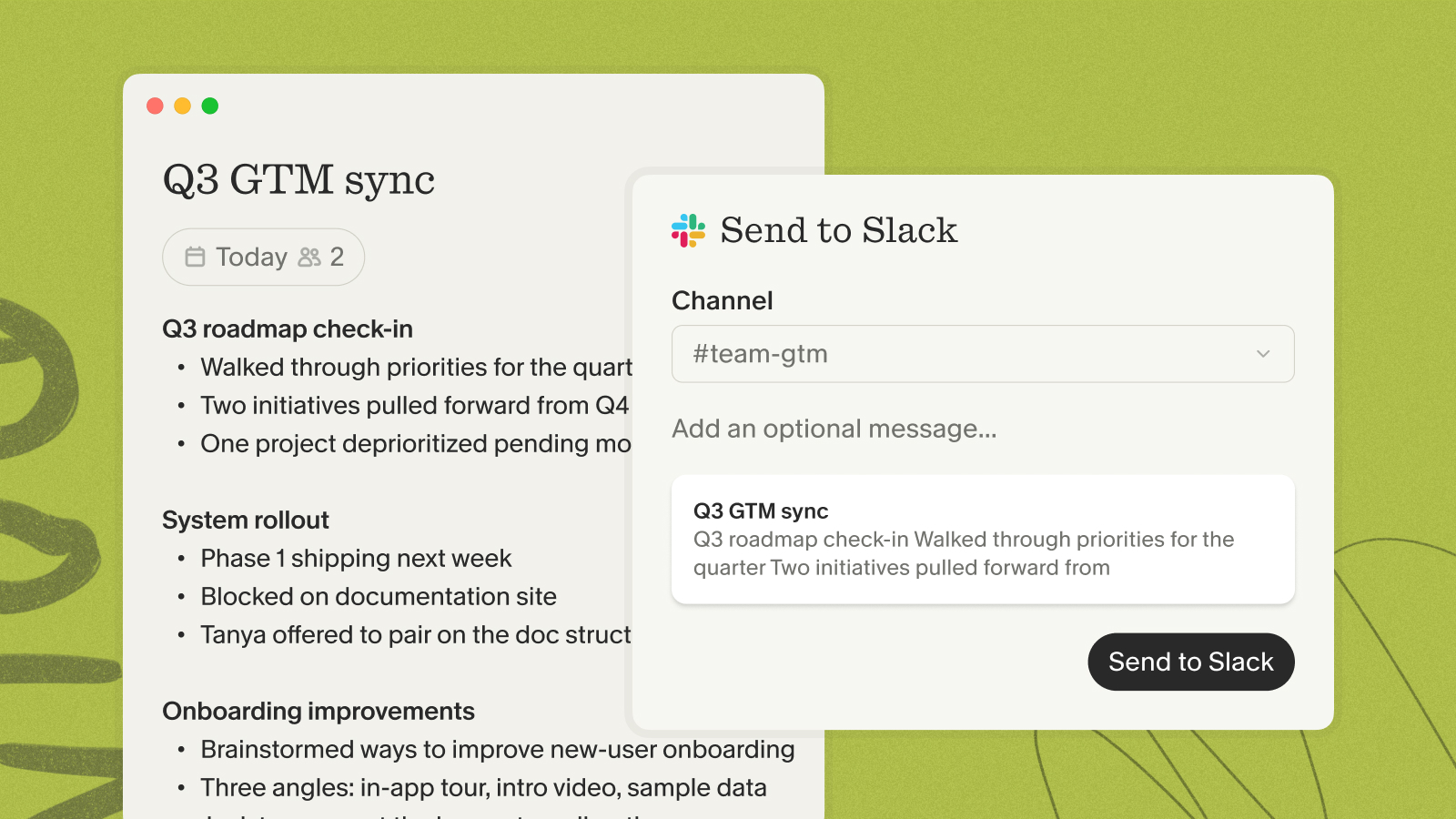
Once Granola generates notes, non-attendees access full context without sitting in the meeting. Shared team folders let you organize notes by project, team, or meeting type. Granola's native integrations push notes directly to Slack and Notion without manual copying. The Granola + Zapier integration extends that reach further, connecting your notes to over 8,000 apps automatically.
For a practical template of what well-structured documentation looks like, the Granola sales call notes template shows how teams capture stakeholder dynamics and objections in a format that's easy to share and act on.
How Granola turns meetings into searchable records
The real value compounds over time. Granola Chat lets you query across every meeting you've ever captured. Ask "What did the board say about runway in Q1?" and get source-linked citations from specific conversations, not a vague summary. Ask "What themes appear across our last 20 customer research calls?" and Granola identifies patterns with inline references you can click to verify.
People & Companies views organize all your notes by relationship, so every conversation with a specific investor or customer builds a timeline you can consult before the next call. Pre-meeting briefs pull open threads and relevant context automatically so you walk in prepared. The Product Talk with Chris Pedregal covers how we designed this institutional memory layer from the ground up.
Building an async-first culture
Cutting meetings is a personal practice. Building an async-first culture is an organizational one. The difference is whether your whole team defaults to documentation or whether you're the only one doing it.
Default to documentation over explanation
Every time a founder explains something verbally that could have been written down, they create a knowledge debt: the information exists only in the listener's memory and disappears when they leave the company or forget the conversation. Writing things down converts ephemeral context into organizational memory.
The practical implementation is straightforward. For every decision made in a meeting, the owner documents the "what" and the "why" in Notion, Linear, or HubSpot before the day ends. GitLab's communication approach formalizes this discipline by instructing team members to write conclusions from offline conversations into the shared handbook, so the record outlasts the individuals involved.
Preserve institutional knowledge as you scale
The fear that drives founders to over-attend meetings is well-founded: critical context does get lost when key people leave. But attending more meetings doesn't solve it. Documenting what happens in them does.
Reduce meeting load without losing context
The financial case for async is straightforward. Every unnecessary meeting fragments blocks of deep work.
Compare that against what it costs to ensure every necessary meeting produces a permanent, shareable record:
| Team size | Weekly meeting hours | Granola Business/month ($14/user) |
|---|---|---|
| 5 people | 10 hours | $70 |
| 15 people | 10 hours | $210 |
| 22 people | 10 hours | $308 |
The Business plan costs $1.40 per meeting when you run 10 meetings a week. That trade-off makes sense when one missed decision costs more than a month's subscription. For a full breakdown of how Granola compares to alternatives on pricing and features, the Granola pricing comparison guide covers Fireflies, Fathom, and Otter side by side.
Get started with Granola's free plan. Download the Mac or Windows app, connect your calendar, and capture your next meeting with AI-enhanced notes and AI chat. Setup takes under 5 minutes and your first enhanced notes are ready the same day.
FAQs
How do I know if a meeting is really necessary?
Apply the decision matrix: if the goal is purely information sharing or a status update without active debate, replace it with a structured written update. If it requires real-time, bidirectional input to reach a decision, schedule it with an agenda and a clear outcome defined in advance.
What if my team expects me in every meeting?
Lead by example: decline non-essential meetings, request written agendas before committing, and share detailed Granola summaries after the meetings you do attend. When your team sees that context is preserved without your presence, expectations shift.
How do I stay in the loop without attending?
Have an attendee use Granola to capture the meeting, then review the enhanced notes afterward. Use Granola Chat to ask specific questions about the discussion without reading every transcript in full.
Can confidential discussions work async?
Confidential discussions can work with async documentation when the tools you use prioritize privacy. Granola is SOC 2 Type 2 certified and GDPR-compliant, with audio deleted immediately after transcription and AI training opt-out available. The guide on AI notetaking consent covers how to handle participant notification for sensitive meetings.
Glossary
Asynchronous communication: Communication that doesn't require all participants to be present at the same time. Information is shared through written updates, documentation, or recorded messages that people can consume on their own schedule.
Synchronous communication: Real-time interaction where all participants are present simultaneously, such as live meetings, phone calls, or video conferences.
SOC 2 Type 2: A security certification that verifies a company's controls for protecting customer data have been operating effectively over a sustained observation period.