





Adoption roadmap: Getting your sales team to actually use AI notetakers
February 18
TL;DR: Sales teams adopt AI notetakers when the tool gives them time back and their notes stay their own. Adoption succeeds when you prove time savings in week one (target: 3-4 hours saved per rep) and let senior reps lead the rollout instead of management mandate. This 90-day roadmap shows how to pilot with 2-3 champions (Days 1-30), operationalize through peer-led training (Days 31-60), and measure CRM coverage and deal velocity impact (Days 61-90). Granola runs on your laptop or phone and uses your device's audio to generate notes, and reps should tell participants they're using it to transcribe the call.
Most AI notetaker rollouts fail because of a positioning problem, not a training problem. Sales leaders see the tool as a solution for CRM hygiene and coaching visibility. Reps see one more system to feed that does not obviously help them close deals. When those two perspectives collide, adoption stalls at low rates regardless of how many licenses you bought.
The data reveals the contradiction: sales reps spend only 28% of their week selling, with the remaining time split across internal meetings, training, travel, and administrative tasks. Yet when you offer tools to automate that admin work, adoption fails. The reason is fit: reps adopt tools that give them time back on their own calls, and abandon tools that add steps without changing their day.
This guide walks through a 90-day adoption roadmap that proves individual time savings first, then builds toward team-level visibility. Follow this sequence and you will see CRM data quality improve without creating a culture crisis.
The adoption gap: Why reps resist recording tools
Reps need accurate notes most for complex, high-stakes deals — the conversations where recall matters months later and where staying present in the room is worth more than typing. Those calls are where a notetaker earns its place: the rep can listen and respond, and still have an accurate record of what was promised.
Adoption stalls when the workflow does not fit the way reps actually run calls. If a tool takes attention away from the conversation, or produces notes the rep has to rewrite before they are usable, it gets dropped after a week or two. Your adoption metric then becomes a measurement of low-value meetings rather than revenue-generating activity.
Surveillance fear compounds the problem. Research shows that 43% of sales professionals report administrative work occupying 10 to 20 hours per week. Reps recognize the admin burden, but adoption fails when reps cannot see what they personally get back from the tool.
Phase 1: The "What's in it for me" pilot (days 1-30)
Successful rollouts start by proving individual value to a small group before announcing a company-wide initiative. The goal for the first 30 days is simple: demonstrate that this tool saves hours without changing how the rep runs their calls.
Select 2 to 3 champions from your senior team. Choose reps who are respected by their peers, comfortable with technology, and running enough meetings to see meaningful time savings within the first week. You want credible voices who represent the middle of your sales org, people whose experience will resonate when you expand the pilot.
Choose a tool with setup under 5 minutes. Complex admin panel configuration or multi-step onboarding processes will kill momentum before the pilot begins. When setup friction is low, you can have champions running their first enhanced meeting within an hour of agreeing to test.
"I find Granola incredibly helpful and intuitive for taking notes in meetings. The setup process is straightforward with easy app download and minimal configuration." - Catherine S. on G2
Focus the first week on personal productivity, not team visibility. Do not ask champions to share notes with management during the pilot. Give them explicit permission to keep everything private while they learn the workflow. The value proposition for week one is purely selfish: "This will give you back 3-4 hours per week that you currently spend typing call summaries and updating CRM fields."
CRM data entry accounts for a large share of that administrative burden. Your champions should see a measurable reduction within their first five meetings. Track it simply: at the end of week one, ask each champion "How many hours did this save you compared to your normal post-call routine?" If the answer is not at least 3 to 4 hours, either the tool is not working or the champion is not using it consistently.
By the end of day 30, you should have 2 to 3 reps who can articulate exactly how the tool changed their workflow, where it saved time, and what concerns they had. These stories become your primary sales asset for phase two.
Phase 2: Operationalizing the workflow (days 31-60)
Once your champions have validated individual value, the next 30 days focus on turning their experience into a repeatable workflow that the rest of the team can adopt. This phase succeeds or fails based on one principle: let the champions lead the training, not management and not the vendor.
Run a champion-led lunch and learn. Block 45 minutes on the team calendar, order food, and have one of your pilot champions walk through their actual workflow. No slide decks. No vendor demos. Just a screen share showing three recent calls: a discovery call, a product demo, and a negotiation conversation. Here is what I did before the meeting, here is what I did during the call, here is what I did after to get the notes into CRM.
The most important moment in this session is when the champion shows a messy, real example. If everything looks polished and perfect, the rest of the team will assume it only works for "power users."
Define the three-step workflow clearly. Every rep should leave the training knowing exactly what to do:
- Pre-call: Open the notepad before joining the meeting. If you are using Granola's calendar integration, it detects your meeting automatically and prompts you to start transcription.
- During the call: Jot rough bullets for anything that matters. When the prospect mentions a competitor, type "concerned about X pricing." When they commit to a next step, type "demo for CFO, week of March 3." The AI is capturing everything in the background, but your rough notes guide what gets emphasized in the final output.
- Post-call: Click "Enhance Notes" and Granola's AI combines your rough notes with the full transcript to produce structured meeting minutes. Copy the relevant sections into your CRM deal notes, or use the one-click share to send follow-up summaries to attendees.
This workflow respects what researchers call "human-in-the-loop" design. The rep stays engaged during the meeting because they are taking some notes, but they are not trying to capture everything.
"I don't have to worry anymore about taking meeting notes, I can just write down things I really care about and let Granola take care of the rest." - Jess M. on G2
Expanding the pilot gradually
Expand the pilot in phases, not all at once. After the lunch and learn, invite 3 to 5 additional reps to join the pilot for week five. Give them direct access to one of the champions for questions. Then expand to another 5 reps in week six. This graduated rollout prevents the support burden from overwhelming your champions and creates social proof as more reps start mentioning the tool in team meetings.
Integrate into existing rituals. Add a 5-minute segment to your weekly sales team call where one rep shares a recent example of how they used their notes. Maybe someone closed a deal faster because they had exact quotes from a discovery call three weeks earlier. These small stories do more to drive adoption than any metric you could show.
Phase 3: Measuring impact and scaling (days 61-90)
The final 30 days shift from "Will they use it?" to "What business outcomes are we seeing?" Adoption is a means, not an end. The real question is whether better notes translate into better sales performance.
Track adoption metrics that matter. The simplest measure is meeting coverage: what percentage of your team's client-facing meetings have notes attached in your CRM? Audit your calendar data to see how many meetings include an AI-generated summary. A more nuanced metric is time-to-CRM: how long does it take from the end of a call to the moment structured notes appear in the deal record?
Measure productivity gains with self-reported data. At the end of week 12, survey your team with two simple questions: "How many hours per week are you spending on post-call admin now compared to before?" and "What are you doing with that reclaimed time?" The second question is just as important as the first.
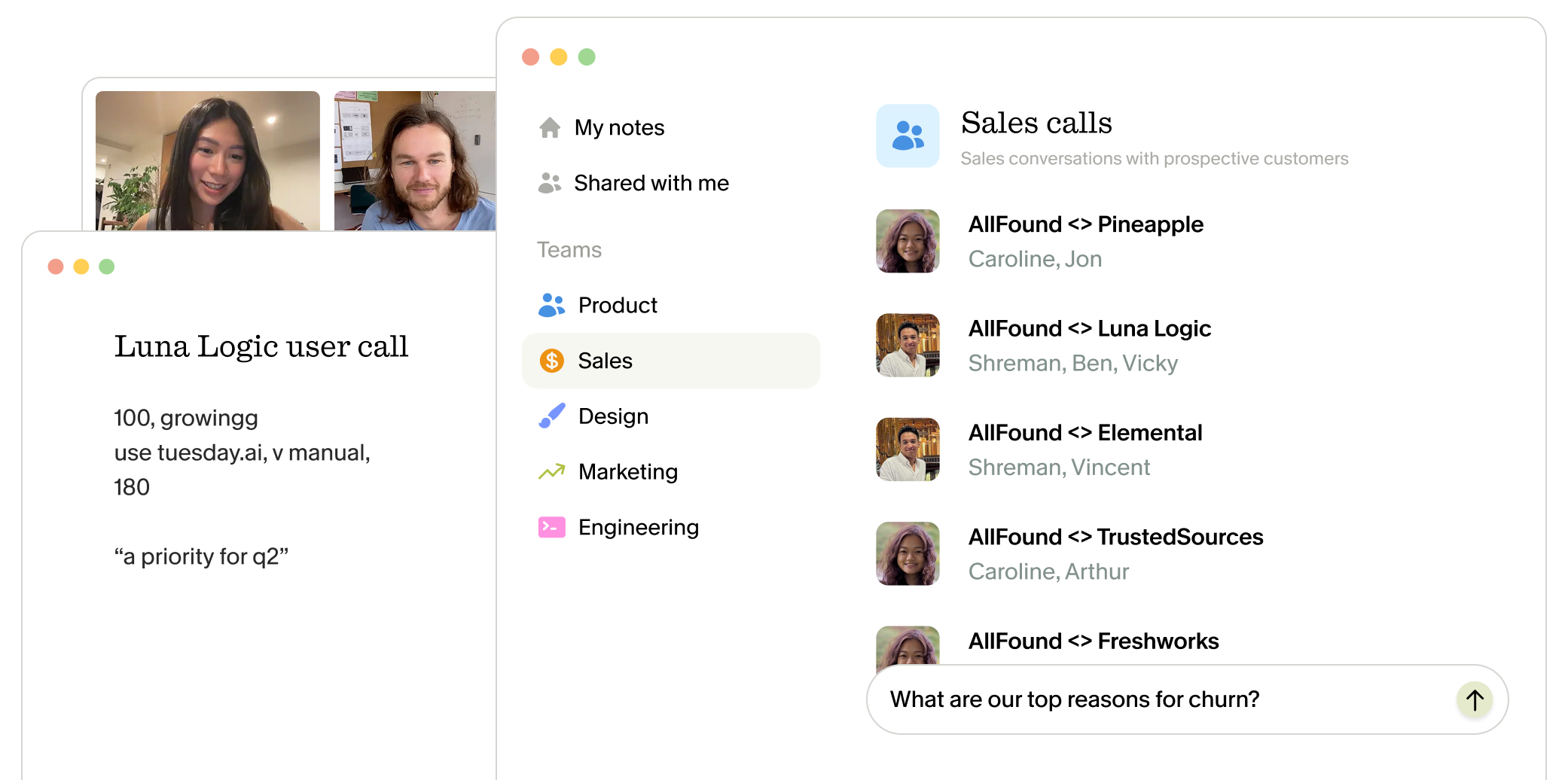
Connect notes quality to downstream performance. This is where the impact gets interesting. When notes are accurate and searchable, your entire team can query past conversations for insights. A rep preparing for a meeting with a new contact at an existing account can search for "What did we promise in the initial contract?" and find the exact quote from nine months ago. Granola's folder-level queries enable cross-call analysis without manual tagging.
Measure deal velocity changes directly. Compare average days-to-close for deals where reps used AI-enhanced notes against deals closed before the pilot. Pull stage-to-stage conversion times from your CRM pipeline reports for both periods. If your sales cycle runs 45-60 days, you will need at least one full cycle after adoption stabilizes (around day 90) to draw meaningful comparisons.
Early signals to watch before then: are deals progressing from discovery to proposal faster when reps have searchable notes from prior conversations with the same account? Are follow-up emails going out the same day instead of two days later? These leading indicators show velocity improvements before closed-won data catches up. For a cleaner baseline, tag deals in your CRM that were actively worked during the pilot period. At the 90-day mark, compare three numbers: average days in each pipeline stage, conversion rate between stages, and total cycle length. Even a 10-15% reduction in stage duration compounds across your pipeline.
"Granola nails exactly what I need: clean, reliable meeting transcripts and smart follow-up summaries without any fluff. I use it for nearly every call to stay focused on the conversation instead of scribbling notes." - Verified user on G2
Establish a feedback loop for continuous improvement. Schedule a monthly 15-minute check-in where 2 to 3 reps share what is working and what is still causing friction. Small adjustments based on real usage patterns will prevent the tool from becoming stale or ignored.
Handling objections: Privacy and surveillance
Even with a thoughtful rollout plan, you will face objections. Addressing them directly, before they become reasons for non-adoption, is part of the change management work.
Objection 1: "I don't want my calls monitored by management." Choose a tool where notes are private to the user by default. Granola's architecture allows reps to control what gets shared. Making privacy the default, with sharing as opt-in, changes the psychology from "being watched" to "choosing to collaborate."
Privacy and security were architectural choices from day one. Granola achieved SOC 2 Type 2 certification in July 2025. Audio is transcribed in real-time and then deleted, so no recordings are stored. Third-party AI providers are contractually prohibited from training on your data.
Brex CEO Pedro Franceschi credits Granola with strengthening the company's written culture. Daversa Partners rolled the tool out across 136 of 150 employees. Teams at Vercel and Ramp also use the platform.
Choosing the right AI notetaker: agents vs notepads
Not all AI notetaking tools serve the same purpose. Understanding the difference between "AI agents" and "AI notepads" will help you choose the architecture that matches your team's needs.
| Feature | AI Agents (Gong, Chorus, Fireflies) | Granola |
|---|---|---|
| Capture method | Joins as a bot participant | Captures device audio |
| Primary use case | Team analytics, coaching, revenue intelligence | Personal productivity, accurate notes |
| Setup time | Requires IT/admin configuration | Under 5 minutes per user |
| Privacy default | Shared with management or team | Private to user, sharing is opt-in |
| Cost structure | Per-seat pricing scales with team | Free unlimited plan available. Paid plans from $14/user/month |
| Best for | Coaching programs, forecast analytics | CRM hygiene, accurate recall of client calls |
AI agents excel at team-level insights. Tools like Gong and Chorus pioneered sales coaching by recording, transcribing, and analyzing sales conversations to provide coaching analytics. If your primary goal is to build a coaching program or improve forecast accuracy through pattern recognition across hundreds of calls, an AI agent delivers features that notepads do not.
Agents are built around team-level reporting: they require admin setup and per-seat pricing that scales with your team size, and they surface aggregate call data such as talk-time ratios, deal-stage tracking and pipeline dashboards.
AI notepads prioritize individual workflow. Granola represents a different architectural choice: capture audio from the user's device, transcribe in the background, and enhance the notes the rep is already taking rather than replacing them entirely. This human-in-the-loop approach keeps reps engaged during calls while still automating the tedious work of turning rough bullets into structured summaries.
Granola runs on your laptop or phone and uses your device's audio to generate notes. Setup takes minutes instead of weeks, and reps can let clients know they're using Granola to transcribe the call with built-in features like a visible watermark or an automatic chat message. Notes are private to the rep by default, so the tool works for them rather than reporting on them.
Your choice depends on your primary goal. If you need cross-team analytics and coaching dashboards, an AI agent is the right architecture. If you need to improve CRM data quality and rep productivity, an AI notepad fits the way individual reps already work.
Beyond sales: Using notes for product discovery
Capturing product feedback alongside sales notes strengthens your adoption case. Reps get another reason to use the tool consistently, and this cross-functional value justifies software budgets to finance teams.
A simple workflow bridges the gap. Sales leaders create a shared "Product Feedback" folder. When a rep hears a prospect mention a missing feature or competitor advantage, they add that call's notes to the shared folder. Product managers review raw transcripts without scheduling extra meetings or relying on CRM summaries.
This approach respects both teams' time. Sales reps do not have to write separate reports. Product managers get unfiltered customer language instead of sales-filtered interpretations. Colleagues can chat with meeting transcripts for full context without attending every call.
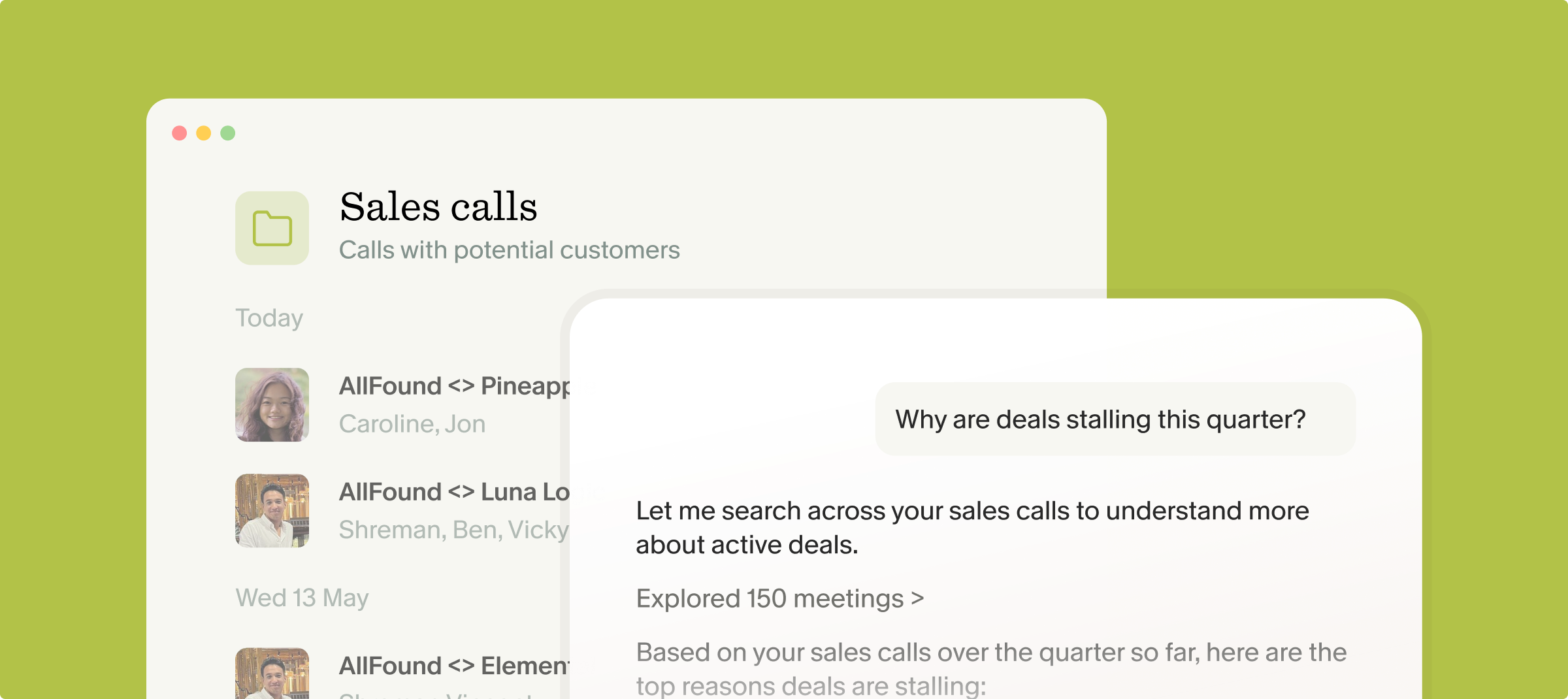
AI-powered queries reveal patterns across calls. When you have 50 or 100 sales calls captured with full transcripts, product managers can ask "Why are enterprise customers hesitating about SSO?" Folder-level search and AI queries return citations and quotes from across all those conversations, revealing patterns that would otherwise require manual review of hours of recordings.
The institutional memory value extends beyond product development. Customer success teams can query past sales calls to understand what was promised during the sales cycle. Marketing can identify which messaging resonates in discovery calls. Once the infrastructure exists to capture and search meeting knowledge, the use cases multiply.
How Granola helps: Notes that fit how reps work
If rep-first workflows and accurate notes sound like the right fit for your team, here is how Granola implements that philosophy.
Granola runs on your laptop or phone and uses your device's audio to generate notes, and it works with meetings on Zoom, Teams, Google Meet, or any other platform. After the meeting ends, it processes the audio to create a transcript, then uses AI to enhance whatever rough notes you took during the call. Reps should tell participants they're using Granola to transcribe the conversation.
The three-step workflow respects how reps work. During the meeting, you jot bullets for anything that matters. When the call ends, you click "Enhance Notes" and Granola combines your rough structure with relevant quotes and context from the full transcript. The result is structured meeting minutes organized by your priorities, not a generic AI summary that might miss the key insights.
"I like that Granola provides detailed, thorough notes with actionable next steps in a clean format. Its usability is simple but effective, and the notes are extremely thorough." - Verified user on G2
Customizable templates match your meeting types. Discovery calls need different structure than product demos or negotiation conversations. Granola allows you to create templates for each meeting type, so your notes follow a consistent format without forcing you to think about structure during the call.
"It doesn't join your calls like other AI note takers (that was big for me) and the AI is ACCURATE." - Verified user on G2
Get started: Run a pilot this week
Download Granola for Mac or Windows, pick 2 senior reps who will give you honest feedback, and have them run it for their next 5 client calls. Setup takes under 5 minutes: install the app, connect your calendar, and join your next meeting. The notepad opens automatically and begins transcribing in the background.
By the end of week one, you will know whether the time savings are real and whether the notes are good enough to paste straight into your CRM. If the pilot works, follow the 90-day roadmap: expand through champions in phase two, measure adoption and productivity metrics in phase three, and establish a monthly feedback loop to keep improving.
Frequently asked questions
How do I convince my sales team to use an AI notetaker? Prove individual time savings with a small pilot (2 to 3 reps) before company-wide rollout. Let champions lead the training instead of mandating from management, and set the expectation that reps tell participants they're using a notetaker to transcribe the call.
What are the biggest risks of AI notetakers for sales? Reps perceiving the tool as management surveillance rather than assistance, and notes that are too generic to be worth reading. Mitigate by keeping notes private to the rep by default, and by having reps tell participants at the start of the call that they're using a notetaker to transcribe it.
Can AI notetakers update my CRM automatically? Most tools require copy-paste or manual transfer. Fully automated CRM entry often produces messy data. Human-in-the-loop workflows (rep reviews and confirms) maintain accuracy while reducing manual work.
Key terminology
Bot-free capture: Transcription from a device's own audio rather than from a virtual participant that joins the meeting.
AI agent: An autonomous bot that joins meetings as a visible participant to record, transcribe, and analyze conversations, typically used for team coaching and revenue intelligence.
Human-in-the-loop: A workflow where the user jots rough notes during the call to guide the AI output, maintaining engagement and accuracy rather than relying on fully automated summaries that may miss context.
SOC 2 Type 2: A security certification demonstrating rigorous data protection standards over a sustained audit period, required by most enterprise buyers for tools handling sensitive customer data.