





Is it safe to record meetings with AI tools? A buyer's safety checklist for 2026
June 19
Use the 9-question checklist below to vet any vendor before committing, focusing on where data is stored, how long it persists, who can access it, and which platforms and output formats are supported.
Most buyers evaluate AI meeting tools by features: Summaries, integrations, templates. The question of what happens to the audio stream after the meeting ends gets far less attention, and that gap is where the real risk lives.
AI meeting tools save hours of manual note-taking, but the wrong tool can compromise your most sensitive conversations. This guide provides a 9-question checklist to evaluate vendor safety before committing, and explains why how a tool captures audio matters as much as what it does with it afterward.
Yes, if you choose tools with these 9 things
Recording meetings with AI is safe, but that safety depends entirely on the vendor's architecture and data policies, not their marketing page. The distinction that matters most is what happens to the audio: whether it is streamed to a vendor's server and retained, or captured from your device, transcribed, and deleted once the transcript exists.
How a tool captures audio determines the data flow behind it. Some tools stream audio to a vendor's server, where it is processed, stored, and potentially used to improve AI models. Tools that capture audio at the device level and delete it immediately after transcription reduce that exposure by design. Granola runs on your laptop or phone and uses your device's audio to generate notes, transcribing in real time and then deleting the audio so no recording persists. Tell the other participants that you're using Granola to transcribe the call.
The 9-question vendor safety checklist
Use this as your vendor vetting framework. A vendor that cannot answer these questions clearly is telling you everything you need to know.
1. Where is your data stored and processed?
Data residency is the starting point. Ask whether meeting transcripts are stored in the EU, US, or elsewhere, and whether the vendor uses third-party cloud providers for processing. GDPR requires that personal data about EU residents is handled according to EU standards regardless of where the vendor is headquartered.
For companies handling sensitive conversations, multi-region processing without contractual safeguards is a liability. Ask for the specific region, infrastructure provider, and whether the vendor has signed Standard Contractual Clauses for EU data transfers.
2. Can we opt out of AI training?
This is the question most buyers forget until something goes wrong. If a vendor's terms of service allow them to use your meeting content to improve their AI models, your proprietary discussions, customer feedback, and strategic plans can become training data. Ask whether the opt-out is account-wide, domain-wide, or requires individual users to configure it.
3. What are your data retention policies?
Indefinite audio storage creates two compounding liabilities. First, it expands your attack surface: More stored data means more exposure if the vendor is breached. Second, long-lived transcripts accumulate access risk internally. The longer meeting content persists, the more opportunities there are for it to be accessed by team members who were never part of the original conversation, shared through integrations, or surfaced in search results where it was not intended to appear.
Ask for the default retention period, whether you can set automatic deletion policies, and whether deletion is a true purge or a soft delete that leaves recoverable data on vendor infrastructure. Granola's architecture solves this at the design level: We delete audio immediately after transcription, so the most sensitive part of your meeting data never persists.
4. Do you provide consent banners and disclosures?
Recording consent varies by location and meeting context. The practical question for any tool is whether participants know a conversation is being captured and how that notification happens.
Ask how each tool notifies participants. Transparency is fundamental to Granola's design. That's why the product includes built-in tools and controls that ensure participants are aware when Granola is being used, while giving admins the flexibility to manage its use across their organization. We recommend telling participants you are using Granola to transcribe the call. Ask any vendor how their tool handles participant notification and whether those settings can be enforced at the domain level.
5. Is transcription on-device or cloud-based?
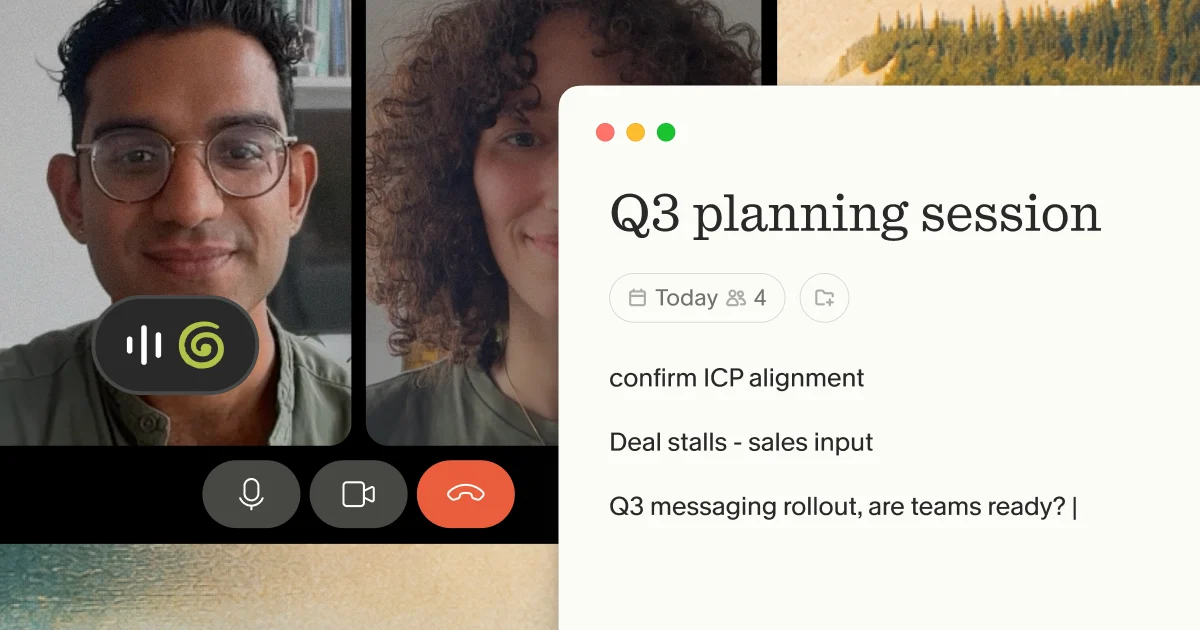
This architectural question determines most of your risk profile. Cloud-based transcription typically relies on a bot joining the meeting as a participant, streaming audio from your call to a vendor's server for remote processing. On-device transcription captures audio at the source and deletes it immediately after transcription is complete, including from any third-party services involved in processing, so no audio persists beyond the moment the transcript is generated.
The comparison table below breaks down the practical implications. For tools that capture device audio rather than sending a bot into your call, the key advantage is not zero external transmission but rather immediate deletion. Granola works this way: audio is processed and purged before it can become a persistent liability.
6. Are you SOC 2 Type 2 certified?
SOC 2 Type 2 is not a checkbox. It is an independent security audit conducted over an extended period, typically six months to a year, covering how a vendor actually operates its security practices rather than what their policies claim.
Ask for the certification date and audit scope. Granola achieved SOC 2 Type 2 certification.
7. Are you GDPR compliant?
GDPR compliance extends beyond data storage to how vendors process personal information. Voice recordings may be subject to additional consent requirements depending on how the vendor processes and uses audio data.
Ask how the vendor supports Data Subject Access Requests, deletion requests under the right to be forgotten, and data portability. Because Granola deletes audio immediately after transcription, the most sensitive data category is retained for the shortest possible period, as documented in the security and privacy FAQ.
8. What encryption standards do you use?
Encryption in transit and at rest are baseline requirements, but the specifics matter. Ask for the TLS version used for data in transit, the encryption algorithm for data at rest, and whether encryption keys are managed by the vendor or available as customer-managed keys.
For vendors that store audio files, ask how those files are encrypted separately from transcripts. For vendors that delete audio immediately, this question applies primarily to transcript and note storage.
9. What access controls are available?
As teams scale, the question shifts from "can I access my notes?" to "who else can access them and how?" Role-based access controls let you restrict which team members can view specific meeting transcripts. Single Sign-On integration with SAML or OIDC lets you manage access centrally and revoke it instantly when someone leaves the company.
Granola's Enterprise plan includes SSO, domain-wide policy enforcement, and org-wide auto-deletion periods. We designed these controls so access governance does not depend on individual users remembering to configure their own settings.
Where meeting capture creates real risk
The risks above are not abstract. Two architectural patterns consistently create the most significant exposure for teams using bot-based tools.
What happens when capture starts automatically
Tools differ in how they handle participants who were not the one who scheduled capture. If an account holder enables automatic capture, other participants may be included in a data flow governed by terms they have not seen. Whichever tool you use, tell participants you are transcribing the call.
This is the core architectural problem: A bot-based tool puts data collection in the hands of one party, and every other participant inherits whatever that tool's vendor does with the audio. Granola runs on your laptop or phone and uses your device's audio to generate notes, and the audio is deleted immediately after transcription, so no persistent recording is retained. We recommend telling participants that you're using Granola to transcribe the call.
Default capture settings to check
Default behaviors vary by platform and tool: some require explicit opt-in before capture begins, while others can be configured to start automatically through workspace-level settings. For confidential conversations, check what your tool does by default, and tell participants you are using it to transcribe the call.
Executive recruiting calls, M&A discussions, and board meetings put a premium on recall and on staying present in the conversation rather than writing things down. Daversa Partners, an executive search firm, adopted Granola for CEO searches so its team could focus on the conversation and rely on accurate notes afterward.
On-device vs cloud transcription: Privacy implications
The technical architecture of how a tool captures audio determines most of its privacy profile. The choice between on-device and cloud-based transcription is not a feature preference. It is a risk decision.
How on-device transcription works
On-device capture works like recording your own voice memos: The microphone and system audio listen to what you hear and process audio from your device directly. In Granola's case, the app accesses your device's microphone and computer audio, transcribes in real time, then immediately deletes the audio from both our systems and any third-party services once transcription is complete. The transcript exists. The audio does not.
This architecture also explains why Granola works across any meeting platform: Zoom, Google Meet, Microsoft Teams, Slack, WebEx, or a FaceTime call. Because it captures system audio rather than joining the meeting as a participant, there is nothing platform-specific to integrate.
Cloud transcription security trade-offs
Cloud-based transcription streams audio from your call to a vendor's server in real time, where it is processed and, depending on the vendor, retained. Ask what the retention period is, where processing happens, and who can access the stored audio.
| Factor | On-device capture | Cloud-based transcription |
|---|---|---|
| Audio storage | Deleted immediately after transcription | Varies by vendor policy |
| Third-party access | Audio processed then deleted | Vendor receives live audio stream |
| How capture happens | No additional participant joins the call | Bot visible in participant list (varies by tool) |
Which approach fits your risk profile
The right architectural choice depends on the sensitivity of the conversation, not the tool category. For executive recruiting, M&A discussions, and investor calls, immediate audio deletion and short retention are the priorities, alongside telling participants you are transcribing the call. For lower-stakes internal syncs, the priority shifts to whichever approach your team finds least disruptive to their workflow.
Enterprise admin controls to look for
Individual user settings are insufficient for organizations managing data governance at scale. Enterprise-grade meeting tools need controls that administrators can enforce across the entire domain without depending on individual users to configure their own settings correctly.
- Centralized data governance: Admins should be able to set retention policies, configure AI training opt-outs, and control which integrations are active from a single dashboard.
- User provisioning and de-provisioning: When an employee leaves, access to meeting notes should be revocable without manual steps. Ask vendors whether they support automated provisioning with your identity provider.
- Audit logs and activity monitoring: Knowing who accessed which meeting notes and when is essential for compliance audits and incident response. Ask vendors specifically whether their analytics cover per-note access logging or whether they report at the account and usage level only. Granola's Enterprise plan includes usage analytics, SSO, and domain-wide policy enforcement, as detailed in the Enterprise settings documentation.
Industry-specific considerations
Enterprise controls establish baseline governance. For teams whose work involves sensitive conversations, two product capabilities matter most.
- Confidential conversations and high-stakes calls. For executive recruiting, investor conversations, and internal strategy discussions, accurate recall matters and so does staying present in the conversation. Granola runs on your laptop or phone and uses your device's audio to generate notes, and audio is deleted immediately after transcription so no recording persists. Let participants know you're using Granola to transcribe the call.
- Financial services teams managing sensitive client data. Granola's retention settings are configurable at the admin level, and the Enterprise plan includes organization-wide model training opt-out. Teams with specific record-keeping obligations should evaluate these settings with their own compliance departments. The Enterprise settings documentation details the available controls.
Red flags in vendor contracts
Feature listings and marketing pages describe what a tool does. Data policies describe what a vendor does with your content after the meeting ends. Two areas consistently show the largest gap between marketing claims and documented practice.
Vague data ownership and broad training rights. Data ownership and AI training policies vary significantly across vendors. Some platforms include service improvement clauses that authorize use of your meeting content for model training without calling it that explicitly.
Limited liability and unclear deletion. Deletion practices also vary. Vendor deletion policies sometimes mark data as inactive rather than permanently removing it from backup and recovery infrastructure. Granola's architecture sidesteps most of this: Audio is deleted immediately after transcription, so the highest-risk data category is never retained long enough to require a deletion request.
If you need accurate notes from executive recruiting calls or M&A discussions, with no stored audio and SOC 2 Type 2 and GDPR compliance already in place, try Granola for free. Download the Mac or Windows app, connect your calendar, and let participants know you're using Granola to transcribe your next meeting.
FAQs
How does Granola handle participant notification?
You can show a watermark on your video while transcribing so everyone in the meeting knows Granola is active. We recommend telling participants at the start of the call that you're using Granola to transcribe it, and admins can enforce notification settings across the domain.
What happens to my data if I stop using Granola?
You can export your notes and transcripts at any time. If you close your account, Granola deletes your data in accordance with the retention policies documented in the security and privacy FAQ. Because audio is deleted immediately after transcription, the only data subject to retention or deletion requests is transcript and note content, not audio recordings.
How does Granola minimize the data it holds on my meetings?
Granola's architecture is designed to retain the minimum necessary data. Audio is deleted immediately after transcription: No audio file is stored on Granola's servers or any third-party service after the transcript is generated. The transcript and your enhanced notes remain accessible in your account until you delete them. Granola's Enterprise plan adds organization-wide controls including configurable auto-deletion periods, so admins can set how long notes persist across the domain without depending on individual users to manage their own settings.
Glossary
GDPR (General Data Protection Regulation). EU law governing how organizations collect, store, and process personal data about EU residents. Applies to any vendor whose customers or their meeting participants are based in the EU, regardless of where the vendor is headquartered.
Model training opt-out. A setting that prevents a vendor from using your meeting content to improve or fine-tune its AI systems. Without this, meeting transcripts may become part of a vendor's training data by default.
SAML / OIDC. Authentication protocols that allow Single Sign-On. SAML (Security Assertion Markup Language) and OIDC (OpenID Connect) let organizations manage employee access to tools centrally, so revoking access when someone leaves requires one action rather than many.
SCIM (System for Cross-domain Identity Management). A standard protocol that automates user provisioning and de-provisioning between an organization's identity provider (such as Okta or Azure AD) and the tools its employees use.
SOC 2 Type 2. An independent security audit that evaluates how a vendor's systems actually operated over a period of time, typically six to twelve months. Type 2 differs from Type 1, which only assesses whether controls exist at a single point in time.