





Best tools for automated meeting notes
July 17
TL;DR: Automated meeting notes are only useful if the output reflects what mattered in the conversation. The criteria that separate tools worth adopting are note quality (human-guided vs. fully automated), security architecture, and integration depth. Granola works as a notepad: you type a few rough bullets during the meeting, and the AI pulls the relevant transcript context around each point afterwards, so you leave with a document you can act on in a couple of minutes rather than a transcript to synthesise.
The tool you use to capture meetings shapes how much work is left when the call ends. This guide walks through the four criteria that determine whether an automated meeting notes tool actually works for your workflow, and explains why note quality and integration depth are the decisions that matter most.
Criteria for high-fidelity meeting automation
Not all automated note tools are built the same way, and the differences matter more than most comparison articles acknowledge. Four criteria separate genuinely useful tools from ones that create as much work as they save.
- Capture method: Does the tool work only inside a single conferencing platform, or does it transcribe device audio? The answer determines whether you get the same notes across every platform and for in-person conversations too.
- Note quality (human-guided vs. fully automated): A tool that lets you type rough notes during the meeting produces output that reflects your priorities. A fully automated summary treats every sentence as equally important and often buries the insights that mattered most.
- Security architecture: Where is audio stored? How long does it persist? What certifications does the vendor hold? For teams managing confidential client relationships and sensitive deal data, these questions are not optional.
- Integration depth: Meeting notes only create value when they flow into the tools your team already uses, like your CRM, knowledge base, and communication platforms.
Bot-based, bot-free, and hybrid: How capture method shapes your notes
Recording bots join your Zoom or Meet call as a named participant. Attendees typically see a notification or hear an announcement indicating that the conversation is being captured.
Bot-free tools transcribe audio from the user's own device instead, so the same workflow covers every conferencing platform as well as in-person conversations.
Hybrid or browser-extension tools use a third approach: capturing audio at the platform or browser level rather than joining as a named participant or accessing device audio directly. Visibility and behavior vary depending on which conferencing platform you are running. Some tools in this category combine extension-based capture with an optional bot fallback for platforms where extension capture is unsupported.
| Capture method |
Visibility | Platform coverage | In-person support |
Audio storage |
|---|---|---|---|---|
| Bot-based | Visible participant in call | Supported video platforms only | Not supported | Typically stored in cloud |
| Bot-free (device audio) | Includes in-meeting notice on Google Meet | Works across every platform | Supported via mobile mic | Deleted after transcription |
| Hybrid (browser extension) | Coverage varies by platform | Varies | Limited | Varies by vendor |
When hybrid or browser-extension capture fits your workflow
Some tools use a hybrid approach: A browser extension that captures audio at the platform level rather than joining as a named participant, combined with an optional bot fallback for platforms where extension capture is unsupported. Hybrid coverage varies: extension capture works on some conferencing platforms and falls back to a bot on others, so the experience depends on which tool you are running.
The strongest use case for this category is collaborative post-meeting annotation: when multiple team members need to highlight, comment on, and segment transcripts simultaneously after a session ends. Research teams and training organizations running structured post-call review workflows are the natural fit.
When bot-based capture fits your workflow
Bot-based capture is a practical fit for teams where recording transparency is expected and preferred. Internal sales team calls, structured SDR sequences, and standardized first-round interview workflows are contexts where participants already know calls are captured, and where the analytics that bot-based tools layer on top of transcription (deal risk flags, competitor mention detection, speaker talk-time ratios) create genuine value. Bot-based tools also tend to offer deeper CRM push automation and conversation analytics dashboards that suit teams running repeatable, measurable processes at scale. Where those analytics are the point, bot-based tools are a reasonable fit.
For teams running multi-stage workflows where documentation must follow a consistent structure across dozens of conversations, template-driven bot-based tools can produce standardized outputs at scale. The structural benefit comes with a trade-off: the AI populates each section of the template based on its own relevance judgment, not the team's. That works well for high-volume, repeatable processes where consistency matters more than nuance. It works less well for complex or non-linear conversations where the most important signal is not the most frequently mentioned topic.
Some tools now offer both capture modes, letting users select bot-based or bot-free on a per-meeting basis rather than committing to a single default. This flexibility is useful when capture needs vary across a single workflow, though it requires a deliberate choice before each meeting rather than a consistent default behavior.
When to automate your meeting notes
Automation earns its keep in specific situations: Back-to-back meeting schedules where there is no time between calls to write up notes, high context-switching environments where a conversation from Tuesday becomes relevant in a Thursday IC discussion, and any workflow where institutional memory needs to outlast the individuals who held it.
The goal is to eliminate the documentation gap, not to create a new review workflow. If you end every meeting with a wall-of-text transcript that requires 20 minutes to synthesize, the automation failed. The right tool produces an output you can act on in under two minutes.
Turning meeting notes into structured outputs
Signal extraction matters more than raw transcription. A full transcript of a 45-minute conversation contains thousands of words, but a useful output document needs six specific things: The core claim, the supporting evidence, the key risks raised, the decisions made, the open questions, and the agreed next steps.
The workflow that produces a usable memo looks like this:
- During the pitch: Type four to six bullet points covering what matters most. "Pricing concerns," "CAC claim," "why now."
- After the meeting: Click "Enhance Notes." The AI finds every relevant passage in the transcript that connects to your bullets and adds supporting context.
- Draft the output: Pull the enhanced notes into your document template. Your bullets become the structure, AI additions provide the supporting quotes and detail.
- Verify with chat: Ask "What exactly did they say about their timeline in year two?" and get a source-linked answer from the transcript.
This transition from conversation to structured output cuts drafting time significantly compared to working from scattered handwritten notes or generic automated summaries.
How bot-free, human-in-the-loop capture works in practice
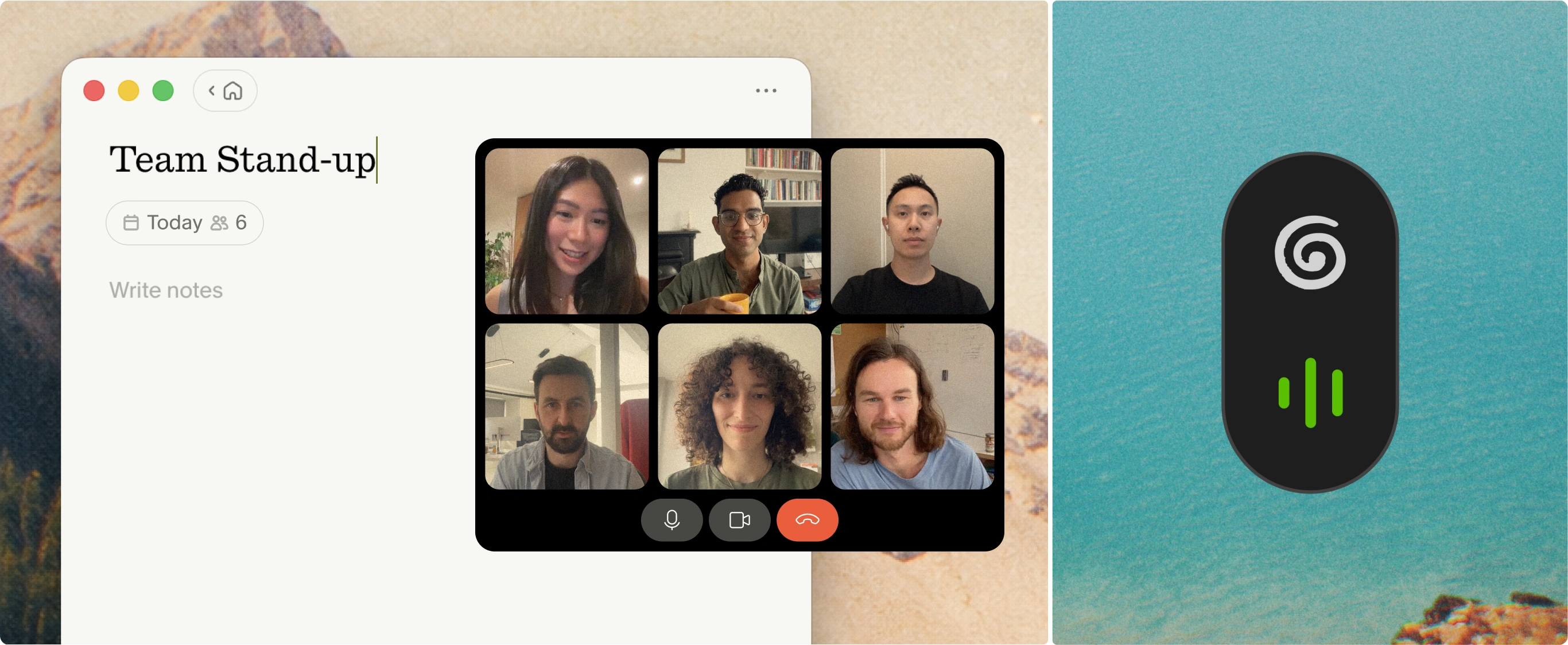
Granola is built as a notepad first. You open it before a meeting, type what matters during the conversation, and click "Enhance Notes" when you're done. The AI uses your typed notes as a guide, pulling relevant transcript context around each point you flagged, rather than generating a generic summary of the entire conversation.
How Granola captures audio across platforms
Granola installs on your device and listens to system audio directly, capturing both your microphone input and the audio from your video call platform. No meeting bot joins your calls; Granola runs on your laptop or phone and uses your device's audio to generate notes. It's good practice to let the other participants know you're using Granola to transcribe the call. Because it operates at the device level rather than inside any specific tool, it works across every meeting platform, and also covers in-person conversations and phone calls via the iOS app.
Before (rough notes during meeting): "Pricing concerns, CAC claim, competitive moat"
After (AI-enhanced): "The founder claims a customer acquisition cost of $450 with a 14-month payback period, citing two named enterprise customers as the basis for the projection. Competitive moat was attributed to a proprietary data advantage built over four years of production usage."
Your typed notes stay in black. AI additions appear in gray. You control what stays, what gets edited, and what gets deleted. For more detail on how this enhancement process works, the AI-enhanced notes help documentation walks through the full workflow.
How Granola handles your audio and data
Granola's privacy architecture is built around one core decision: Capture audio in real time, transcribe it, then delete it. No audio files are stored anywhere. On desktop, audio is transcribed in real time and discarded immediately. On iPhone, Granola temporarily caches audio during the meeting and deletes it from all systems once transcription completes. Only the transcript and your notes persist.
Third-party AI providers are contractually prohibited from training on your data. Granola holds SOC 2 Type 2 certification and is GDPR compliant.
For Google Meet users specifically, Granola provides an in-meeting notice that handles consent requirements automatically.
Document sensitive pitch conversations accurately
For teams evaluating whether this fits confidential conversations, the product overview demonstrates the no-bot workflow from start to finish.
Key requirements for automated meeting documentation
Before adopting any automated note tool, teams need to evaluate three operational requirements that most comparison articles skip over.
Security protocols for confidential calls
Procurement and compliance reviews increasingly include questions about how organizations handle sensitive meeting data. The relevant certifications to verify are SOC 2 Type II for operational security controls and GDPR compliance for data residency requirements.
Beyond certification, the architectural question that matters most is audio storage: how long audio persists after transcription, and whether it can be deleted on demand. Tools that delete audio immediately after transcription complete reduce the data surface area that requires auditing.
Key considerations before adopting automated meeting notes
Can automated notes capture offline calls?
Bot-free tools that operate at the device level handle in-person meetings, phone calls, and any audio source your device can hear. Granola's iOS app transcribes through your phone's microphone for in-person conversations, then deletes the source audio once transcription completes. Bot-based tools are limited to supported video conferencing platforms because the bot must join a digital meeting to record. For anyone who meets in person, at conferences, or over coffee, device-level capture is the only option that works.
Preparing for and documenting board meetings
For organizations running board meetings, governance decisions and executive performance discussions need an accurate record that is easy to review afterwards. Pre-meeting briefs in Granola let partners prepare context before the meeting starts, so they arrive with relevant background rather than scrambling during the session.
Verifying automated meeting data accuracy
Human-in-the-loop enhancement creates a built-in verification layer. When your typed notes guide the AI, you already know what the output should cover, making it fast to spot anything that was missed or misrepresented. Granola's chat tool lets you ask specific factual questions and trace every answer back to the source transcript, so verification is a matter of seconds rather than re-reading an entire document. For fully automated summaries without human notes guiding the output, verification requires reading the full transcript, which often defeats the purpose of automation.
Try Granola for free. Download the Mac, Windows, iOS, or Android app, connect your calendar, and run your next meeting to see how human-guided enhancement compares to a fully automated summary.
FAQs
What is the difference between bot-based and bot-free meeting capture?
Bot-based tools join your video call as a participant and are limited to supported conferencing platforms. Bot-free tools like Granola transcribe audio from your own device, so the same workflow covers every platform as well as in-person meetings and phone calls, and on Google Meet Granola shows an in-meeting notice to attendees.
Does Granola work for in-person meetings?
Yes. Granola's iOS app transcribes in-person conversations through your phone's microphone and deletes the source audio after transcription. This also covers phone calls and any meeting where participants are physically present.
Can I query across multiple meetings to find patterns over time?
Yes, Granola's agentic chat supports folder-level queries across all your meeting notes with source-linked citations. You can ask questions like "What concerns came up most often in customer calls this quarter?" and get synthesized answers with links back to specific conversations.
What happens to my audio after Granola transcribes it?
Audio is deleted immediately after transcription completes. On desktop, this happens in real time. On iPhone, Granola caches audio temporarily during the meeting and removes it from all systems once transcription finishes. No audio files are stored anywhere.
Key terms
Bot-free capture: A transcription method where the tool accesses device audio directly rather than joining a meeting as a visible participant. Audio is processed locally and typically deleted after transcription.
Hybrid/extension capture: A transcription method where the tool uses a browser extension or platform-level integration rather than joining as a named participant or accessing device audio directly. Visibility and behavior vary depending on the conferencing platform. Some tools combine extension-based capture with an optional bot fallback.
Human-in-the-loop enhancement: A note-taking approach where the user types rough notes during a meeting and the AI uses those notes as a guide to pull relevant context from the full transcript. The human's judgment shapes the output rather than an automated algorithm deciding what matters.
SOC 2 Type II: An independent security audit that verifies a company's controls for data security, availability, and confidentiality over an extended observation period (typically six months or more). More rigorous than Type I, which only verifies controls at a single point in time.
IC memo (Investment Committee memo): A structured document that summarizes a deal opportunity for partnership review, including market thesis, team assessment, competitive positioning, financial projections, and key risks.
Agentic chat: A conversational AI interface that can execute multi-step reasoning across large datasets, such as querying an entire folder of meeting transcripts to identify patterns and surface source-linked citations, rather than simply answering questions about a single document.